Why Digital Signatures Matter for Code Integrity and Trust
Digital signatures prove that software has not been altered since the developer approved it, preventing hidden malware from executing on your systems.
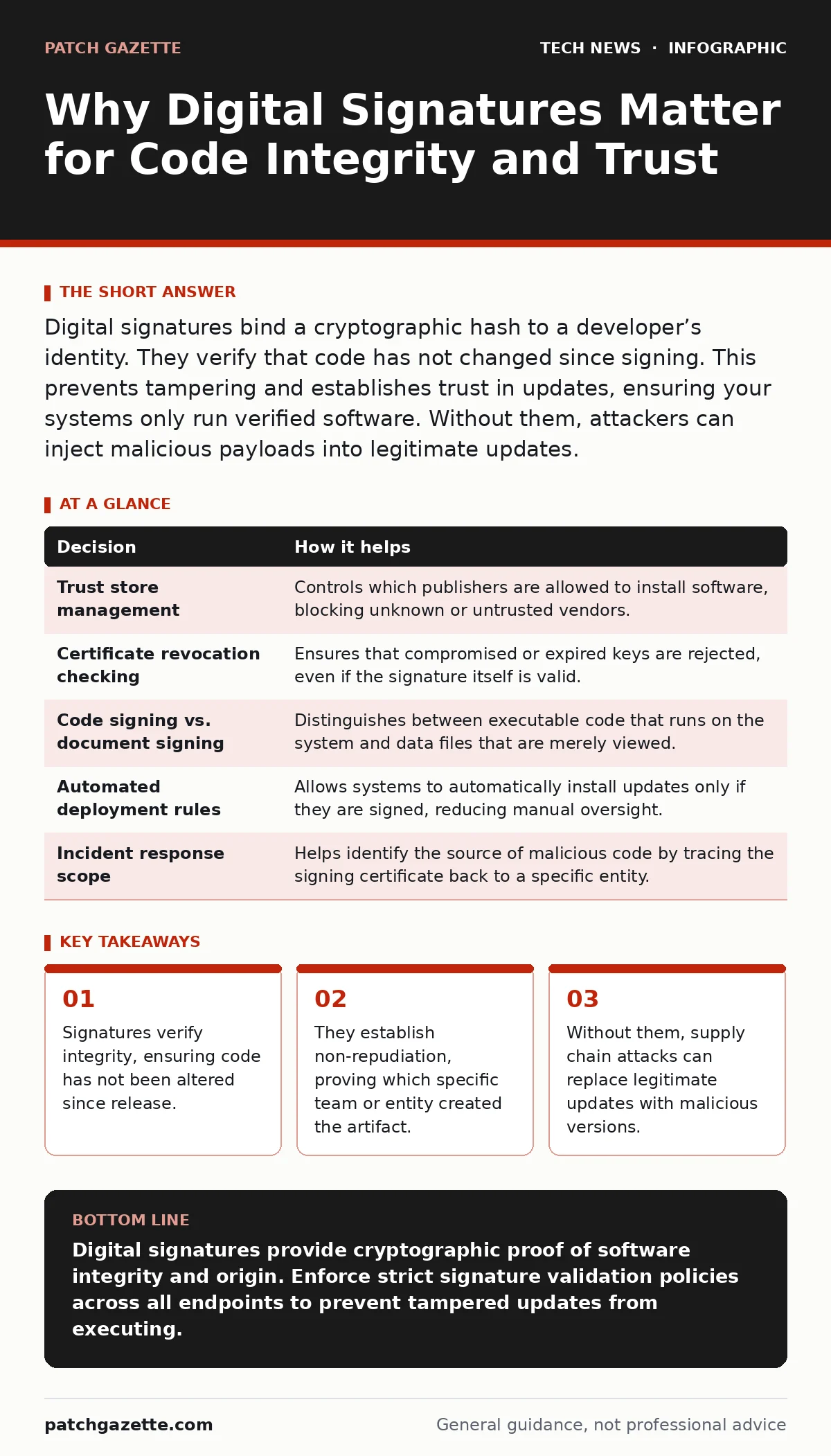
Digital signatures bind a cryptographic hash to a developer’s identity. They verify that code has not changed since signing. This prevents tampering and establishes trust in updates, ensuring your systems only run verified software. Without them, attackers can inject malicious payloads into legitimate updates.
The Integrity Gap in Software Updates
Software updates are the primary vector for maintaining security, but they are also a high-risk entry point for attackers. When you download an update, your system must trust that the file is exactly what the vendor intended. Without a mechanism to verify this, you are relying on the security of the network path and the storage medium, both of which can be compromised.
Digital signatures solve this by creating a cryptographic link between the code and the publisher. The process starts with a hash, a fixed-size string of characters generated from the file’s contents. The publisher encrypts this hash with their private key. Your system then uses the publisher’s public key to decrypt the signature and compares it to a new hash of the downloaded file. If the hashes match, the file is intact. If they differ, even by a single bit, the signature fails.
This mechanism does not encrypt the code itself. It only proves who signed it and that it has not changed. You still need encryption protocols like TLS to protect the data in transit. The signature protects the data at rest and during execution, ensuring that what you signed is what you run.
Supply Chain Trust and Verification
Imagine your organization relies on a third-party application for payroll processing. The vendor releases a critical security patch. An attacker intercepts the update distribution and injects a keylogger into the installer. If your systems do not validate digital signatures, the keylogger installs silently alongside the legitimate patch.
With signature validation enabled, your operating system checks the vendor’s certificate before allowing installation. The injected code changes the file’s hash, causing the signature verification to fail. The update is rejected, and the attack is stopped before execution. This is a fundamental control in supply chain security. It shifts trust from the network to the cryptographic identity of the developer.
Decisions Informed by Signature Policy
Digital signatures are not just a technical setting; they inform strategic decisions about risk and access. Your security team must decide which certificates are trusted and how rigorously those certificates are validated. These decisions affect how you manage software lifecycles and respond to incidents.
| Decision | How it helps |
|---|---|
| Trust store management | Controls which publishers are allowed to install software, blocking unknown or untrusted vendors. |
| Certificate revocation checking | Ensures that compromised or expired keys are rejected, even if the signature itself is valid. |
| Code signing vs. document signing | Distinguishes between executable code that runs on the system and data files that are merely viewed. |
| Automated deployment rules | Allows systems to automatically install updates only if they are signed, reducing manual oversight. |
| Incident response scope | Helps identify the source of malicious code by tracing the signing certificate back to a specific entity. |
What Goes Wrong Without Verification
When systems lack signature validation, they become vulnerable to man-in-the-middle attacks and repository compromises. Attackers do not need to break into your network directly. They only need to intercept a legitimate update or compromise a public download server. Once the file is altered, the system treats it as valid because it has no way to verify its origin.
This creates a false sense of security. You may believe your firewalls and endpoint protection are sufficient, but they often rely on heuristics that can be evaded. A signed malicious file can bypass many traditional defenses because it appears to come from a trusted source. The absence of signature checks removes the final layer of verification, leaving your infrastructure exposed to subtle tampering.
Operational Costs and Trade-offs
Implementing strict signature validation has costs. Developers must manage private keys securely, and operations teams must maintain accurate trust stores. If a vendor loses their private key, every existing installation of their software may fail to update until a new certificate is issued and distributed. This can cause operational disruptions if not planned for.
There is also a performance overhead. Each file must be hashed and verified before execution. For large deployments with frequent updates, this adds latency. However, this cost is minor compared to the impact of a successful supply chain attack. The trade-off favors security because the verification process is automated and happens locally on the endpoint.
Teams must also handle certificate expiration. When a signing certificate expires, the software it signed may still be valid, but new updates will fail verification. You must plan for certificate renewal well in advance to avoid service outages. This requires coordination between development, security, and operations teams.
See also: IP Address Mechanics: 10 Questions Network Engineers Actually Ask · Software Updates Best Practices: Secure Patching Without Downtime
Integrating with Secure Boot
Digital signatures extend beyond individual files to the entire boot process. Secure Boot is a standard that ensures only signed operating system components load during startup. This prevents rootkits and bootkits from gaining control before the operating system starts.
If your system uses Secure Boot, it validates the signature of the bootloader, which then validates the kernel, and so on. This chain of trust ensures that the hardware has not been compromised at the lowest level. Without this, an attacker with physical access can install persistent malware that survives operating system reinstalls.
Managing Keys and Certificates
The security of digital signatures depends entirely on the secrecy of the private key. If an attacker obtains your private key, they can sign malicious code that appears to come from you. This is why key management is critical. Private keys should be stored in hardware security modules or secure key management systems, not on general-purpose servers.
You must also monitor for certificate revocation. If a key is compromised, the issuing authority revokes the certificate. Your systems must check revocation lists to ensure they do not accept software signed with a revoked key. This requires connectivity to certificate authorities and proper configuration of your validation tools.
Broader Security Context
Digital signatures are part of a larger security strategy. They work alongside other controls to reduce risk. For instance, proper IT asset management ensures you know what software is running and can apply signature policies consistently. Without visibility into your assets, you cannot enforce signature validation across all endpoints.
Similarly, mobile device security relies on app signatures to prevent unauthorized applications from running. The same principles apply to enterprise software. You should also consider IPv6 security, as network-level protections complement the integrity checks provided by signatures. While video conferencing security focuses on data in transit, signatures protect the software that runs the conferencing tools.
Key takeaways
- Signatures verify integrity, ensuring code has not been altered since release.
- They establish non-repudiation, proving which specific team or entity created the artifact.
- Without them, supply chain attacks can replace legitimate updates with malicious versions.
Digital signatures provide cryptographic proof of software integrity and origin. Enforce strict signature validation policies across all endpoints to prevent tampered updates from executing.
Frequently asked questions
Can digital signatures prevent all malware infections?
No, signatures only verify that the code has not been altered since signing. They do not detect malicious code if the developer or signer was compromised.
What happens if a software vendor loses their signing key?
The vendor must revoke the old certificate and issue a new one. Existing software may fail to update until the new certificate is distributed and trusted.
Do I need to sign internal scripts and tools?
Yes, signing internal code establishes accountability and prevents tampering. It allows you to enforce policies that only allow signed scripts to run.
How often should I update my trust store?
Regularly, to include new trusted certificates and remove revoked ones. Automation helps ensure your systems always check against the latest revocation lists.
How this guide was produced: written by the Patch Gazette editorial team with AI assistance, checked against the public references listed below, and reviewed when the facts change. See our editorial policy or report an error.