QR Code Phishing: Risks and Protection for Small Businesses
QR codes bypass browser security warnings by forcing mobile users to trust the scanner, creating a blind spot that attackers exploit with physical media.
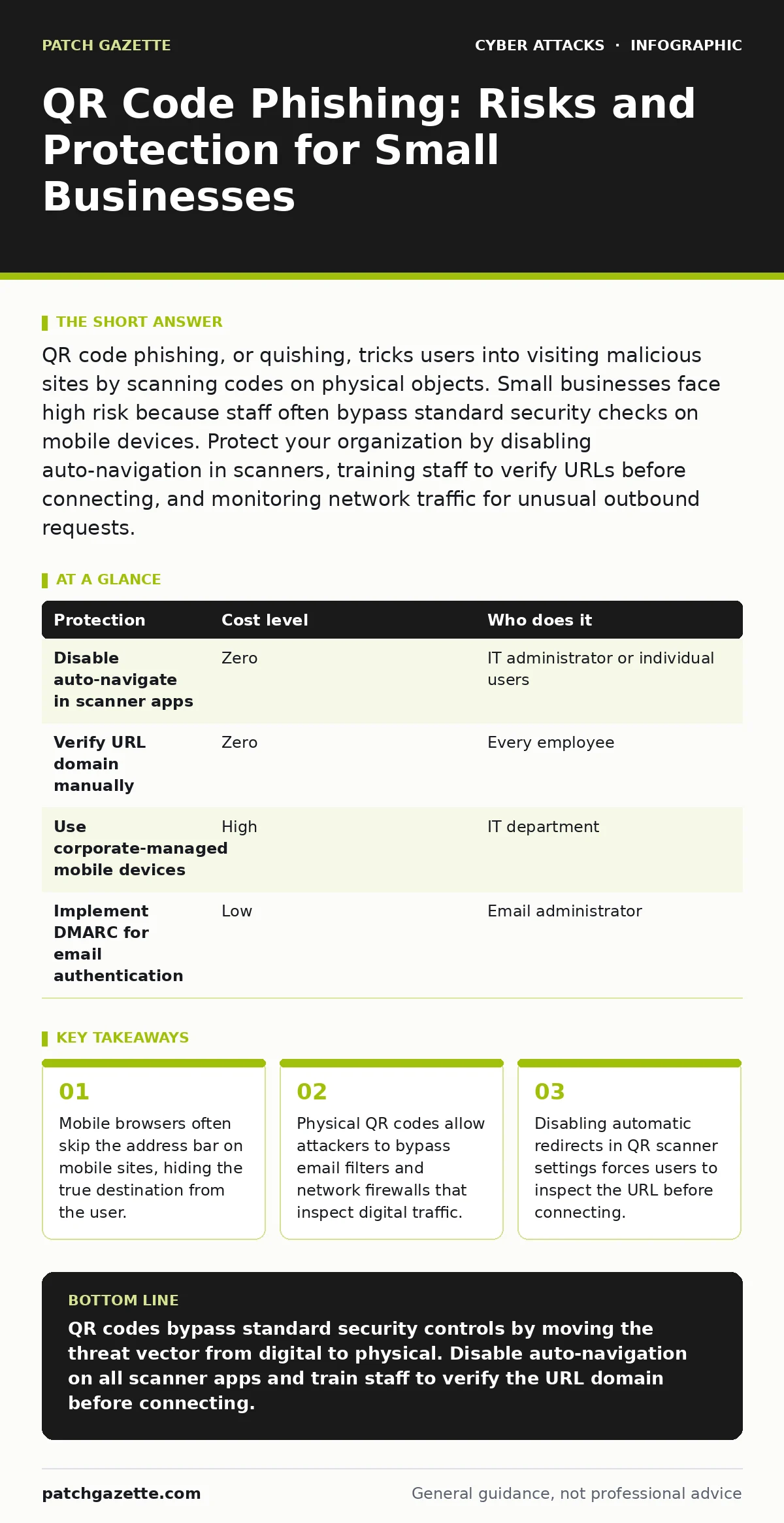
QR code phishing, or quishing, tricks users into visiting malicious sites by scanning codes on physical objects. Small businesses face high risk because staff often bypass standard security checks on mobile devices. Protect your organization by disabling auto-navigation in scanners, training staff to verify URLs before connecting, and monitoring network traffic for unusual outbound requests.
The Physical Vector Bypasses Digital Defenses
Traditional phishing attacks rely on clicking a link in an email. Your security tools scan that link, check its reputation, and often block it before you see it. QR code phishing, commonly called quishing, changes the medium. The threat sits on a piece of paper, a sticker, or a screen. Your email filter cannot scan a printed image. Your firewall cannot inspect a code burned onto a plastic card.
The attack succeeds because it shifts the trust model. You trust the physical object in your hand. You assume the vendor who printed the invoice would not include a malicious code. This assumption is the vulnerability. The attacker does not need to spoof your email server. They only need to intercept a physical document or print a sticker and place it on a printer tray or a parking meter.
Why Small Organizations Are Exposed
Small organizations often lack the layered defense infrastructure of larger enterprises. You may not have a dedicated security operations center to monitor every outbound connection. You rely on standard email filtering and endpoint protection. These tools are excellent at stopping digital threats. They are blind to physical ones.
Mobile devices are the primary entry point. Employees use personal phones to scan codes for convenience. These devices often operate on mobile data, bypassing your corporate network entirely. Your network security controls, such as conditional access policies, apply to connections made through your corporate Wi-Fi or VPN. A scan made on 5G or a public hotspot leaves your network perimeter untouched.
The human element is also distinct. In a small team, one person often handles multiple roles. The person who scans the code may be the same person who holds the administrative credentials. There is no separation of duties. A successful scan grants the attacker immediate access to critical systems. The speed of the attack is its advantage. By the time you notice unusual activity, the attacker has already moved laterally.
The Mechanics of the Redirect
When you scan a QR code, your phone decodes the data. This data is usually a Uniform Resource Locator, or URL. The danger lies in what happens next. Most smartphone cameras and dedicated scanner apps are configured to auto-navigate. They take the URL and immediately open it in your default browser.
This auto-navigation removes the friction of verification. In a standard web session, you see the address bar. You check for the padlock icon. You verify the domain name. On many mobile browsers, especially when loading mobile-optimized sites, the address bar is hidden or minimized. You see the content, but not the source.
Attackers exploit this by using URL shorteners or redirect services. The QR code points to a short, meaningless link. That link redirects to the malicious site. Even if you could see the initial short link, it tells you nothing about the final destination. The redirect happens in milliseconds. You are already on the fake login page before your brain registers the transition.
Low-Cost Protections for Limited Budgets
You do not need expensive hardware to mitigate this risk. The most effective controls are configuration changes and behavioral adjustments. These measures cost nothing but require discipline.
| Protection | Cost level | Who does it |
|---|---|---|
| Disable auto-navigate in scanner apps | Zero | IT administrator or individual users |
| Verify URL domain manually | Zero | Every employee |
| Use corporate-managed mobile devices | High | IT department |
| Implement DMARC for email authentication | Low | Email administrator |
Disabling auto-navigation is the single most effective technical control. When you turn this feature off, the scanner displays the raw URL. It does not open the browser. You must tap a button to proceed. This pause forces you to look at the address. You can see if the domain matches the expected vendor. If it does not, you do not proceed.
Training must be specific. Do not tell staff to "be careful." Tell them to look for the domain name. Teach them that a QR code is just a link. It has the same risks as a hyperlink in an email. If the source is unexpected, treat it as suspicious. If the code is on a physical object, ask yourself why it is there. Vendors rarely change their payment methods to require a scan.
Edge Cases and Hidden Costs
There is a hidden cost to strict QR code policies: friction. Employees use QR codes for legitimate reasons. They scan Wi-Fi credentials, check in for building access, or read product manuals. If you ban all scanning, you disrupt operations. If you allow all scanning, you expose the network.
The balance lies in context. A QR code on a product manual inside a box is low risk. It likely points to a manufacturer’s support page. A QR code on a parking ticket or a printer tray is high risk. These are public surfaces where anyone can place a sticker. Imagine a competitor placing a code on a shared printer that leads to a credential harvester. Every person who scans it to print a document becomes a victim.
Another edge case involves replay attacks. An attacker might capture a valid QR code used for authentication or payment and reuse it. If your system accepts the same code twice, the attacker can duplicate the action. This is common in ticketing systems or two-factor authentication flows. Ensure your systems invalidate codes after use.
See also: Stop SIM Swap Fraud: The Technical Controls That Actually Work · Mobile Malware Myths: Why Your Phone Is Not Secure By Default
What to Ask an IT Provider
If you outsource your IT support, you must ensure they understand this threat. Many providers focus on server security and ignore endpoint behavior. You need to verify that their strategy covers mobile and physical vectors.
- Do you monitor for unusual outbound traffic from mobile devices?
- How do you configure mobile device management to disable auto-navigation?
- Do you train staff on verifying QR code destinations?
- Can you detect if a user logs in from an unrecognized mobile device?
- How do you handle reports of suspicious physical media in the office?
Ask about their incident response plan for quishing. If an employee scans a malicious code, how quickly can you isolate the device? Can you remotely wipe the device if it is compromised? If the provider cannot answer these questions, your mobile security is a gap.
Integrating with Existing Security
Quishing is not an isolated threat. It works best when combined with other attacks. An attacker might send an email that looks like a legitimate notification. The email says your password is expiring. It includes a QR code for "quick renewal." This combines phishing with the physical vector. The email gets your attention; the code gets your credentials.
You can reduce this risk by implementing API abuse protections. If the attacker uses a stolen credential to access your systems, your API logs will show unusual behavior. Rate limiting and anomaly detection can stop the attacker even if the initial scan was successful.
Also, consider gift card scams. Some QR codes direct users to pages asking for gift card purchases as "security deposits." This is a social engineering tactic. Training staff to recognize that no legitimate service asks for payment via gift cards helps block this variant.
Conclusion of the Physical Threat
The QR code is a convenience tool that has become a security liability. It bridges the physical and digital worlds, carrying the trust of the physical into the digital. Attackers exploit this trust. They know you are less likely to scrutinize a code than a link.
You must treat QR codes with the same skepticism as email attachments. Verify the source. Inspect the destination. Disable automatic actions. Small businesses are vulnerable because they lack the resources to monitor every device. You can close this gap with simple configuration changes and clear policies. The cost of protection is low. The cost of a breach is high.
Key takeaways
- Mobile browsers often skip the address bar on mobile sites, hiding the true destination from the user.
- Physical QR codes allow attackers to bypass email filters and network firewalls that inspect digital traffic.
- Disabling automatic redirects in QR scanner settings forces users to inspect the URL before connecting.
QR codes bypass standard security controls by moving the threat vector from digital to physical. Disable auto-navigation on all scanner apps and train staff to verify the URL domain before connecting.
Frequently asked questions
Can a QR code install malware directly on my phone?
No, a QR code contains data, usually a URL. It cannot execute code by itself. It must direct you to a website that may then attempt to exploit vulnerabilities in your browser or trick you into downloading malware.
Is it safe to scan QR codes for Wi-Fi access?
It is risky if you do not verify the network name. An attacker can place a fake QR code that connects you to a rogue access point. Always check the Wi-Fi network name on your phone settings to ensure it matches the legitimate network.
How do I disable auto-navigation on my phone?
On most smartphones, open the camera app or the dedicated QR scanner app. Go to settings. Look for an option labeled "Auto-navigate," "Open links automatically," or "Scan and open." Toggle this setting off.
What should I do if I accidentally scanned a malicious QR code?
Disconnect from the internet immediately. Do not enter any information. Change your passwords from a different, secure device. Run a security scan on the device that performed the scan. Report the incident to your IT provider.
How this guide was produced: written by the Patch Gazette editorial team with AI assistance, checked against the public references listed below, and reviewed when the facts change. See our editorial policy or report an error.