
Open Port Management Checklist: Close Gaps and Reduce Risk
Most exposed services remain active long after their original purpose ends, creating silent entry points for attackers who scan for default configurations.
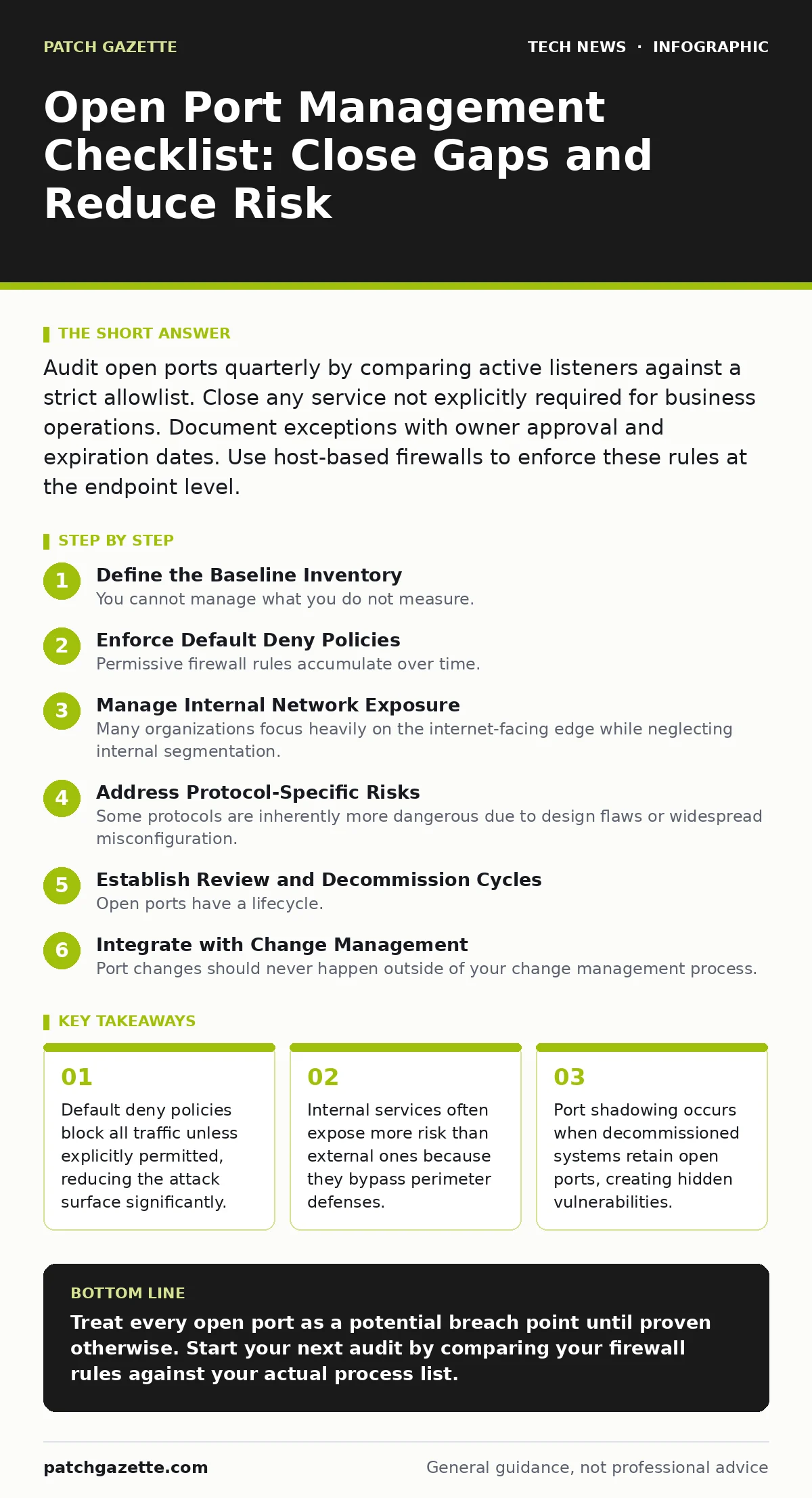
Audit open ports quarterly by comparing active listeners against a strict allowlist. Close any service not explicitly required for business operations. Document exceptions with owner approval and expiration dates. Use host-based firewalls to enforce these rules at the endpoint level.
Define the Baseline Inventory
You cannot manage what you do not measure. Start by identifying every service listening on every interface across your network. This includes management interfaces, application endpoints, and legacy protocols.
- Map all active listeners: You need a current picture of every process waiting for connections to prevent blind spots.
- Assign ownership to each port: Unowned services are rarely monitored and become permanent security liabilities.
- Document business justification: Every open port must serve a verified operational need to justify its exposure.
- Tag environments by sensitivity: Production systems require stricter controls than isolated development sandboxes.
This inventory is your single source of truth. Update it whenever infrastructure changes. If a service appears in your scan but not in your inventory, treat it as a security incident until proven otherwise.
Enforce Default Deny Policies
Permissive firewall rules accumulate over time. Administrators add exceptions for immediate needs and rarely remove them later. This creates a porous perimeter that allows lateral movement.
- Configure host firewalls to deny all inbound: The endpoint is the last line of defense before an attacker reaches the application.
- Restrict outbound connections to known destinations: Prevent compromised hosts from calling out to command and control servers.
- Limit source IP ranges for management ports: SSH and RDP should never be accessible from the public internet without mediation.
- Disable unused protocol versions: Turn off legacy versions like FTP or Telnet that lack encryption capabilities.
A default deny stance forces you to consciously allow traffic. This reduces the chance of accidental exposure. It also simplifies auditing because any allowed traffic has a recorded reason.
Manage Internal Network Exposure
Many organizations focus heavily on the internet-facing edge while neglecting internal segmentation. Attackers who breach the perimeter often find flat internal networks where they can move freely.
- Segment critical assets into separate zones: Isolate databases and sensitive workloads from general user traffic.
- Apply micro-segmentation to workloads: Use policies that restrict communication between specific servers, not just subnets.
- Audit inter-zone traffic rules: Ensure that traffic between zones is necessary and monitored for anomalies.
- Review virtual machine network adapters: Virtual environments often create hidden bridges that bypass physical firewalls.
See virtualization security for details on how hypervisor misconfigurations can expose these internal segments. Internal traffic is often trusted implicitly, which makes it a prime target for lateral movement.
Address Protocol-Specific Risks
Some protocols are inherently more dangerous due to design flaws or widespread misconfiguration. Others require specific handling to remain secure.
- Disable IPv6 if not in use: Many firewalls handle IPv4 and IPv6 separately, leaving one stack unprotected.
- Enforce encryption for all remote management: Use SSH or HTTPS instead of plain-text alternatives like HTTP or Telnet.
- Restrict DNS zone transfers: Limit which servers can request full zone records to prevent information leakage.
- Validate NTP synchronization sources: Ensure time servers are authenticated to prevent clock manipulation attacks.
Review IPv6 security to understand the dual-stack challenges. Many administrators forget to apply the same rules to IPv6 interfaces, creating a parallel attack path.
Establish Review and Decommission Cycles
Open ports have a lifecycle. They are opened for a purpose, used for a duration, and then should be closed. In practice, they often remain open indefinitely.
- Set expiration dates for temporary access: Any port opened for a short-term project must have a hard close date.
- Quarterly audit of open ports: Compare current scans against the approved baseline to identify drift.
- Decommission unused services immediately: Shut down processes that no longer serve a business function.
- Archive closed port records: Keep a log of what was closed and why for future reference and compliance.
Regular reviews prevent port shadowing. This is the accumulation of forgotten services that still listen for traffic. It increases the complexity of your security posture without adding value.
See also: Guest Wi-Fi Explained: Isolate Traffic Without Compromising Security · Cloud Firewalls: Real Benefits and Hidden Limits
Integrate with Change Management
Port changes should never happen outside of your change management process. Untracked modifications lead to configuration drift and security gaps.
- Require approval for new port openings: Ensure that security teams review the necessity and risk before implementation.
- Link port changes to software updates: When you deploy new software, verify that it does not open unexpected ports.
- Monitor for unauthorized listeners: Use intrusion detection systems to alert on new services appearing on hosts.
- Test firewall rules in staging first: Verify that new rules work as intended before applying them to production.
See DevOps security for ways to automate these checks in your deployment pipeline. Integrating security into the development lifecycle prevents accidental exposure before it reaches production.
Handle Exceptions and Legacy Systems
Not every system can be perfectly secured. Legacy applications and third-party integrations may require specific ports that cannot be easily changed.
- Document exceptions with risk acceptance: Formalize the risk of keeping a legacy port open and who accepts it.
- Isolate legacy systems physically or logically: Keep them away from critical assets to limit blast radius.
- Use jump hosts for access: Mediate access to legacy systems through a controlled bastion host.
- Plan for replacement or retirement: Create a timeline to remove the dependency on insecure ports.
Exceptions are temporary by definition. They require active management and regular review. Without a plan to remove them, they become permanent weaknesses in your defense.
Key takeaways
- Default deny policies block all traffic unless explicitly permitted, reducing the attack surface significantly.
- Internal services often expose more risk than external ones because they bypass perimeter defenses.
- Port shadowing occurs when decommissioned systems retain open ports, creating hidden vulnerabilities.
Treat every open port as a potential breach point until proven otherwise. Start your next audit by comparing your firewall rules against your actual process list.
Frequently asked questions
How often should I scan for open ports?
Perform automated scans weekly and conduct a manual review quarterly to catch both immediate changes and long-term drift.
Can I trust cloud provider security groups?
Security groups provide a first layer of defense, but you must also configure host-based firewalls to protect against internal threats.
What is the difference between a port and a socket?
A port is a logical endpoint for communication, while a socket combines the IP address and port number to uniquely identify a connection.
Should I block all unknown inbound traffic?
Yes, a default deny policy ensures that only explicitly authorized traffic is allowed, reducing the risk of accidental exposure.
How this guide was produced: written by the Patch Gazette editorial team with AI assistance, checked against the public references listed below, and reviewed when the facts change. See our editorial policy or report an error.