Video Conferencing Security: How To Lock The Digital Door
Most video leaks stem from weak access controls rather than broken encryption, meaning your meeting room needs better locks, not thicker walls.
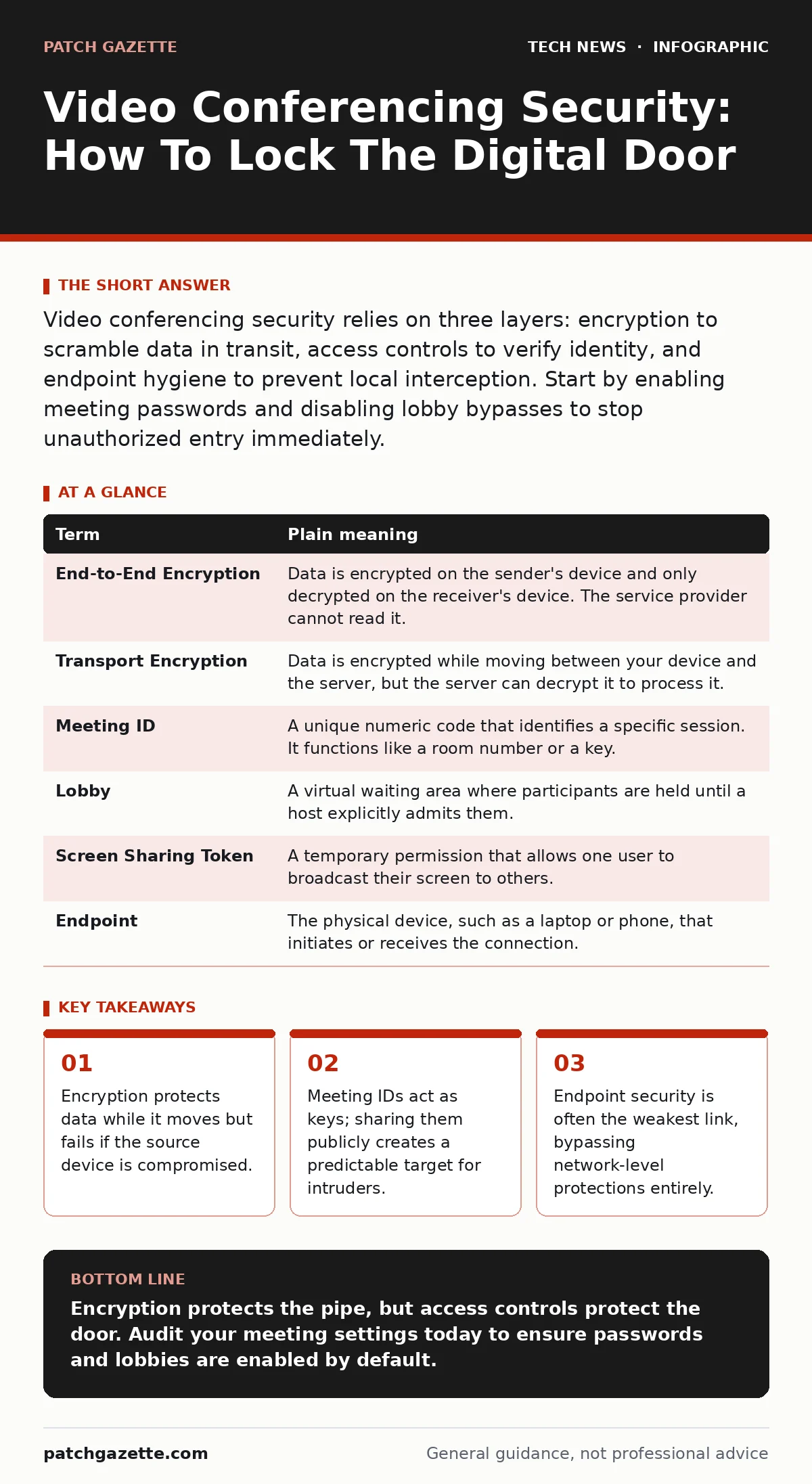
Video conferencing security relies on three layers: encryption to scramble data in transit, access controls to verify identity, and endpoint hygiene to prevent local interception. Start by enabling meeting passwords and disabling lobby bypasses to stop unauthorized entry immediately.
The Glass Conference Room Analogy
Imagine a conference room made entirely of glass. Anyone on the street can see inside. This represents your video stream traveling across the internet. Without protection, every packet of data is visible to anyone listening on the network. Encryption acts as frosted glass. It blurs the image for outsiders, making the content unreadable while keeping the meeting visible to those inside. The glass itself is strong, but the door is the real vulnerability.
Defining The Security Layers
Security is not a single switch you flip. It is a series of checks that happen at different stages. You must understand where each layer applies to know where it can fail. The following table defines the core mechanisms you will encounter in policy discussions and software settings.
| Term | Plain meaning |
|---|---|
| End-to-End Encryption | Data is encrypted on the sender's device and only decrypted on the receiver's device. The service provider cannot read it. |
| Transport Encryption | Data is encrypted while moving between your device and the server, but the server can decrypt it to process it. |
| Meeting ID | A unique numeric code that identifies a specific session. It functions like a room number or a key. |
| Lobby | A virtual waiting area where participants are held until a host explicitly admits them. |
| Screen Sharing Token | A temporary permission that allows one user to broadcast their screen to others. |
| Endpoint | The physical device, such as a laptop or phone, that initiates or receives the connection. |
The Illusion Of Transport Encryption
Many platforms advertise encryption as a primary feature. This is often transport encryption, also known as TLS. It protects the data while it travels from your computer to the provider's server. However, the server must decrypt the data to mix the audio and video streams. This means the provider has the keys. If an attacker compromises the provider's infrastructure, or if a legal order forces disclosure, the content is exposed. This is why relying solely on platform encryption is insufficient for sensitive discussions.
The Meeting ID Is A Key
Suppose you write your home address on a sticky note and tape it to your front door. This is what happens when you share a Meeting ID in a public calendar or on a website. The ID is not a password. It is a destination. Attackers use automated bots to guess or scrape these IDs. Once they have the ID, they join the meeting. If the lobby is disabled, they walk straight in. This is known as "Zoombombing" in older contexts, but the mechanism remains the same regardless of the platform. The ID grants access; the password grants permission.
Endpoint Vulnerabilities Bypass The Network
You can encrypt the stream perfectly, but if the attacker is already inside your room, encryption does nothing. This is where endpoint security matters. If a participant's laptop has malware, the attacker can capture the screen before it is encrypted. They can also record the audio locally. This is why video security is often a subset of general device hygiene. You should treat every device that joins a meeting as a potential entry point for surveillance. This connects directly to the principles found in our guide on mobile device security, as smartphones often have weaker isolation than desktops.
See also: SAML vs OAuth: Which Protocol Fits Your Cloud Architecture? · Spot Privilege Escalation Warning Signs Before Breach
Controlling The Digital Lobby
The lobby feature is your bouncer. It forces every participant to wait for manual approval. This adds friction, which is good. It stops bots that rely on instant entry. However, many users disable the lobby for convenience. They prefer to let people in automatically. This trade-off favors speed over safety. For internal teams, you might accept the risk. For external clients or public webinars, the lobby is mandatory. It allows you to verify names against an attendee list before granting access.
Try This Now: Three Immediate Steps
You do not need a new budget to improve your posture. These steps use existing features in most major platforms.
- Enforce Meeting Passwords: Never use a Meeting ID alone. The password is the second factor of access. Make it complex and unique for each recurring series. This prevents brute-force entry even if the ID is leaked.
- Restrict Screen Sharing: By default, allow only the host to share screens. Participants should request permission. This prevents an intruder from hijacking the visual feed to display malicious content or steal attention.
- Disable Join Before Host: Configure the settings so that no one can enter the meeting room until the host has arrived. This ensures you are present to manage the lobby and admit attendees. It also prevents empty meetings from being used as drop zones for malware.
The Human Factor In Policy
Technology controls are only as good as the policies that enforce them. Users often bypass security for convenience. They share links in chat rooms where they should not. They disable passwords for quick syncs. You must define what constitutes a sensitive meeting. Not every call needs end-to-end encryption. But calls discussing strategy, personnel, or customer data do. This distinction helps you balance security with usability. It also aligns with the concepts in our guide on one-time passwords, where convenience often leads to weaker authentication habits.
Key takeaways
- Encryption protects data while it moves but fails if the source device is compromised.
- Meeting IDs act as keys; sharing them publicly creates a predictable target for intruders.
- Endpoint security is often the weakest link, bypassing network-level protections entirely.
Encryption protects the pipe, but access controls protect the door. Audit your meeting settings today to ensure passwords and lobbies are enabled by default.
Frequently asked questions
Does turning off video improve security?
No, turning off video reduces bandwidth and visual exposure but does not encrypt the audio or metadata. The audio stream can still be intercepted if the connection is unsecured.
Can I trust cloud recording features?
Cloud recordings are stored on the provider's servers. They are subject to the provider's retention policies and access controls. For high sensitivity, record locally and store the file on your own secure drive.
What is the risk of using personal devices?
Personal devices often lack centralized management. You cannot enforce updates or check for malware remotely. This increases the risk of endpoint compromise, which can leak meeting data before it is encrypted.
Do virtual backgrounds hide my environment?
Virtual backgrounds use AI to mask your physical surroundings. They do not encrypt the video feed. If the AI fails to mask an object, that object is visible. They are a privacy aid, not a security control.
How this guide was produced: written by the Patch Gazette editorial team with AI assistance, checked against the public references listed below, and reviewed when the facts change. See our editorial policy or report an error.