Password Hygiene Mechanics: How Systems Verify Credentials Behind the Scenes
Password hygiene is not about secrecy alone; it is a mechanical process where your input triggers a cryptographic comparison that reveals nothing about the stored secret.
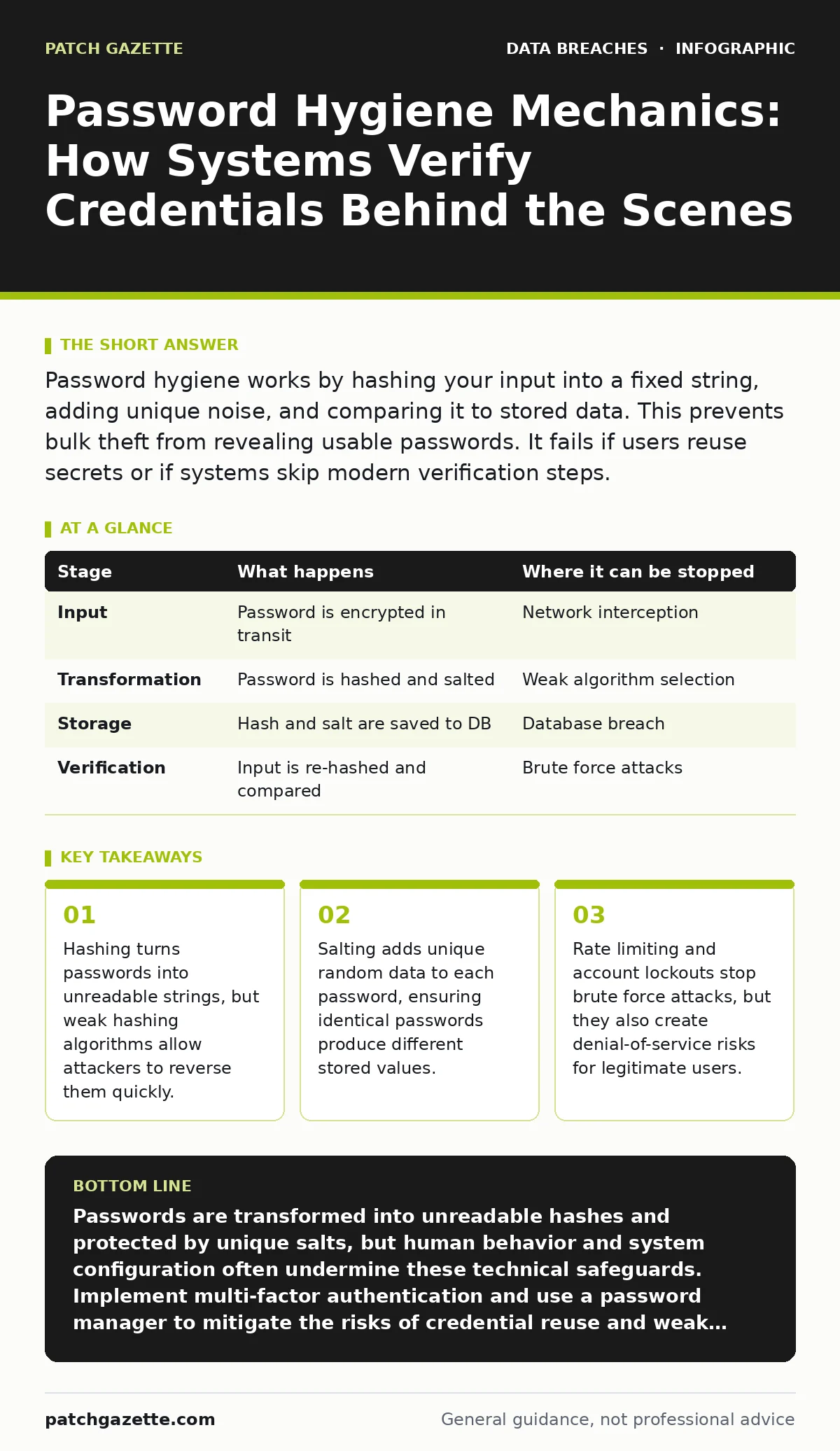
Password hygiene works by hashing your input into a fixed string, adding unique noise, and comparing it to stored data. This prevents bulk theft from revealing usable passwords. It fails if users reuse secrets or if systems skip modern verification steps.
The Input Phase
When you type a password, the application does not send the raw text to the server. Sending plaintext passwords over a network is a critical failure point. Instead, the client-side software may encrypt the connection using Transport Layer Security, which protects data in transit. This ensures that no one intercepting the traffic can read the characters as they travel from your device to the server.
However, encryption in transit does not protect the password once it arrives at the server. The server must store the credential securely for future comparison. If the server stores the password in plain text, a database breach immediately compromises every account. Proper hygiene requires the server to transform the password before it touches any storage medium. This transformation is the core of password security.
The Hashing Mechanism
The server takes your password and runs it through a hashing function. A hash is a mathematical operation that converts any amount of data into a fixed-length string of characters. This process is one-way, meaning you cannot reverse the hash to retrieve the original password. The system uses this hash to verify your identity later. When you log in, the server hashes your input again and compares the two hashes. If they match, the system grants access.
Not all hashing functions are created equal. Simple algorithms like MD5 or SHA-1 are computationally cheap, which is a bad thing for password storage. Attackers can calculate billions of these hashes per second using modern graphics cards. If they steal your database, they can try every common password until a hash matches. This is called a brute force attack. Modern systems use slow hashing algorithms like Argon2 or bcrypt. These algorithms are designed to be computationally expensive, forcing attackers to spend significant time and money to test each guess.
The Salting Process
Hashing alone has a weakness known as a rainbow table attack. A rainbow table is a precomputed list of hashes for common passwords. If two users have the same password, they have the same hash. An attacker who sees two identical hashes knows those accounts share the same secret. They only need to crack one to compromise both. Salting solves this problem by adding a unique, random string of data to each password before hashing.
This salt is stored alongside the hash in the database. It is not secret, but it must be unique per account. Because each password has a different salt, the resulting hashes are all different, even if the passwords are identical. This forces attackers to compute a new hash for every single password they want to test. They cannot use precomputed tables. Salting increases the computational cost of an attack exponentially, making large-scale credential dumping much less effective.
The Verification Loop
When you attempt to log in, the system retrieves the salt associated with your username. It appends this salt to the password you just entered. It then runs this combined string through the same hashing function used during registration. The result is a new hash. The system compares this new hash to the stored hash. If they are identical, the password is correct. If they differ, even by one bit, the login fails.
This process reveals no information about the password itself. The system never compares the actual text characters. It only compares the resulting mathematical outputs. This is why support staff cannot tell you your password. They do not have access to it, only to its hashed representation. This architectural choice limits the damage of insider threats. An employee with database access cannot see your password, only its hash. They would still need to crack the hash to know the secret.
| Stage | What happens | Where it can be stopped |
|---|---|---|
| Input | Password is encrypted in transit | Network interception |
| Transformation | Password is hashed and salted | Weak algorithm selection |
| Storage | Hash and salt are saved to DB | Database breach |
| Verification | Input is re-hashed and compared | Brute force attacks |
The Limits of Complexity
Complexity rules often backfire. Requiring users to include numbers, symbols, and capital letters leads to predictable patterns. Users might change "Password" to "P@ssw0rd1". Attackers know these substitution patterns and include them in their guessing dictionaries. This is why length matters more than complexity. A long passphrase of random words is harder to guess than a short string with special characters.
Another hidden cost is password fatigue. When systems require frequent changes, users tend to make incremental changes. They change "Summer2023" to "Winter2024". This pattern is easy for attackers to predict if they have previous data. Modern guidance suggests only requiring changes when there is evidence of compromise. This approach reduces the likelihood of predictable variations. It also reduces the burden on help desks, which spend significant time resetting forgotten passwords.
See also: One-Time Passwords: How OTPs Work and Where They Fail · Stop SIM Swap Fraud: The Technical Controls That Actually Work
The Human Element
Technology cannot fix bad behavior. The weakest link in password hygiene is often the user. Credential stuffing attacks use lists of usernames and passwords stolen from other breaches. Attackers automate login attempts on your site using these known credentials. If you reuse passwords across multiple services, a breach elsewhere compromises your accounts here. This is why unique passwords for every service are non-negotiable.
Password managers solve this by generating and storing unique, random passwords for each site. You only need to remember one master password. This master password should be long and memorable, like a sentence of random words. The manager handles the complexity. Without a manager, maintaining dozens of unique, complex passwords is cognitively impossible. Most users will resort to notes on their desk or email, which is worse than a shared password. See credential leaks to understand how reused secrets spread across the internet.
Defense in Depth
Password hygiene is only one layer of security. If an attacker has your password, hashing and salting do not stop them. You need additional verification steps. Multi-factor authentication adds a second check, such as a code from an app or a hardware key. This means the attacker needs your password AND your physical device. This drastically reduces the success rate of credential stuffing.
Rate limiting also plays a role. Systems should detect rapid login attempts from a single IP or account. If someone tries fifty passwords in a minute, the system should block further attempts. This stops automated brute force tools. However, aggressive locking can be used as a denial-of-service attack. If an attacker locks out your account, you cannot log in. Systems must balance security with availability, often using CAPTCHAs or temporary delays instead of full locks. See fraud alerts for ways to detect unusual login behavior before it causes harm.
Beyond Passwords
The industry is moving toward passwordless authentication. FIDO2 standards allow you to log in using a biometric trait or a hardware key. This eliminates the password entirely, removing the risk of phishing and reuse. Your device proves your identity cryptographically. This is more secure than any password system because there is no secret to steal or guess. However, recovery is harder. If you lose your device or key, regaining access can be difficult. Organizations must plan for these edge cases.
Password hygiene remains relevant for now. Most systems still rely on secrets. Understanding how they work helps you spot weak implementations. Look for signs of poor security, like systems that email your password in plain text or do not offer multi-factor options. These are red flags. See misconfigured cloud storage leaks to understand how poor configuration can expose data even with strong passwords.
Key takeaways
- Hashing turns passwords into unreadable strings, but weak hashing algorithms allow attackers to reverse them quickly.
- Salting adds unique random data to each password, ensuring identical passwords produce different stored values.
- Rate limiting and account lockouts stop brute force attacks, but they also create denial-of-service risks for legitimate users.
- Password managers reduce cognitive load, allowing for longer, more complex secrets that resist guessing attacks.
Passwords are transformed into unreadable hashes and protected by unique salts, but human behavior and system configuration often undermine these technical safeguards. Implement multi-factor authentication and use a password manager to mitigate the risks of credential reuse and weak complexity rules.
Frequently asked questions
Why can't IT reset my password to something I know?
They cannot because the system only stores a hash, not the original password. They can only set a new, random password or allow you to create one.
Is it safe to use the same password for my email and bank?
No. If one site is breached, attackers will try those credentials on other major services. Unique passwords prevent a single breach from compromising your entire digital life.
How does a hash prevent data theft?
A hash is a one-way mathematical transformation. Even if attackers steal the database, they cannot reverse the hash to find the original password. They must guess passwords and hash them to find a match.
What is the difference between salting and hashing?
Hashing converts the password into a fixed string. Salting adds unique random data to the password before hashing, ensuring that identical passwords produce different hashes.
How this guide was produced: written by the Patch Gazette editorial team with AI assistance, checked against the public references listed below, and reviewed when the facts change. See our editorial policy or report an error.