IPv6 Security Checklist: Block Tunneling and Harden Defaults
Most IPv6 deployments fail because administrators assume the protocol inherits IPv4 security posture, leaving silent tunneling channels open to bypass firewalls.
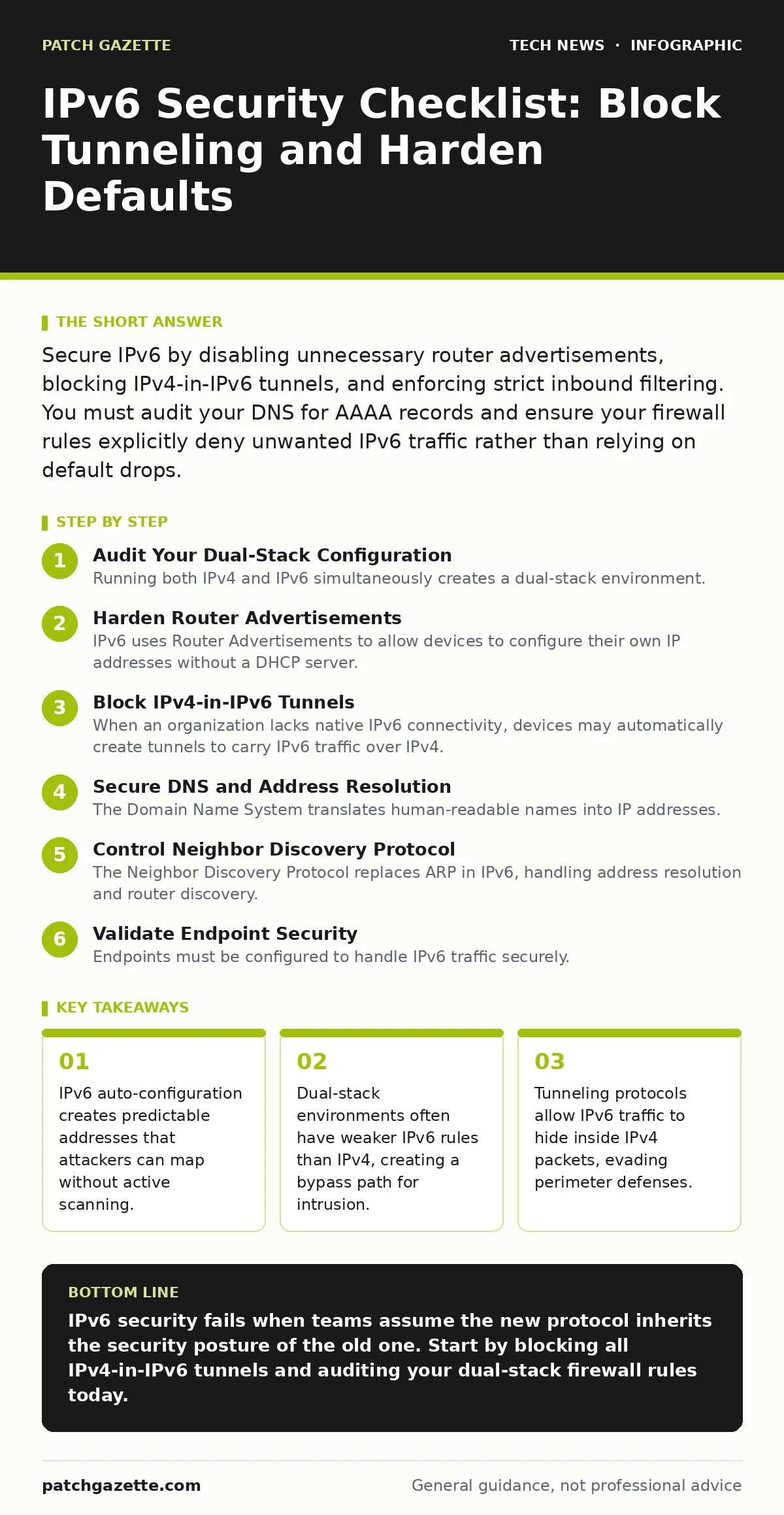
Secure IPv6 by disabling unnecessary router advertisements, blocking IPv4-in-IPv6 tunnels, and enforcing strict inbound filtering. You must audit your DNS for AAAA records and ensure your firewall rules explicitly deny unwanted IPv6 traffic rather than relying on default drops.
Audit Your Dual-Stack Configuration
Running both IPv4 and IPv6 simultaneously creates a dual-stack environment. This setup often leads to inconsistent security policies where IPv4 rules are tight but IPv6 rules are loose or non-existent. Attackers exploit this gap by routing traffic through the less secure protocol.
- Verify firewall rules for both stacks: Ensure IPv6 traffic is filtered with the same rigor as IPv4, preventing protocol-based bypasses.
- Disable IPv6 on unused interfaces: Turn off the protocol on endpoints and network segments that do not require it to reduce the attack surface.
Harden Router Advertisements
IPv6 uses Router Advertisements to allow devices to configure their own IP addresses without a DHCP server. This convenience feature, known as stateless address auto-configuration, makes network mapping trivial for anyone on the local segment. Attackers can predict interface identifiers and target specific hosts.
- Implement RA Guard: Deploy this feature on access switches to drop unauthorized router advertisements from untrusted ports, preventing rogue network configuration.
- Restrict Prefix Delegation: Limit the scope of prefixes assigned to subnets to prevent attackers from claiming large address blocks for abuse.
Block IPv4-in-IPv6 Tunnels
When an organization lacks native IPv6 connectivity, devices may automatically create tunnels to carry IPv6 traffic over IPv4. These mechanisms, such as Teredo or 6to4, encapsulate packets in a way that standard firewalls often cannot inspect. This allows internal devices to communicate with external IPv6 networks without your knowledge.
- Block known tunnel protocols: Explicitly deny traffic for Teredo, 6to4, and ISATAP at the perimeter firewall to stop covert data exfiltration.
- Monitor for encapsulation anomalies: Use intrusion detection systems to flag IPv4 packets with unusual headers that suggest hidden IPv6 payloads.
Secure DNS and Address Resolution
The Domain Name System translates human-readable names into IP addresses. In IPv6, this involves AAAA records, which point to 128-bit addresses. If these records are misconfigured or exposed, attackers can discover internal servers that should remain hidden.
- Audit AAAA record exposure: Ensure internal hostnames do not resolve to public-facing IPv6 addresses, preventing unauthorized access to backend systems.
- Enable DNSSEC: Use this extension to sign DNS data, protecting users from cache poisoning attacks that redirect traffic to malicious IPv6 endpoints.
Control Neighbor Discovery Protocol
The Neighbor Discovery Protocol replaces ARP in IPv6, handling address resolution and router discovery. It operates at the link layer, meaning spoofing attacks can redirect traffic to an attacker’s machine before it reaches the wider network. This is a primary vector for man-in-the-middle attacks on local segments.
- Deploy SEND: Use the Secure Neighbor Discovery protocol, which uses digital signatures to verify the authenticity of neighbor discovery messages.
- Limit multicast responses: Configure devices to respond only to specific queries rather than broadcasting, reducing noise and potential spoofing vectors.
See also: Software Updates Best Practices: Secure Patching Without Downtime · Why Digital Signatures Matter for Code Integrity and Trust
Validate Endpoint Security
Endpoints must be configured to handle IPv6 traffic securely. This includes ensuring that the operating system validates incoming packets and that applications bind to the correct interfaces. Poor configuration here can lead to information leakage or unauthorized service access.
- Enforce strict inbound filtering: Configure host-based firewalls to drop all unsolicited IPv6 inbound traffic, closing ports that should not be accessible.
- Verify Secure Boot status: Ensure devices boot only trusted software, as compromised firmware can manipulate IPv6 stack behavior before the OS loads.
Test Your Defense Posture
Standard vulnerability scanners often focus on IPv4. You must use tools capable of scanning IPv6 ranges to identify open ports and misconfigurations. Without regular testing, you will not know if your rules are effective against modern attack techniques.
- Perform IPv6-specific scans: Use scanners that support IPv6 to identify open ports and services that may be exposed by default configurations.
- Simulate tunneling attacks: Test whether your perimeter defenses detect and block attempts to tunnel IPv6 traffic through IPv4 gateways.
Key takeaways
- IPv6 auto-configuration creates predictable addresses that attackers can map without active scanning.
- Dual-stack environments often have weaker IPv6 rules than IPv4, creating a bypass path for intrusion.
- Tunneling protocols allow IPv6 traffic to hide inside IPv4 packets, evading perimeter defenses.
IPv6 security fails when teams assume the new protocol inherits the security posture of the old one. Start by blocking all IPv4-in-IPv6 tunnels and auditing your dual-stack firewall rules today.
Frequently asked questions
Does IPv6 eliminate the need for NAT?
Yes, IPv6 provides enough addresses for every device to have a public IP, removing the need for Network Address Translation. However, this increases the need for host-based firewalls since every device is directly addressable.
Should I disable IPv6 entirely?
Disabling IPv6 is a valid short-term mitigation but not a long-term solution. Many services and operating systems now prefer IPv6, and disabling it can break functionality or force traffic through less secure workarounds.
How do I detect IPv6 tunneling?
Look for IPv4 traffic with unusual protocol numbers or large payload
How this guide was produced: written by the Patch Gazette editorial team with AI assistance, checked against the public references listed below, and reviewed when the facts change. See our editorial policy or report an error.