
Stop Malicious Documents: Prevention Measures That Actually Work
Blocking macros alone fails because modern payloads execute through formula injection and image-based exploits that bypass traditional script controls.
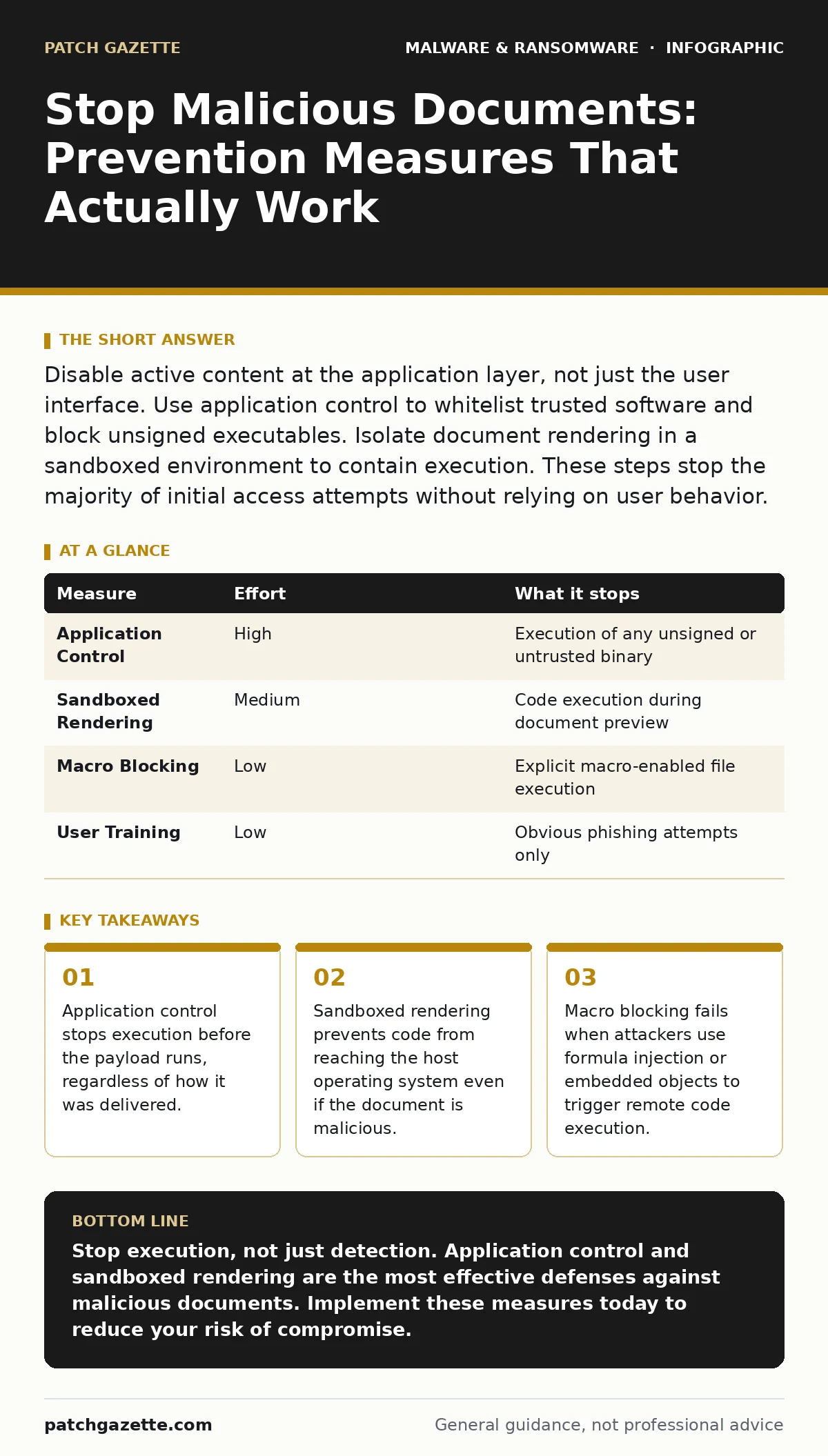
Disable active content at the application layer, not just the user interface. Use application control to whitelist trusted software and block unsigned executables. Isolate document rendering in a sandboxed environment to contain execution. These steps stop the majority of initial access attempts without relying on user behavior.
The Illusion of User Awareness
Training users to spot phishing emails is a common first step. It fails because modern social engineering mimics trusted internal communications with high fidelity. A document from a known vendor or internal colleague looks identical to a benign file. The visual cues that once signaled danger are now easily replicated by attackers. You cannot train humans to recognize code signatures or hidden VBA projects. Relying on vigilance creates a false sense of security. The attack surface is the software itself, not the person opening the file.
Application Control as Primary Defense
Application control restricts which programs can run on your systems. It works by maintaining a whitelist of trusted binaries and blocking everything else. This stops malicious documents from spawning command-line tools or scripts. Even if a user opens a dangerous file, the payload cannot execute if it is not on the allowed list. This measure removes the risk of execution entirely. It does not prevent the file from being downloaded or stored. It simply ensures that untrusted code never reaches the operating system kernel. This is the most effective single control for stopping initial access.
| Measure | Effort | What it stops |
|---|---|---|
| Application Control | High | Execution of any unsigned or untrusted binary |
| Sandboxed Rendering | Medium | Code execution during document preview |
| Macro Blocking | Low | Explicit macro-enabled file execution |
| User Training | Low | Obvious phishing attempts only |
Sandboxed Document Rendering
Most users do not need to run code from a document. They need to read it. Sandboxed rendering isolates the document viewer from the host system. The document opens in a restricted environment with no network access and no file system write permissions. If the document contains a exploit, it crashes the sandbox, not your computer. This is particularly effective against zero-day vulnerabilities in PDF or Office parsers. It protects you even if you click a link or open an attachment. The trade-off is a slight increase in resource usage for the rendering service.
The Failure of Macro Blocking
Many organizations disable macros to stop malicious documents. This is insufficient. Attackers use formula injection to trigger remote code execution without any macros. They embed malicious formulas in cells that execute when the spreadsheet opens. They use embedded objects or images to trigger buffer overflows. These techniques do not require macro execution. They exploit the parser itself. Blocking macros gives you a false sense of safety. You must also block formula injection and disable embedded objects. This requires deeper configuration changes than simply turning off a setting.
Email Gateway Limitations
Email gateways scan for known malware signatures. They struggle with polymorphic code that changes its signature with each delivery. They also miss documents that are encrypted or password-protected. Attackers often use legitimate cloud storage links instead of attachments. The gateway sees a URL, not a file. It cannot inspect the content behind the link. You must assume that any document arriving via email is hostile. Treat inbound documents as untrusted by default. Do not rely on the gateway to catch everything.
See also: Mobile Security Apps: Real Protection or Just Another Battery Drain? · Malware Persistence Mechanisms: How Code Stays Hidden After Removal
Endpoint Detection and Response
Endpoint Detection and Response monitors for suspicious behavior after execution. It looks for processes spawning command-line tools or modifying system files. This is useful for catching what slips through other defenses. However, it is reactive. The damage may already be done by the time it triggers. It is a backup layer, not a primary defense. It helps contain the breach and identify the scope. It does not prevent the initial compromise. You need it to handle the inevitable misses from other controls.
What Does Not Work
Relying on antivirus software alone is ineffective. Modern malware often uses legitimate system tools for its operations. This technique is known as living off the land. The antivirus sees a trusted Windows utility being used. It does not flag it as malicious. Similarly, blocking known malicious URLs is useless. Attackers use fast-flux domains that change IP addresses constantly. By the time a URL is blocked, the attack has moved on. You must focus on behavior and execution, not just signatures and lists.
Integration with Broader Security
Document security does not exist in a vacuum. It connects to your broader incident response capabilities. If a malicious document bypasses your controls, you need a plan to contain the spread. This involves isolating affected machines and revoking credentials. You should review your ransomware attack chain to understand how documents fit into the broader narrative. Understanding malware persistence mechanisms helps you identify if the attacker established a foothold. Your disaster recovery plans must account for data corruption from ransomware. Real-time protection can alert you to anomalies, but it cannot stop a determined attacker. Mobile security apps offer limited protection against document-based threats on mobile devices. Mobile malware often uses different vectors, but the principle of least privilege still applies.
Immediate Action Checklist
You can reduce your risk significantly with a few configuration changes. Do not wait for a major overhaul. Start with the highest impact actions. These steps are technical and require administrative access. They do not rely on user cooperation. They create a hard barrier between the malicious document and your systems.
- Enable application control to whitelist only trusted binaries and block all others.
- Configure document viewers to run in a sandboxed environment with no network access.
- Disable all active content in documents, including macros, formulas, and embedded objects.
Key takeaways
- Application control stops execution before the payload runs, regardless of how it was delivered.
- Sandboxed rendering prevents code from reaching the host operating system even if the document is malicious.
- Macro blocking fails when attackers use formula injection or embedded objects to trigger remote code execution.
Stop execution, not just detection. Application control and sandboxed rendering are the most effective defenses against malicious documents. Implement these measures today to reduce your risk of compromise.
Frequently asked questions
Can I use free antivirus to stop malicious documents?
Free antivirus relies on signatures and often misses modern, fileless, or polymorphic malware. It is not sufficient as a standalone defense against sophisticated document-based attacks.
Do I need to block all macros?
Yes. Legitimate use cases for macros in user-facing documents are rare. The risk of execution outweighs the convenience. Use application control to allow specific trusted macros if absolutely necessary.
What if I need to open a document from an unknown sender?
Open it in a sandboxed viewer that has no network access and no ability to write to the file system. Do not open it in your primary application unless you have verified its safety through other means.
How do I know if my current controls are working?
Run a controlled test with a benign but malicious-looking document. See if it executes code or reaches the network. If it does, your controls are insufficient. Adjust your configuration until the test fails.
How this guide was produced: written by the Patch Gazette editorial team with AI assistance, checked against the public references listed below, and reviewed when the facts change. See our editorial policy or report an error.