
Malware Persistence Mechanisms: How Code Stays Hidden After Removal
Most detection tools miss persistence because they scan for active processes, not the static hooks that re-launch malware after a reboot.
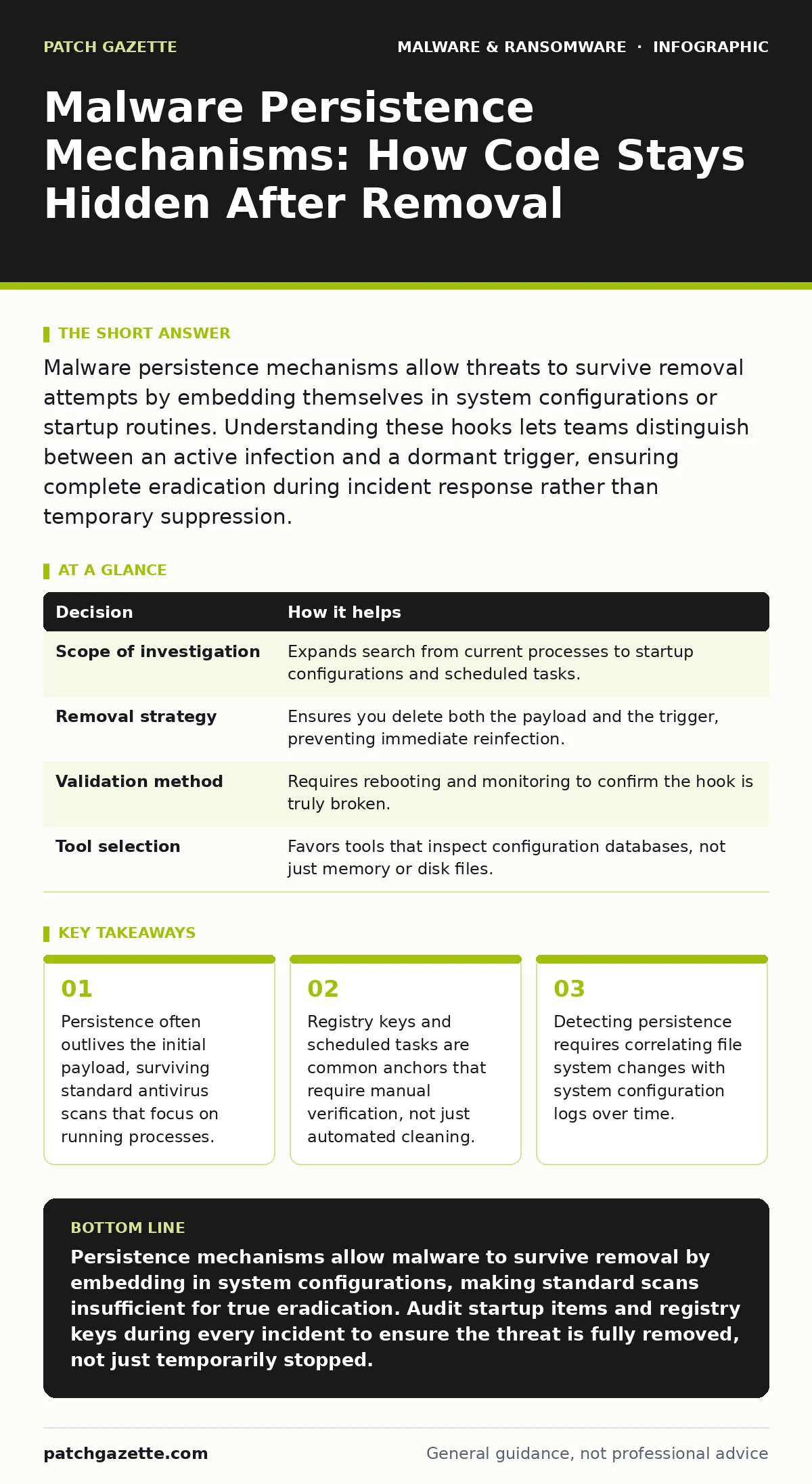
Malware persistence mechanisms allow threats to survive removal attempts by embedding themselves in system configurations or startup routines. Understanding these hooks lets teams distinguish between an active infection and a dormant trigger, ensuring complete eradication during incident response rather than temporary suppression.
The Illusion of Clean Systems
When you remove a malicious executable, the system often appears healthy. The process list clears. The network traffic drops. Yet the threat remains. This is the core problem of malware persistence mechanisms, which are techniques used by malicious software to ensure it survives system reboots and user logins.
Persistence is not the attack itself. It is the anchor. Without it, malware would die when the process ends or the machine restarts. With it, the attacker retains access even after you delete the initial dropper. This distinction changes how you view a clean scan. A clean scan only means no active signatures are currently running. It does not mean the system is free of triggers.
How Persistence Hooks Into the OS
Operating systems provide many ways to run programs automatically. Legitimate software uses these features for updates and maintenance. Malware abuses them for longevity. The most common method involves modifying startup items. On Windows systems, this often means adding entries to the registry’s Run keys. On Linux systems, it might involve editing crontab files or systemd service units.
Another method is fileless persistence, where the code lives only in memory or in the configuration of a legitimate service. This avoids writing new files to disk, bypassing many file-integrity checks. A third method uses scheduled tasks. These can be set to run at specific intervals or upon certain system events, such as user login. The key insight is that these mechanisms are native to the OS. They are not foreign objects. They look like normal system behavior.
The Decision Matrix for Persistence
Understanding persistence informs specific operational decisions. It shifts the focus from "what is running" to "what is waiting to run." This perspective is critical for ransware incident response, where speed matters but thoroughness prevents recurrence.
| Decision | How it helps |
|---|---|
| Scope of investigation | Expands search from current processes to startup configurations and scheduled tasks. |
| Removal strategy | Ensures you delete both the payload and the trigger, preventing immediate reinfection. |
| Validation method | Requires rebooting and monitoring to confirm the hook is truly broken. |
| Tool selection | Favors tools that inspect configuration databases, not just memory or disk files. |
Without this matrix, teams often perform superficial cleaning. They see the process stop and assume the job is done. This leads to repeated incidents from the same initial access vector.
Why Standard Defenses Miss the Hook
Most antivirus software relies on signature matching or behavioral analysis of running processes. If the malware is dormant, these tools see nothing. The persistence mechanism is often a small, static string of text or a registry value. It does not execute code until triggered. Therefore, it generates no behavioral anomalies.
Real-time protection systems monitor file creation and process execution. They catch the initial drop. They often miss the configuration change that follows. The configuration change is a write operation to a system file or registry. Unless the security policy explicitly flags modifications to critical startup locations, this write goes unnoticed. This is a hidden cost of relying solely on endpoint detection. You need configuration auditing, not just threat hunting.
The Edge Case: Legitimate Software Abuse
Not all persistence is malicious. System administrators often add legitimate scripts to startup folders for automation. This creates noise. The challenge is distinguishing between a necessary administrative task and a malicious hook. This is where ransomware attack chain analysis becomes vital. You must ask: who authorized this change? Does this script match any known business process?
Suppose a script runs every hour to back up a database. That is legitimate. Suppose a script runs every hour to check for a command-and-control server. That is malicious. The difference is intent, not mechanism. Security teams must maintain an inventory of expected startup items. Without a baseline, every new entry looks suspicious, and every suspicious entry looks normal.
See also: Mobile Security App Mistakes That Leave Devices Vulnerable · Real-Time Protection: How It Works, What It Misses, and Why It Fails
Integrating Persistence Checks into Workflow
Teams use persistence knowledge to harden their detection pipelines. Instead of waiting for an alert, they proactively monitor for changes in high-value configuration areas. This includes registry keys, scheduled tasks, and service configurations. This approach complements mobile security apps and antivirus software by adding a layer of configuration integrity monitoring.
You should also review malicious documents that may have delivered the initial payload. Often, the document drops a script that sets up persistence. If you only block the document, you miss the script. The script remains on disk, waiting for the next trigger. This is why keyloggers and other data theft tools can persist long after the initial phishing email is deleted. The persistence mechanism is the bridge between the initial exploit and long-term access.
The Cost of Incomplete Removal
What goes wrong without persistence awareness? You face recurring infections. The same attacker returns because the door was never locked. This wastes resources and erodes trust in security tools. It also increases the window for data exfiltration. The attacker has time to move laterally, escalate privileges, and encrypt data.
This is particularly dangerous in environments with limited visibility. If you cannot see the startup configuration, you cannot see the hook. You are blind to the threat’s true state. This blindness leads to false confidence. You believe the system is clean. It is not. The threat is sleeping, not gone.
Building a Resilient Posture
Resilience comes from understanding the full lifecycle of malware. It is not just about stopping the entry. It is about denying the stay. This requires a combination of technical controls and procedural rigor. Technical controls include configuration monitoring and integrity checking. Procedural rigor includes regular reviews of startup items and scheduled tasks.
You must also consider mobile malware and its persistence methods. Mobile operating systems have different startup mechanisms. They rely on broadcast receivers and background services. The principles are the same, but the implementation differs. A holistic security strategy addresses both desktop and mobile persistence. This ensures that no device becomes a foothold for the attacker.
Key takeaways
- Persistence often outlives the initial payload, surviving standard antivirus scans that focus on running processes.
- Registry keys and scheduled tasks are common anchors that require manual verification, not just automated cleaning.
- Detecting persistence requires correlating file system changes with system configuration logs over time.
Persistence mechanisms allow malware to survive removal by embedding in system configurations, making standard scans insufficient for true eradication. Audit startup items and registry keys during every incident to ensure the threat is fully removed, not just temporarily stopped.
Frequently asked questions
How do I know if malware has established persistence?
Look for new or modified entries in startup folders, registry Run keys, scheduled tasks, and service configurations that do not match known business applications.
Can antivirus software detect persistence mechanisms?
Standard antivirus may miss dormant persistence hooks because they do not execute code. Specialized endpoint detection tools that monitor configuration changes are more effective.
Is fileless persistence harder to detect?
Yes, because it leaves no malicious files on disk. It relies on abusing legitimate system tools and memory, requiring behavioral analysis and memory forensics to identify.
How often should I check for persistence hooks?
During every incident response and as part of regular security audits. Continuous monitoring of configuration changes is ideal for early detection.
How this guide was produced: written by the Patch Gazette editorial team with AI assistance, checked against the public references listed below, and reviewed when the facts change. See our editorial policy or report an error.