Why Virtual Machines Matter for Security Posture
Virtualization isolates failures at the hardware abstraction layer, preventing a single compromised process from collapsing the entire physical host infrastructure.
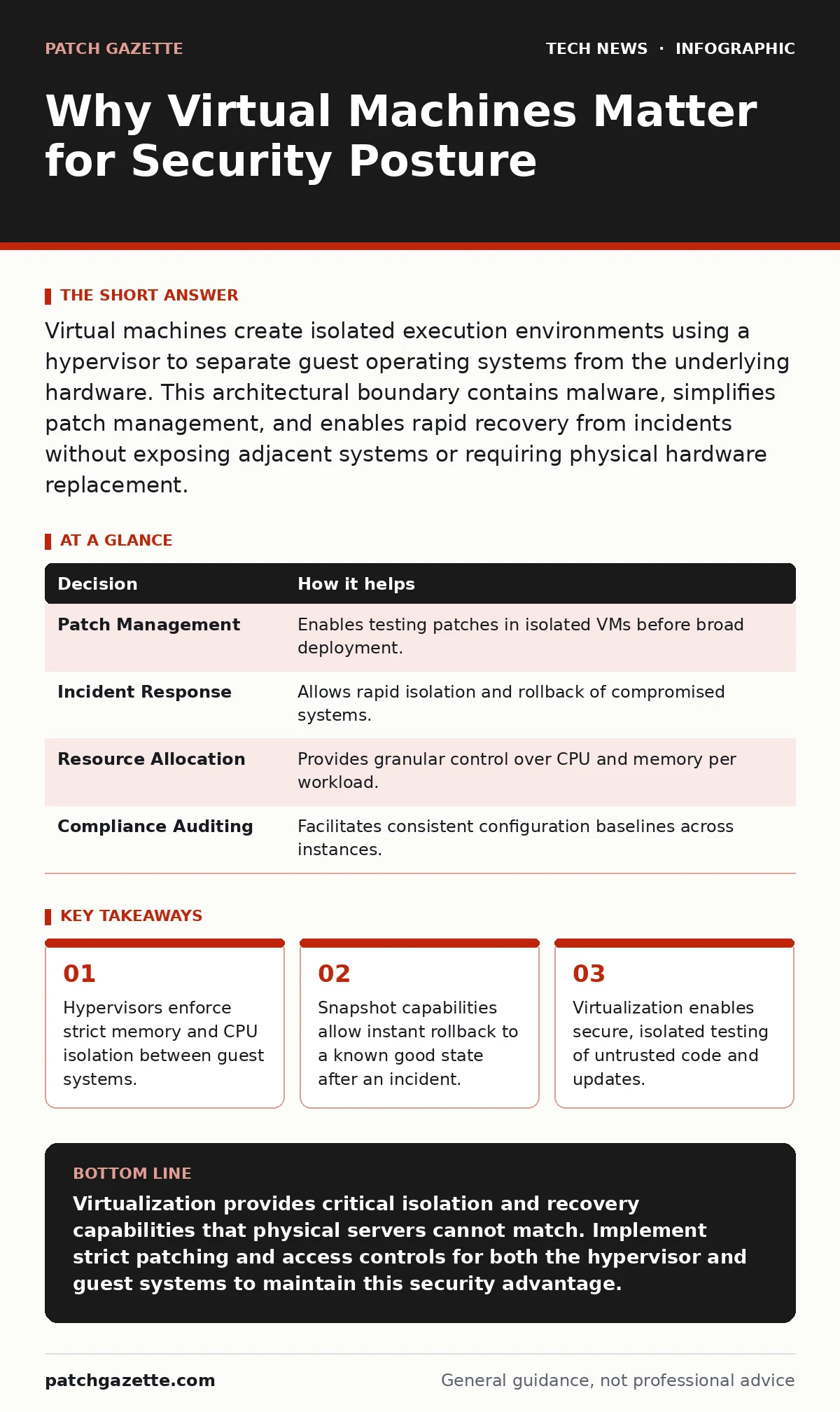
Virtual machines create isolated execution environments using a hypervisor to separate guest operating systems from the underlying hardware. This architectural boundary contains malware, simplifies patch management, and enables rapid recovery from incidents without exposing adjacent systems or requiring physical hardware replacement.
The Architecture of Isolation
Virtual machines rely on a hypervisor, a software layer that sits between the physical hardware and the guest operating systems. This component allocates physical resources like CPU cycles and memory to each virtual instance. By managing these allocations directly, the hypervisor ensures that one virtual machine cannot access the memory space of another.
This separation creates a hard boundary around each workload. If a process inside a virtual machine attempts to read memory outside its allocated range, the hypervisor intercepts the request and denies it. This mechanism prevents lateral movement, where an attacker moves from one system to another after gaining initial access.
The physical server becomes a neutral container rather than a single point of failure. You gain the ability to run multiple operating systems on one piece of hardware while maintaining strict security boundaries. This density reduces the physical attack surface while increasing logical segmentation.
Operational Resilience Through Snapshots
One of the most practical security benefits of virtualization is the ability to take snapshots. A snapshot captures the exact state of a virtual machine’s memory, disk, and configuration at a specific moment. You can create these checkpoints before installing updates or deploying new software.
If an update introduces a vulnerability or breaks system stability, you can revert to the previous snapshot instantly. This rollback capability eliminates the downtime associated with rebuilding servers from scratch. It transforms disaster recovery from a multi-hour process into a matter of seconds.
This feature also supports forensic analysis. You can isolate a compromised virtual machine and take a snapshot before disconnecting it from the network. This preserves the volatile memory state for later examination without risking further infection of the network. The snapshot acts as a frozen crime scene that investigators can analyze safely.
Containment of Untrusted Workloads
Virtual machines provide a safe environment for running untrusted or potentially malicious code. Security researchers and developers often need to analyze malware or test unstable software. Running such code on a production host poses unacceptable risk.
By assigning the untrusted workload to a dedicated virtual machine, you contain any damage within that isolated instance. The hypervisor prevents the malware from escaping into the host or neighboring virtual machines. You can configure the virtual machine to have no network access, further limiting its ability to communicate with external systems.
This containment strategy extends to development environments. Developers can work in disposable virtual machines that are destroyed after use. This ensures that no residual artifacts or accidental configuration changes persist in the production environment. It enforces a clean-state workflow that reduces configuration drift and hidden vulnerabilities.
Decision Framework for Virtualization
Virtualization influences several key security and operational decisions. The table below outlines how the technology impacts specific choices.
| Decision | How it helps |
|---|---|
| Patch Management | Enables testing patches in isolated VMs before broad deployment. |
| Incident Response | Allows rapid isolation and rollback of compromised systems. |
| Resource Allocation | Provides granular control over CPU and memory per workload. |
| Compliance Auditing | Facilitates consistent configuration baselines across instances. |
The Hidden Cost of Management
While virtualization offers security benefits, it introduces complexity in management. Each virtual machine requires its own operating system updates, security patches, and configuration hardening. Neglecting these tasks creates a large attack surface of unpatched guests.
Teams often focus on securing the hypervisor while ignoring the guest systems. This oversight leaves the virtual machines vulnerable to common exploits. You must apply the same rigor to virtual machine maintenance as you would to physical servers. Automation tools can help ensure consistent patching across all instances.
Another hidden cost is the risk of "VM sprawl." When teams can spin up virtual machines easily, they often create more than necessary. These forgotten instances may lack security controls or monitoring. Regular audits are necessary to identify and decommission unused virtual machines. This practice aligns with good IT asset management principles to maintain visibility.
See also: Open Port Management Checklist: Close Gaps and Reduce Risk · IP Address Mechanics: 10 Questions Network Engineers Actually Ask
Integration with Broader Security Controls
Virtualization does not exist in a vacuum. It must integrate with other security controls to provide layered protection. For instance, using Secure Boot ensures that only trusted code loads during the virtual machine startup process. This prevents rootkits from installing themselves at the boot level.
Code signing plays a similar role in verifying the integrity of applications running within the virtual machine. By ensuring that only signed binaries execute, you reduce the risk of running tampered software. These controls complement the isolation provided by the hypervisor.
Network security also requires attention. Virtual switches manage traffic between virtual machines and the external network. Misconfigured virtual switches can allow unauthorized traffic flow between isolated segments. You must apply strict firewall rules to these virtual interfaces. This approach mirrors the principles of IPv6 security by enforcing strict traffic filtering at every boundary.
Limits of Virtualization Security
Virtualization does not eliminate all security risks. If the hypervisor itself is compromised, an attacker can potentially access all virtual machines on that host. This is known as a "breakout" attack. Keeping the hypervisor updated and hardened is critical to preventing this scenario.
Additionally, virtual machines are not immune to traditional threats like phishing or social engineering. Users interacting with virtual desktops can still fall for deceptive attacks. You must maintain strong password policies and user training regardless of the underlying infrastructure.
Virtualization also does not replace the need for endpoint detection and response. Malware can still operate within a virtual machine before being contained. You need monitoring tools inside the guest operating systems to detect suspicious activity. This layered approach ensures that threats are identified and stopped at multiple stages.
Practical Implementation Steps
To leverage virtualization for security, start by defining clear isolation boundaries. Group workloads by sensitivity and risk level. Place high-risk tasks in virtual machines with restricted network access. This segmentation limits the blast radius of any potential breach.
Next, automate the patching process for both the hypervisor and the guest operating systems. Use configuration management tools to enforce security baselines. Regularly audit virtual machine configurations to ensure compliance with security standards. This discipline prevents configuration drift and ensures consistent protection.
Finally, integrate virtualization into your incident response plan. Define procedures for isolating, snapshotting, and analyzing compromised virtual machines. Practice these procedures regularly to ensure your team can execute them under pressure. This preparation turns virtualization from a mere infrastructure choice into a strategic security asset.
Key takeaways
- Hypervisors enforce strict memory and CPU isolation between guest systems.
- Snapshot capabilities allow instant rollback to a known good state after an incident.
- Virtualization enables secure, isolated testing of untrusted code and updates.
Virtualization provides critical isolation and recovery capabilities that physical servers cannot match. Implement strict patching and access controls for both the hypervisor and guest systems to maintain this security advantage.
Frequently asked questions
Does virtualization protect against ransomware?
Virtualization limits the spread of ransomware by isolating infected systems, but it does not prevent initial infection. You still need endpoint protection and regular backups to mitigate ransomware risks effectively.
Is the hypervisor a single point of failure?
Yes, if the hypervisor is compromised, all virtual machines on that host are at risk. However, modern hypervisors are highly hardened, and distributing workloads across multiple hosts mitigates this risk.
Can virtual machines communicate with each other securely?
Virtual machines can communicate securely if you configure virtual switches and firewalls correctly. You must enforce network segmentation and access controls to prevent unauthorized lateral movement between guests.
How does virtualization affect performance?
Virtualization introduces a small overhead due to the hypervisor layer, but modern hardware and optimizations minimize this impact. For most workloads, the performance difference is negligible compared to the security and management benefits.
How this guide was produced: written by the Patch Gazette editorial team with AI assistance, checked against the public references listed below, and reviewed when the facts change. See our editorial policy or report an error.