
Dumpster Diving Response: Secure Physical Data and Stop Identity Theft
Discarded paper often contains the master keys to your digital defenses, making physical waste the most overlooked attack vector in modern security operations.
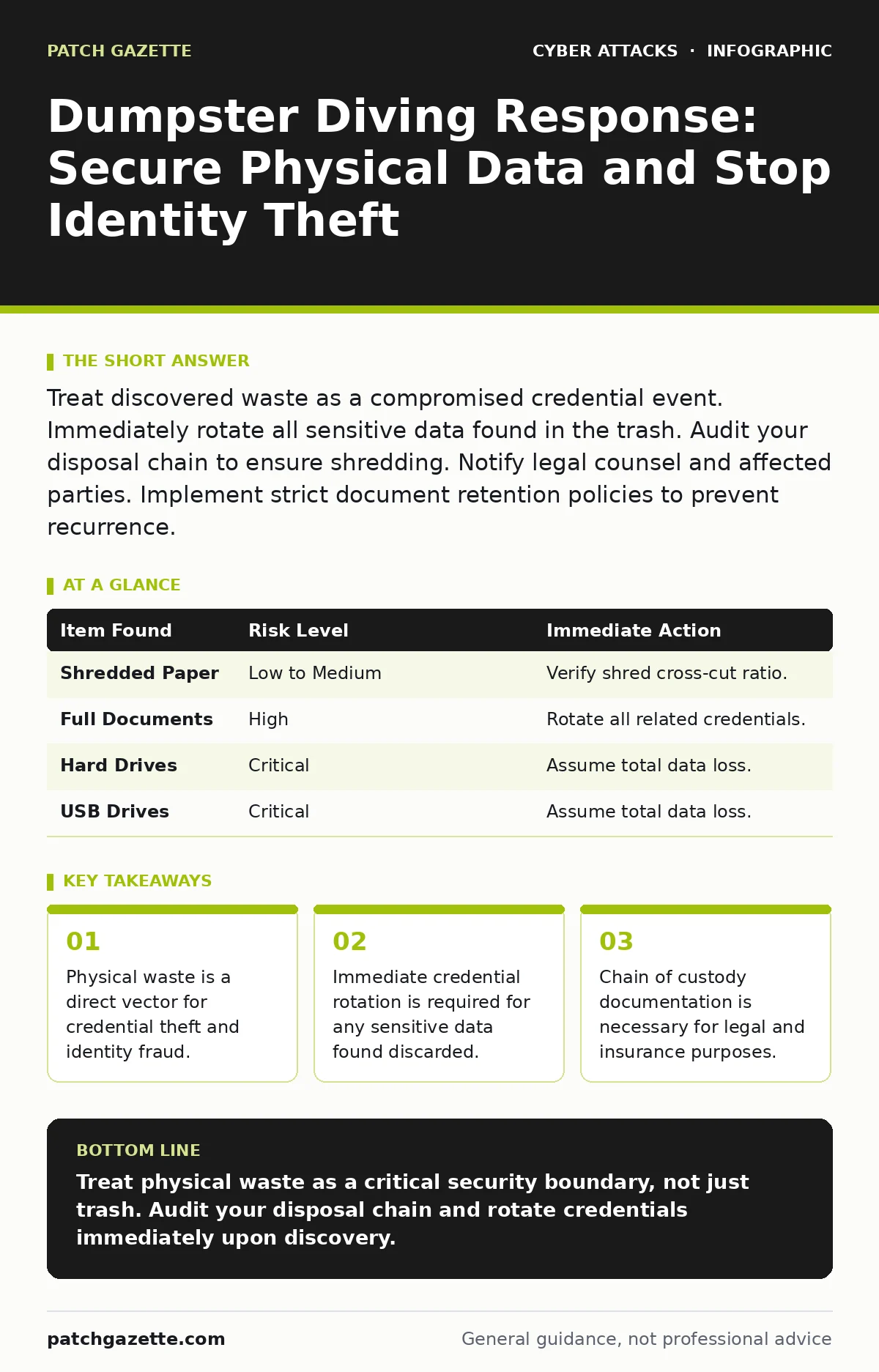
Treat discovered waste as a compromised credential event. Immediately rotate all sensitive data found in the trash. Audit your disposal chain to ensure shredding. Notify legal counsel and affected parties. Implement strict document retention policies to prevent recurrence.
First hour
You suspect an outsider has accessed your waste bins. The immediate goal is to determine what they took and how much it matters. Do not touch the bins yet. You need to preserve the scene for potential legal review.
- Secure the area around the dumpsters to prevent further access.
- Take photographs of the bins and any visible items.
- Identify the type of waste: paper, media, or hardware.
- Determine if any items contain unencrypted sensitive data.
- Notify your security operations center and legal team.
If you find shredded paper, note the shred size. Cross-cut shredding is generally secure, but strip-cut shredding can be reassembled by determined attackers. If you find full sheets, assume the data is compromised. Do not try to reassemble it yourself. Leave that to forensic experts.
Imagine you find a printed password reset email. This is as dangerous as finding a login password. The attacker now has a valid token or hint to bypass your authentication. Treat this finding with the same severity as a direct system breach.
First day
You must contain the damage by rotating credentials. If the waste contained names, emails, or employee IDs, the risk shifts to social engineering. Attackers use this data to craft convincing messages.
You should review your phishing defenses immediately. An attacker with your employee directory can mimic internal communications. Check your email gateway for recent suspicious activity targeting the individuals found in the waste.
Rotate passwords for any systems mentioned in the discarded documents. If you found hardware like hard drives, assume the data is gone. You cannot remotely wipe a drive that is no longer in your possession.
| Item Found | Risk Level | Immediate Action |
|---|---|---|
| Shredded Paper | Low to Medium | Verify shred cross-cut ratio. |
| Full Documents | High | Rotate all related credentials. |
| Hard Drives | Critical | Assume total data loss. |
| USB Drives | Critical | Assume total data loss. |
Check your conditional access policies to see if you can force re-authentication for affected users. This forces users to re-enter credentials, invalidating any tokens the attacker might have harvested. Do not disable accounts unless you have proof of active misuse.
First week
Recovery involves fixing the process that allowed the data to leave your control. You must audit your document retention and destruction policies. Find out who approved the disposal and why it failed.
You need to talk to your waste management vendor. Review their contract. Does it specify destruction standards? If not, add clauses that require certified destruction for any media containing sensitive data. You must verify their compliance with audits.
Consider the risk of replay attacks if the discarded data included authentication tokens or session cookies. Even if the tokens are old, an attacker might try to replay them against your systems. Monitor your logs for unusual login patterns from known IP ranges.
Who to tell
You must notify your legal counsel before contacting anyone else. They will determine if you have a legal obligation to report the incident. This depends on the type of data and your jurisdiction.
If the waste contained customer data, you may need to notify those individuals. Be transparent about what was found and what you are doing to protect them. Do not blame the waste vendor publicly. Focus on your own remediation steps.
Your insurance provider needs to know. Cyber insurance often covers physical theft of data. Document everything. Photos, witness statements, and vendor contracts are vital for your claim.
How to stop a repeat
Prevention requires a shift in culture and process. You must treat paper with the same respect as digital data. Implement a clear policy on what can be thrown away and what must be shredded.
Train employees on proper disposal. Show them examples of dangerous waste. Explain how a simple trash can lead to a major breach. Use real-world scenarios to make the risk tangible.
Imagine an employee throws away a draft budget. This might seem harmless, but it reveals financial health and strategic priorities. Competitors or attackers can use this for targeted attacks. Train staff to recognize these risks.
Review your API abuse controls. If the discarded data included API keys, revoke them immediately. Generate new keys and update your applications. Monitor API logs for unusual activity.
See also: QR Code Phishing: Risks and Protection for Small Businesses · How Gift Card Scams Work: The Step-by-Step Attack Chain
Long-term controls
You must integrate physical security into your overall security strategy. Do not treat it as a separate issue. Physical access leads to digital compromise.
Use rainbow table attacks prevention methods for any data that might be discarded. Ensure passwords are salted and hashed properly. This makes it harder for attackers to crack passwords even if they find them in the trash.
Regularly audit your disposal processes. Surprise inspections help ensure compliance. Check bins before they are collected. If you find sensitive data, investigate why it was not shredded.
Final thoughts
Dumpster diving is low-tech but high-impact. It bypasses your firewalls and encryption. You must close this gap by securing your physical environment.
Stay vigilant about what leaves your building. Every piece of waste is a potential key to your defenses. Secure it or destroy it properly.
Key takeaways
- Physical waste is a direct vector for credential theft and identity fraud.
- Immediate credential rotation is required for any sensitive data found discarded.
- Chain of custody documentation is necessary for legal and insurance purposes.
- Vendor contracts must enforce specific destruction standards for physical media.
Treat physical waste as a critical security boundary, not just trash. Audit your disposal chain and rotate credentials immediately upon discovery.
Frequently asked questions
Do I need to notify customers if only internal documents were found?
Only if the documents contain customer data or could lead to a breach of customer information. Consult legal counsel to determine your obligations.
How do I verify my vendor is actually destroying the data?
Require certificates of destruction and conduct periodic audits of their facilities. Look for third-party certifications of their disposal processes.
Is shredding enough to protect sensitive data?
Cross-cut shredding is generally sufficient for paper. For digital media, you need degaussing or physical destruction. Simple shredding of hard drives is not enough.
Can I use encryption to protect discarded data?
Yes, encrypting data at rest ensures that even if the media is stolen, the data remains unreadable without the key. This is a strong defense-in-depth measure.
How this guide was produced: written by the Patch Gazette editorial team with AI assistance, checked against the public references listed below, and reviewed when the facts change. See our editorial policy or report an error.