Stop Cloud Storage Leaks: Fix Misconfigurations Before Data Escapes
Most cloud data exposures stem from default public access settings that remain active until someone manually restricts them, not from complex hacking.
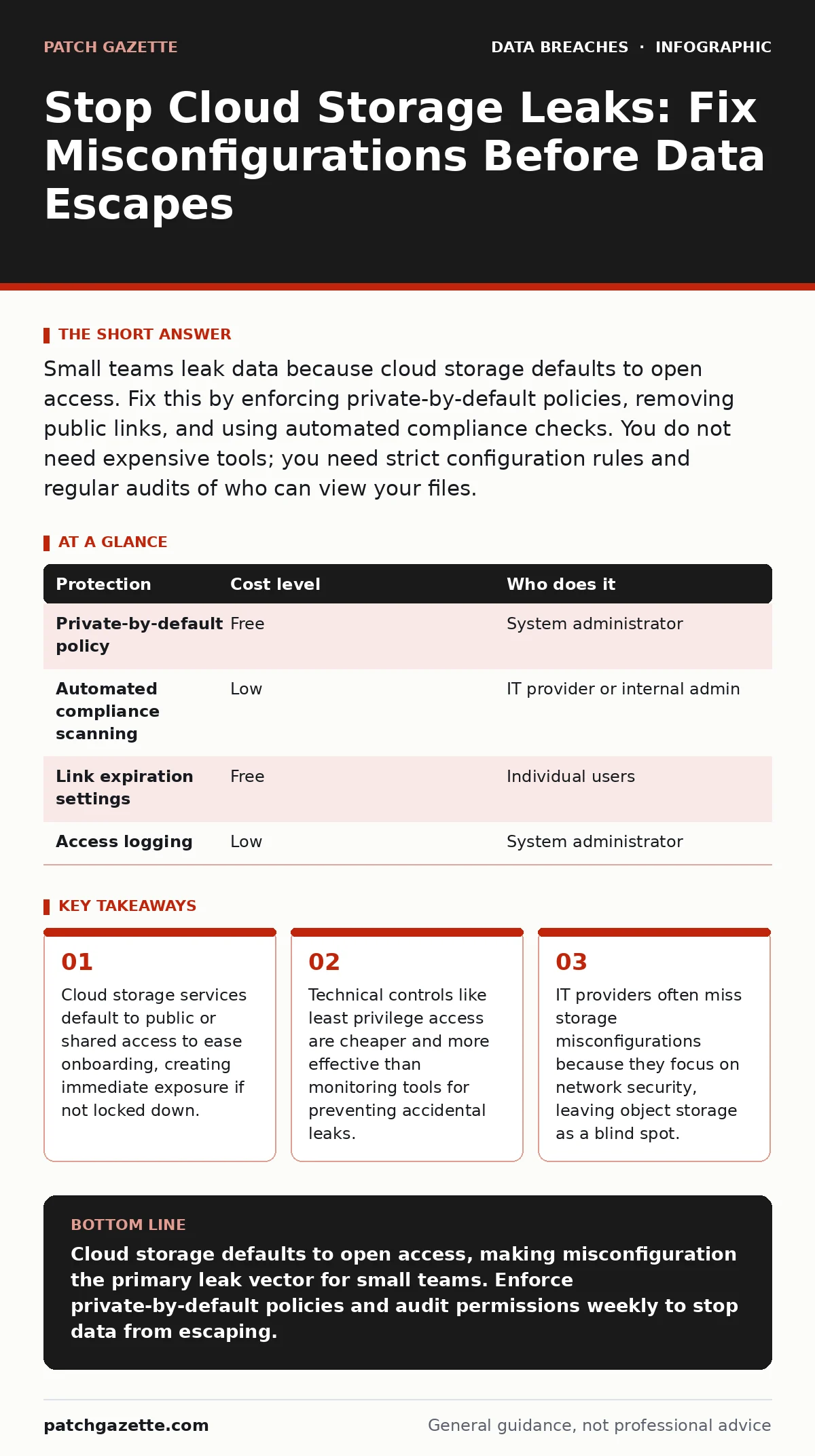
Small teams leak data because cloud storage defaults to open access. Fix this by enforcing private-by-default policies, removing public links, and using automated compliance checks. You do not need expensive tools; you need strict configuration rules and regular audits of who can view your files.
The Default Danger of Cloud Storage
Cloud storage services are designed for ease of use. When you create a new storage container, the system often defaults to allowing public access or sharing via simple links. This design helps developers share assets quickly, but it ignores security until you intervene. You must assume every new container is public until you prove otherwise.
This default behavior creates a hidden risk. You might believe your data is safe because it sits behind a login screen. However, the underlying storage object may be publicly accessible via a direct URL. If that URL leaks, bypasses the login, and allows direct download, your data is exposed.
The risk is not just external hackers. It is often internal error. An employee shares a link to a spreadsheet intended for the team, but the link settings allow "anyone with the link" to view. That link ends up in a public forum or a code repository. The data is now public.
Why Small Teams Get Caught
Small organizations lack dedicated security engineers. They rely on generalist IT staff or managed service providers who wear many hats. Cloud storage configuration is a niche skill. It requires understanding permissions, policies, and network boundaries. Most generalists focus on servers and endpoints, leaving storage as an afterthought.
You also face a resource constraint. Large enterprises have teams that review configurations before deployment. Small teams deploy fast. Speed often overrides security checks. You create a bucket, drop files in it, and move to the next task. The configuration review never happens.
This connects to shadow IT data exposure. When employees use unauthorized cloud tools to share files, they bypass your security controls entirely. Even authorized tools become shadow IT if the team does not understand how to secure them. The result is unmanaged data sitting in public or semi-public spaces.
The Cost of Misconfiguration
Misconfigured storage is the leading cause of accidental data exposure. It is not a sophisticated attack. It is a setting left in the wrong position. The cost is not just the leak itself. It is the remediation effort, the notification requirements, and the loss of trust.
You cannot patch a leak after it happens. You can only contain it. Once data is indexed by search engines or copied by bots, it is out of your control. Prevention is the only viable strategy. You must treat configuration as a security control, not an administrative task.
This is distinct from credential leaks. A stolen password allows an attacker to log in. A misconfigured bucket allows anyone to read data without logging in. The latter is often easier to exploit and harder to detect because there is no login event to alert you.
Low-Cost Protections That Work
You do not need expensive security suites to fix this. The most effective controls are built into the cloud platform. They are free or included in your base subscription. The challenge is knowing which ones to turn on.
| Protection | Cost level | Who does it |
|---|---|---|
| Private-by-default policy | Free | System administrator |
| Automated compliance scanning | Low | IT provider or internal admin |
| Link expiration settings | Free | Individual users |
| Access logging | Low | System administrator |
The first step is enforcing private-by-default policies. This means no storage container is created with public access. You must explicitly grant access to specific users or groups. This stops the "anyone with the link" problem at the source.
Second, enable access logging. You need to know who accesses your data and when. Logs do not prevent leaks, but they help you detect them quickly. If you see unusual download patterns, you can investigate before the data spreads.
Third, enforce link expiration. If you must share data via links, set them to expire after a few days. This limits the window of exposure. If a link leaks, it becomes useless after the expiration date.
What to Ask Your IT Provider
If you outsource your IT, you must verify that they handle cloud storage security. Many providers focus on network firewalls and antivirus, ignoring object storage. You need to ask specific questions to uncover gaps.
- Do you enforce private-by-default settings for all new storage containers?
- How do you monitor for public access changes in real time?
- Can you provide a recent audit of all storage permissions?
- Do you test for exposed API keys that might grant storage access?
- How do you handle secure file sharing requests from employees?
These questions force the provider to demonstrate competence. If they cannot answer clearly, you have a risk. They may be managing your infrastructure, but they are not securing your data.
See also: How Cloud Ransomware Works: The Step-by-Step Attack Chain · Shadow IT: What It Is and How to Reduce the Hidden Risk
Detecting the Silent Leak
Most misconfigurations go unnoticed until someone finds the data. You need proactive detection. Automated tools can scan your environment for public buckets. They check permissions and flag anything that deviates from your policy.
You should run these scans regularly. Weekly is a good frequency for small teams. Monthly is too slow. New containers are created daily. Each one is a potential leak.
Integrate these scans into your deployment process. If a developer creates a new bucket, the system should check its permissions immediately. If it is public, the deployment fails. This stops leaks before they happen.
Maintaining Long-Term Security
Security is not a one-time fix. It is a continuous process. You must review permissions regularly. People leave the company. Their access should be revoked. If their access remains, they can still leak data, even if unintentionally.
You must also train your staff. They need to understand the risks of sharing links. They need to know how to use data minimization principles. Share only what is necessary, for the shortest time possible.
Finally, keep your systems updated. Cloud platforms change their security features. New options appear. Old defaults change. You must stay informed. Subscribe to security updates from your cloud provider. Read their best practices.
Key takeaways
- Cloud storage services default to public or shared access to ease onboarding, creating immediate exposure if not locked down.
- Technical controls like least privilege access are cheaper and more effective than monitoring tools for preventing accidental leaks.
- IT providers often miss storage misconfigurations because they focus on network security, leaving object storage as a blind spot.
Cloud storage defaults to open access, making misconfiguration the primary leak vector for small teams. Enforce private-by-default policies and audit permissions weekly to stop data from escaping.
Frequently asked questions
How do I know if my cloud storage is public?
Use your cloud provider’s security dashboard to scan for public buckets. Look for any container with "public" or "anonymous" read access enabled.
Can I use free tools to fix this?
Yes. Most cloud providers include native security scanners and policy enforcement tools. These are free and more effective than third-party tools for basic configuration issues.
What is the biggest mistake small teams make?
They assume cloud storage is secure by default. It is not. They must explicitly lock down every new container and link.
Should I disable all external sharing?
No. You need to share data to do business. Instead, enforce link expiration and restrict access to specific domains or users when possible.
How this guide was produced: written by the Patch Gazette editorial team with AI assistance, checked against the public references listed below, and reviewed when the facts change. See our editorial policy or report an error.