Callback Phishing Prevention Checklist for Secure Operations
Attackers exploit human trust in voice calls to bypass technical controls, making procedural verification the only effective defense against this social engineering technique.
Verify every unsolicited call through a separate channel. Never return a number provided during the initial contact. Train staff to recognize urgency tactics. Implement call authentication. Review help desk protocols. These steps reduce the risk of credential theft and unauthorized access.
Understanding the Voice Attack Vector
Callback phishing relies on the psychological weight of a live voice conversation. Attackers initiate contact via email, SMS, or a missed call. They claim a critical issue requires immediate attention. They instruct the victim to call a specific number. This number often appears legitimate. It may mimic your organization’s help desk. It may use caller ID spoofing to display a trusted number. The goal is to move the interaction from a digital trail to a spoken conversation. Spoken words leave no automated log. They bypass spam filters. They create a sense of urgency that overrides standard caution.
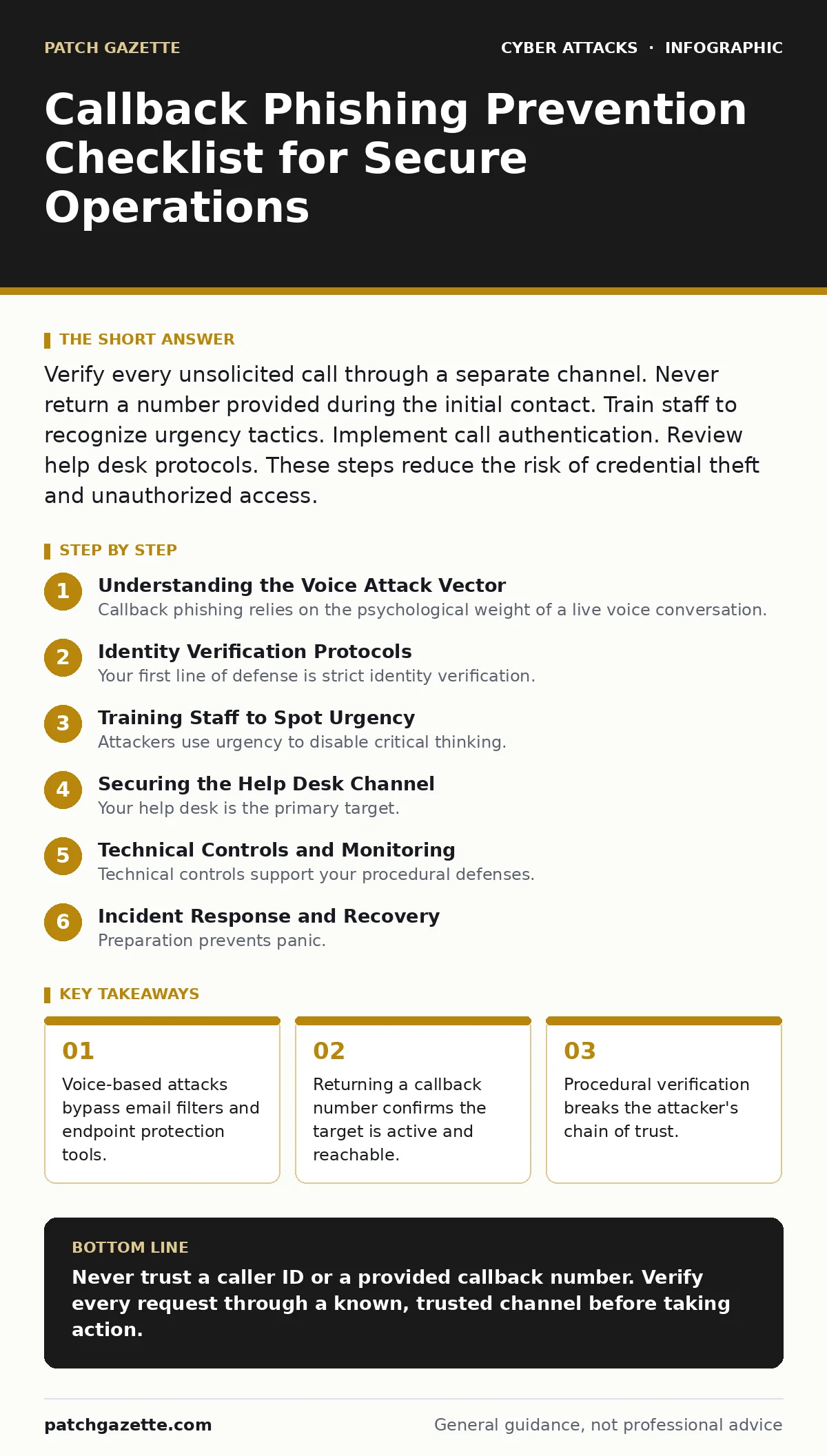
Identity Verification Protocols
Your first line of defense is strict identity verification. You must never trust the caller’s stated identity. You must never trust the number they provide. Use a closed-loop verification process. This means you initiate the contact back to a known, trusted source. Do not use the number given in the email or SMS. Do not use the number that called you. Look up the official contact number from your internal directory. Call that number. Ask to speak to the person who supposedly contacted you. This breaks the attacker’s control over the communication channel.
- Require callers to provide a pre-shared code: This proves they are who they claim to be.
- Verify the request through a secondary channel: This confirms the legitimacy of the urgent request.
- Check the caller’s identity against known records: This prevents impersonation of senior staff.
Training Staff to Spot Urgency
Attackers use urgency to disable critical thinking. They claim an account is locked. They claim a server is down. They claim a legal deadline is approaching. They create a scenario where delay causes harm. Your staff must recognize this pressure tactic. Train them to pause. Train them to verify. Speed is not a virtue in security. Accuracy is. If a request feels rushed, it likely is. Teach your team that legitimate IT staff will not panic. Legitimate staff will follow procedure. They will wait for verification. They will not demand immediate action.
Securing the Help Desk Channel
Your help desk is the primary target. Attackers know this. They focus their efforts on your support staff. You must harden this channel. Implement multi-factor authentication for internal support systems. Use passkeys for staff login to prevent credential theft. Ensure your help desk software logs all interactions. Require ticket creation for all changes. Do not allow verbal-only changes. Every request must have a digital record. This creates an audit trail. It allows for post-incident review. It deters attackers who rely on anonymity.
- Log all incoming requests with timestamps: This provides evidence for investigation.
- Require ticket numbers for all changes: This ensures accountability for actions taken.
- Use multi-factor authentication for staff accounts: This protects the help desk itself from compromise.
Technical Controls and Monitoring
Technical controls support your procedural defenses. You cannot stop a phone call with a firewall. But you can detect the aftermath. Monitor for unusual login patterns. Look for logins from new locations. Look for logins at odd hours. These may indicate a successful attack. Implement OAuth consent phishing detection. Attackers often use stolen credentials to request access to new apps. Detecting these requests early limits damage. Review your DNS amplification attacks defenses. While unrelated to voice calls, ensuring your infrastructure is secure prevents attackers from using your systems for further attacks.
- Monitor for impossible travel logins: This detects stolen credentials being used remotely.
- Alert on new device registrations: This identifies when an attacker logs in from a new machine.
- Review application permission requests: This stops attackers from expanding their access.
See also: BGP Hijacking Prevention Checklist for Network Security Teams · Watering Hole Attacks Explained: How Attackers Target Your Routine
Incident Response and Recovery
Preparation prevents panic. Have a clear plan for when a callback phishing attempt succeeds. Isolate affected accounts immediately. Reset credentials. Revoke active sessions. Investigate the scope of the breach. Check for data exfiltration. Check for lateral movement. Update your incident response plan based on the findings. Share lessons learned with your team. Update training materials. Improve verification procedures. Security is iterative. Each incident reveals a weakness. Fixing that weakness makes you stronger.
Integrating with Broader Security
Callback phishing does not exist in a vacuum. It is part of a larger attack chain. Attackers may use BGP hijacking to redirect traffic. They may use adversary-in-the-middle phishing to capture credentials. They may deploy cryptomining attacks on exposed servers. Understanding these connections helps you defend holistically. Ensure your endpoint protection is current. This stops malware dropped after a successful phishing call. Review your QR code phishing defenses. Attackers may send a QR code that links to a fake login page. They may then call you to "help" with the login. Cross-training your team on these related threats builds resilience.
- Align voice security with email security: This ensures consistent messaging to staff.
- Share threat intelligence across teams: This helps everyone recognize new tactics.
- Regularly review and update policies: This keeps your defenses aligned with current threats.
Key takeaways
- Voice-based attacks bypass email filters and endpoint protection tools.
- Returning a callback number confirms the target is active and reachable.
- Procedural verification breaks the attacker's chain of trust.
Never trust a caller ID or a provided callback number. Verify every request through a known, trusted channel before taking action.
Frequently asked questions
How do I verify a caller if I do not know them?
Ask for their full name and department. Look up the official number for that department. Call back to verify the person and the request.
What if the caller says they are from a vendor?
Do not trust the vendor name. Look up the vendor’s official support number from your contract or website. Call that number to confirm the request.
Can technology block callback phishing calls?
No technology can block a legitimate-sounding phone call. Technical controls can only detect the results of a successful attack, such as unusual login activity.
How often should I update my training?
Update your training whenever new tactics emerge. At minimum, conduct refresher training quarterly to keep awareness high and procedures fresh.
How this guide was produced: written by the Patch Gazette editorial team with AI assistance, checked against the public references listed below, and reviewed when the facts change. See our editorial policy or report an error.