Watering Hole Attacks Explained: How Attackers Target Your Routine
Attackers compromise trusted sites you already visit, turning your normal browsing habits into a delivery mechanism for malware without sending you an email.
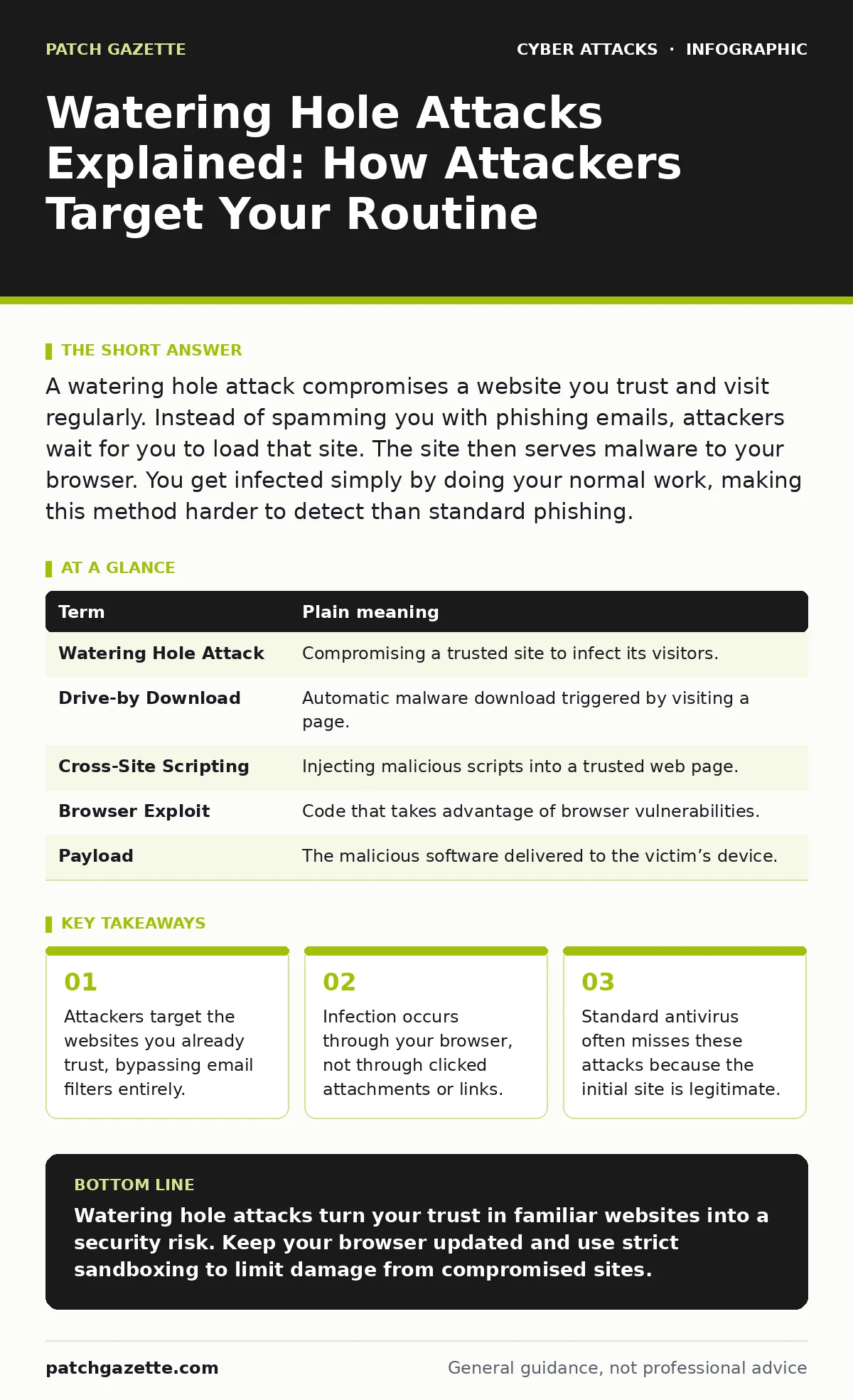
A watering hole attack compromises a website you trust and visit regularly. Instead of spamming you with phishing emails, attackers wait for you to load that site. The site then serves malware to your browser. You get infected simply by doing your normal work, making this method harder to detect than standard phishing.
The Compromised Supply Station Analogy
Imagine a desert where travelers rely on a single, trusted oasis for water. The oasis is safe, clean, and visited by everyone in the community. An attacker does not approach travelers on the road. Instead, they quietly poison the water source. When travelers arrive to drink, they ingest the poison without suspicion. The danger comes from trust, not from the act of drinking itself.
In cybersecurity, the oasis is a website your organization or industry regularly uses. It could be a industry news portal, a vendor login page, or a professional forum. Users trust this site because they visit it daily for legitimate work. The attacker compromises this specific site to deliver malware to anyone who visits.
How The Infection Mechanism Works
The attacker identifies a website with high traffic from your target group. They gain access to the site’s code, often through a vulnerability in the web application or by hijacking the hosting account. Once inside, they inject malicious JavaScript or redirect code.
When you load the page, your browser executes this code. The code may download a payload silently or redirect you to a secondary server hosting the malware. This bypasses many security controls because the initial request looks like normal web traffic. The trust relationship between the user and the site is the primary vector.
Key Terms For Watering Hole Attacks
| Term | Plain meaning |
|---|---|
| Watering Hole Attack | Compromising a trusted site to infect its visitors. |
| Drive-by Download | Automatic malware download triggered by visiting a page. |
| Cross-Site Scripting | Injecting malicious scripts into a trusted web page. |
| Browser Exploit | Code that takes advantage of browser vulnerabilities. |
| Payload | The malicious software delivered to the victim’s device. |
Why This Bypasses Standard Defenses
Most security teams focus on email gateways. They block phishing attempts and malicious attachments. Watering hole attacks ignore email entirely. The traffic originates from a legitimate domain that your firewall allows. Your browser initiates the connection because you intend to visit the site.
This makes detection difficult. The initial connection is to a known, reputable URL. The malicious content is often loaded dynamically after the page renders. Traditional signature-based antivirus may not recognize the new malware variant. The attack exploits the gap between allowing trusted sites and inspecting dynamic content.
The Hidden Cost Of Trust
You might assume that sticking to approved websites keeps you safe. This assumption creates a blind spot. Attackers know which sites your organization relies on. They prioritize compromising these high-value targets. The more you trust a site, the more dangerous its compromise becomes.
This dynamic shifts the burden of security. You cannot simply block unknown sites. You must assume that even trusted sites can become vectors. This requires a different approach to web filtering and browser security. It moves beyond simple allow-listing to active content inspection.
See also: Stop Malicious Documents: Prevention Measures That Actually Work
Simple Safety Habits For Users
- Keep your browser and plugins updated. Patches close the vulnerabilities attackers use for drive-by downloads.
- Use a browser with strong sandboxing. This limits what a compromised page can do to your system.
- Avoid logging into sensitive accounts on public or shared networks. This reduces the risk of session hijacking during the attack.
These habits reduce the surface area for attack. They do not stop the attacker from compromising the site, but they prevent the infection from succeeding on your device.
Related Security Concepts To Understand
Watering hole attacks often combine techniques from other threat vectors. Understanding these connections helps you build a stronger defense.
Phishing relies on tricking users into clicking bad links. Watering hole attacks remove the need for that click. The user goes to the right place, but the place has turned hostile.
Adversary-in-the-middle phishing involves intercepting connections to steal credentials. Watering hole attacks may use similar interception techniques to serve malware instead of just stealing passwords.
Replay attacks reuse captured data to gain access. If a watering hole attack captures your session token, attackers might use it later to bypass authentication.
Conditional access policies can help mitigate risk by requiring additional verification for logins from unexpected locations or devices, even if the initial site is trusted.
What This Means For Your Daily Routine
You cannot inspect every line of code on every site you visit. You must rely on layered defenses. Your browser is the first line of defense. Ensure it is configured to block pop-ups and restrict automatic script execution where possible.
Use a dedicated browser profile for work. This isolates work-related cookies and history from personal browsing. If a work site is compromised, the damage is contained within that profile. This separation reduces the attack surface available to the malicious code.
The Role Of Network Security
Your organization’s network security should inspect outbound traffic. Look for connections to known malicious IP addresses or domains. Even if the initial site is trusted, the malware may try to phone home to a command-and-control server.
Block unnecessary browser extensions. Extensions often have broad permissions and can be used to bypass security controls. A compromised extension can serve as a side channel for malware delivery, similar to a watering hole attack.
Review your web proxy logs. Look for requests to trusted sites that return unusual content types or large payloads. These anomalies may indicate an active watering hole attack.
Key takeaways
- Attackers target the websites you already trust, bypassing email filters entirely.
- Infection occurs through your browser, not through clicked attachments or links.
- Standard antivirus often misses these attacks because the initial site is legitimate.
Watering hole attacks turn your trust in familiar websites into a security risk. Keep your browser updated and use strict sandboxing to limit damage from compromised sites.
Frequently asked questions
How do I know if I have been hit by a watering hole attack?
You may see new browser extensions, unusual pop-ups, or increased CPU usage. Your security software might alert on unknown processes. Check your browser history for recent visits to industry-specific sites.
Does using a password manager protect me from watering hole attacks?
Password managers protect your credentials but do not stop malware downloads. If the attack installs keyloggers or ransomware, your password manager cannot prevent system compromise.
Can firewalls stop watering hole attacks?
Traditional firewalls may not stop them because the traffic goes to legitimate domains. You need next-generation firewalls with application awareness and content filtering to inspect the actual data flowing to your browser.
Are mobile devices vulnerable to watering hole attacks?
Yes, mobile browsers can also execute malicious scripts. Keep your mobile OS and browsers updated. Avoid installing unofficial apps that might lack proper sandboxing.
How this guide was produced: written by the Patch Gazette editorial team with AI assistance, checked against the public references listed below, and reviewed when the facts change. See our editorial policy or report an error.