Stop OAuth Consent Phishing: Validate Permissions and Block Impersonation
Attackers bypass password checks by tricking users into granting access to malicious apps that mimic legitimate enterprise tools.
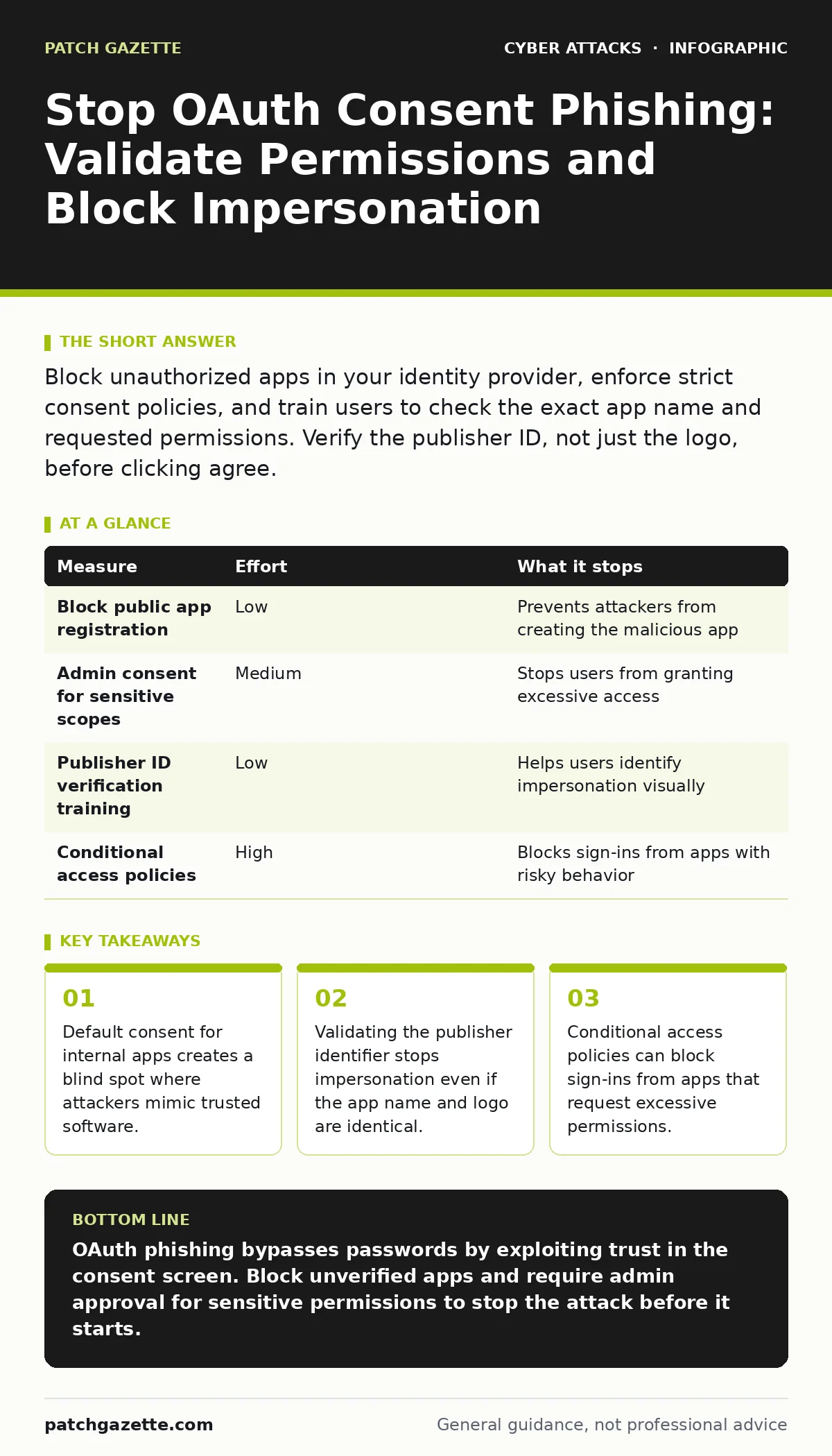
Block unauthorized apps in your identity provider, enforce strict consent policies, and train users to check the exact app name and requested permissions. Verify the publisher ID, not just the logo, before clicking agree.
The Mechanics of Trusted App Impersonation
OAuth consent phishing exploits the trust you place in your identity provider. Instead of stealing a password, the attacker creates a malicious application that looks like a tool you already use. They send you a legitimate login link. The identity provider handles the authentication. You enter your credentials, and the system logs you in securely.
Then the provider asks if you want to grant the app access. Because the app uses your organization's logo and a familiar name, you click agree. The attacker now holds a valid token. This token allows the app to read your emails, contacts, or files without ever needing your password again.
This method works because most organizations allow internal apps to request access without deep scrutiny. The identity provider assumes that if the app is registered in your tenant, it is safe. Attackers exploit this assumption by registering their own app with a deceptive name.
Why Traditional Filters Miss This Threat
Standard email filters look for malicious attachments or links to known bad domains. In OAuth consent phishing, the link often points to your own identity provider. The domain is trusted. The SSL certificate is valid. The login page is real.
Because the authentication flow happens on a legitimate server, traditional anti-phishing tools rarely flag it. The attack relies on social engineering within a secure technical framework. It is not a broken lock; it is a locked door opened by the owner.
This makes detection difficult. You are not fighting malware or broken code. You are fighting a policy gap. The system works exactly as designed, but the design assumes users will scrutinize permission requests with the same care they apply to financial transactions. Most do not.
Quick Win: Block Public App Registration
The fastest way to reduce risk is to stop external developers from creating apps in your environment. If an attacker cannot register a malicious app, they cannot initiate the consent flow.
Check your identity provider settings. Ensure that only verified administrators can create applications. Disable the option that allows any user to register apps. This blocks the majority of OAuth phishing attempts because the attacker loses the ability to create the front-end of the attack.
This measure has a trade-off. If your developers need to create test apps, you must provide a specific process for them to request access. Do not leave the door open for convenience. The risk of impersonation outweighs the minor friction of an approval workflow.
Enforce Strict Consent Policies
Once an app is registered, it must request permission. By default, many identity providers allow users to approve any request. This is a dangerous default. You must change this behavior.
Configure your identity provider to require administrative approval for any app that requests access to sensitive data. This includes email, calendar, or directory information. If an app asks for these scopes, a user cannot approve it alone. An administrator must review the request.
This adds a layer of verification. Attackers rely on speed and volume. They send thousands of links, hoping users click without thinking. Requiring admin approval breaks this chain. The attacker cannot automate the final step.
Validate the Publisher Identifier
Users cannot be trusted to spot a fake app based on its name alone. An attacker can name their app "Microsoft Teams" and use the official logo. It will look identical to the real tool.
You must train users to look at the publisher identifier. This is a unique code assigned to the app developer by the identity provider. The real Microsoft Teams app has a specific publisher ID. A fake app will have a different one, often a random string or a domain owned by the attacker.
This is a non-obvious defense. Most training focuses on URLs and sender addresses. In OAuth flows, the publisher ID is the only technical truth. If the ID does not match the known value for the tool, the request is fraudulent, regardless of how it looks.
| Measure | Effort | What it stops |
|---|---|---|
| Block public app registration | Low | Prevents attackers from creating the malicious app |
| Admin consent for sensitive scopes | Medium | Stops users from granting excessive access |
| Publisher ID verification training | Low | Helps users identify impersonation visually |
| Conditional access policies | High | Blocks sign-ins from apps with risky behavior |
See also: Phishing Explained: How Attackers Steal Trust and Data · Detect API Abuse: Log Patterns, Blind Spots, and Detection Tactics
Implement Conditional Access for App Behavior
You can use conditional access policies to monitor how apps behave. These policies define rules for when and how users can access resources. You can create a rule that blocks sign-ins from apps that request certain high-risk permissions.
For example, you can block any app that is not certified by your organization from accessing email. This prevents the attacker's app from functioning even if the user clicks agree. The identity provider will deny the token issuance.
This approach aligns with broader security strategies. It complements guides on conditional access policies by focusing on application behavior rather than just user location or device health. It adds a technical barrier that does not rely on user judgment.
What Does Not Work
Do not rely on user awareness training alone. While training helps, it is not a technical control. Users will make mistakes. They will click links. They will approve requests under pressure.
Do not assume that blocking unknown domains in web proxies helps. The login page is hosted on your identity provider's domain, which is known and trusted. The proxy sees legitimate traffic.
Do not ignore the API abuse potential. Once the attacker has a token, they can use APIs to exfiltrate data. Blocking the initial consent is the only way to prevent this chain of events. Post-breach detection is too late.
Closing Checklist for Today
- Disable public app registration in your identity provider.
- Require admin consent for any app requesting email or directory access.
- Update training materials to include publisher ID verification steps.
These three steps remove the most common attack vectors. They shift the burden from the user to the system. The system enforces the rules, and the user follows the guided path.
Long-Term Resilience
OAuth consent phishing is a persistent threat because it adapts. Attackers will find new ways to mimic trusted apps. They will use AI to generate convincing logos and names. They will target less common tools that users trust less but still use.
Your defense must evolve. Regularly audit your consent policies. Test your users with simulated phishing campaigns that mimic OAuth flows. Measure how many people check the publisher ID. Adjust your training based on these results.
This approach ensures that your security posture remains effective. It combines technical controls with human awareness. It acknowledges that technology alone cannot solve the problem, but it can significantly reduce the risk.
Key takeaways
- Default consent for internal apps creates a blind spot where attackers mimic trusted software.
- Validating the publisher identifier stops impersonation even if the app name and logo are identical.
- Conditional access policies can block sign-ins from apps that request excessive permissions.
OAuth phishing bypasses passwords by exploiting trust in the consent screen. Block unverified apps and require admin approval for sensitive permissions to stop the attack before it starts.
Frequently asked questions
Can I detect OAuth consent phishing through email headers?
No, because the link often leads to your legitimate identity provider. The email may look normal, and the domain is trusted, making header analysis ineffective for this specific threat.
Does using passkeys prevent OAuth consent phishing?
Passkeys secure the authentication step, not the consent step. A user can authenticate with a passkey and then still grant access to a malicious app. You need separate controls for app permissions.
How do I know if an app is requesting excessive permissions?
Check the scopes requested during the consent screen. Look for access to email, calendar, or directory data. If an app like a weather tool asks for email access, it is suspicious.
Should I block all third-party apps?
Blocking all third-party apps may disrupt business operations. Instead, require admin approval for third-party apps and regularly audit their permissions. This balances security with usability.
How this guide was produced: written by the Patch Gazette editorial team with AI assistance, checked against the public references listed below, and reviewed when the facts change. See our editorial policy or report an error.