Virtual Private Clouds Explained: How to Isolate Your Data
A VPC creates a logically isolated network segment within the shared public cloud, giving you control over IP ranges and security boundaries.
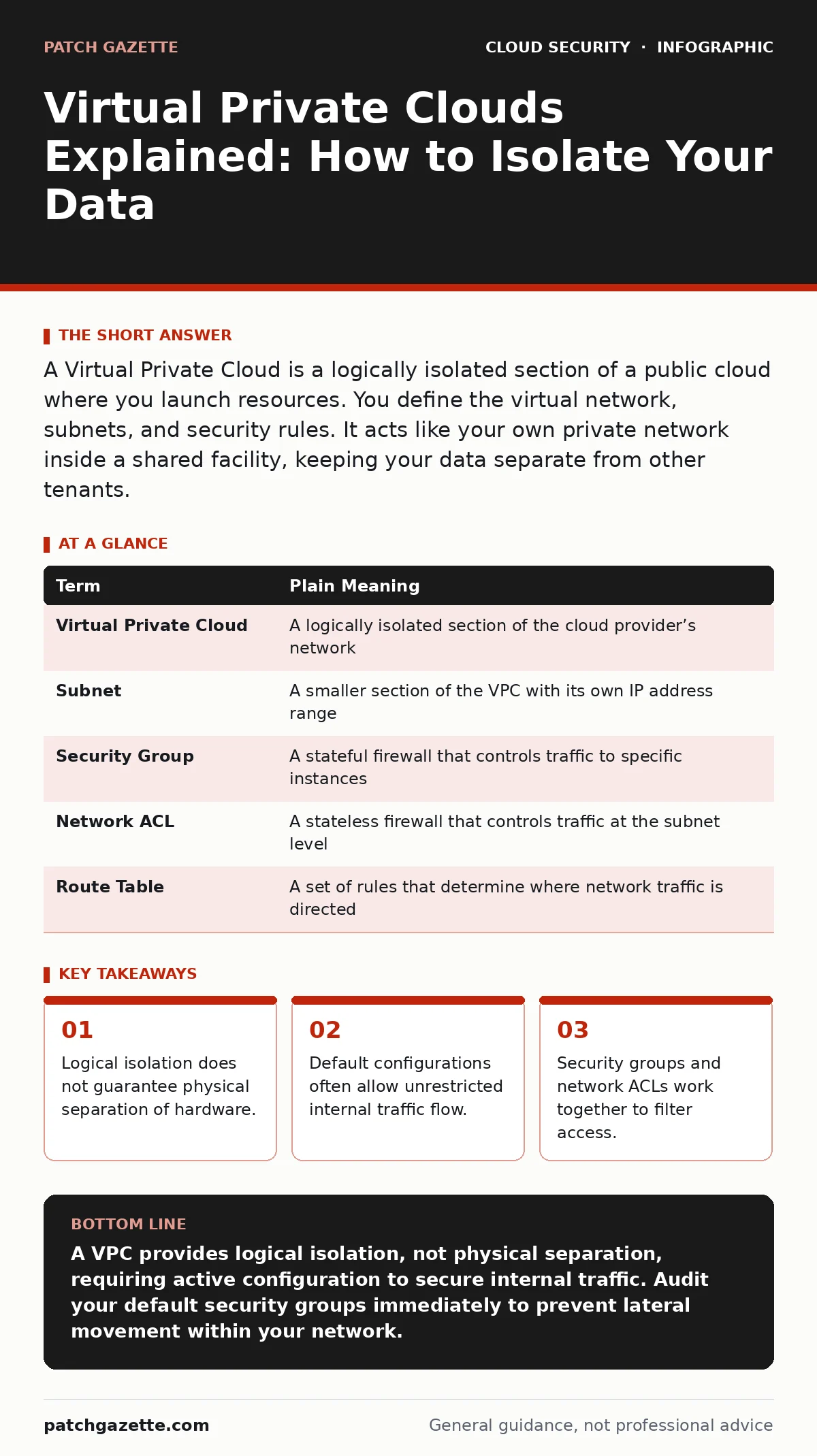
A Virtual Private Cloud is a logically isolated section of a public cloud where you launch resources. You define the virtual network, subnets, and security rules. It acts like your own private network inside a shared facility, keeping your data separate from other tenants.
The High-Rise Apartment Analogy
Imagine a massive high-rise building where every tenant shares the same foundation, elevators, and water supply. This is the public cloud infrastructure. You do not own the building, but you rent a specific unit. A Virtual Private Cloud is your apartment within that building. The walls separate your living space from your neighbors. You control who enters your door and what furniture you place inside. However, the structural beams and plumbing remain shared with everyone else in the tower.
This analogy clarifies the boundary between shared infrastructure and private control. You manage the interior layout, but the landlord manages the building’s skeleton. Understanding this distinction prevents the false assumption that your data sits on hardware dedicated solely to your organization. The isolation is logical, enforced by software, not physical separation of servers.
Core Network Components
Your virtual network requires specific components to function securely. A subnet divides your virtual network into smaller address ranges. Think of subnets as rooms within your apartment. You might place sensitive databases in a private room with no windows, while web servers sit in the entryway facing the hallway. This segmentation limits the blast radius if an attacker breaches one area.
A route table directs traffic between these subnets and the internet. It acts like the floor plan, telling data where to go next. If a request comes from the web server subnet, the route table determines whether it can reach the database subnet or must exit to the public internet. Misconfigured routes are a common cause of cloud misconfigurations, where sensitive data becomes accidentally exposed to the open web.
Controlling Traffic Flow
Isolation requires active traffic control. Security groups act as virtual firewalls attached to individual instances. They filter traffic based on rules you define, such as allowing HTTP traffic on port 80. These rules are stateful, meaning if you allow an incoming connection, the return traffic is automatically permitted. This simplifies configuration but requires careful rule ordering.
Network Access Control Lists provide an additional layer of filtering at the subnet level. Unlike security groups, these are stateless. You must explicitly allow both inbound and outbound traffic. This adds complexity but provides a second check. If a security group rule fails, the ACL can still block the traffic. This defense-in-depth approach reduces the risk of cloud vulnerability management gaps slipping through.
The Hidden Cost of Convenience
Many administrators assume that placing resources in the same VPC makes them safe. This is a dangerous misconception. By default, instances within the same VPC can often communicate freely. An attacker who compromises a low-value web server can pivot to a high-value database if internal traffic is not restricted. This lateral movement is the primary threat in tenant isolation failures.
You must treat the internal network as untrusted. Apply the principle of least privilege to internal communications. Only allow specific services to talk to each other. This requires mapping your application architecture carefully. The effort pays off by containing breaches before they spread. Ignoring internal segmentation leaves you vulnerable to shadow IT tools that bypass standard security controls.
Practical Configuration Steps
Start by defining your address space. Choose a non-overlapping IP range for your VPC. This prevents conflicts with on-premises networks if you plan to connect them later. Next, create public and private subnets. Place resources that need direct internet access in public subnets, behind a NAT gateway. Keep sensitive data in private subnets with no direct internet route.
Finally, configure security groups and ACLs. Start with a deny-all default and add only necessary permissions. Test your configuration by attempting to access resources from outside and inside the VPC. Verify that only authorized traffic flows. This baseline setup is critical for preventing cloud ransomware attacks that exploit open ports.
| Term | Plain Meaning |
|---|---|
| Virtual Private Cloud | A logically isolated section of the cloud provider’s network |
| Subnet | A smaller section of the VPC with its own IP address range |
| Security Group | A stateful firewall that controls traffic to specific instances |
| Network ACL | A stateless firewall that controls traffic at the subnet level |
| Route Table | A set of rules that determine where network traffic is directed |
See also: How Cloud Ransomware Works: The Step-by-Step Attack Chain · Shadow IT: What It Is and How to Reduce the Hidden Risk
Immediate Action Plan
- [ ] Audit your current VPC configuration for default allow-all rules.
- [ ] Implement private subnets for all sensitive data stores.
- [ ] Review service account security to ensure minimal permissions.
Final Thoughts on Isolation
A VPC provides the foundation for secure cloud operations. It gives you control over your network environment within a shared space. However, the default settings are rarely secure. You must actively configure subnets, routes, and firewalls to achieve true isolation. This requires ongoing maintenance and review.
Understanding the limits of logical isolation is key. Your data is safe from other tenants, but not from internal misconfigurations. Combine VPC controls with strong identity management. This layered approach reduces risk significantly. For more advanced strategies, explore multi-cloud security practices to maintain consistency across providers.
Key takeaways
- Logical isolation does not guarantee physical separation of hardware.
- Default configurations often allow unrestricted internal traffic flow.
- Security groups and network ACLs work together to filter access.
A VPC provides logical isolation, not physical separation, requiring active configuration to secure internal traffic. Audit your default security groups immediately to prevent lateral movement within your network.
Frequently asked questions
Can a VPC be compromised by another cloud tenant?
No, the cloud provider ensures strong isolation between tenants. The primary risk is internal misconfiguration, not external tenant attacks.
What is the difference between a security group and a network ACL?
Security groups are stateful and attached to instances, while network ACLs are stateless and attached to subnets, providing an extra layer of filtering.
Do I need a VPC for serverless applications?
Yes, even serverless functions often need VPC access to reach private databases or internal services securely.
How do I connect my VPC to my on-premises network?
Use a VPN connection or a dedicated direct connect link, configured with appropriate route tables and security rules.
How this guide was produced: written by the Patch Gazette editorial team with AI assistance, checked against the public references listed below, and reviewed when the facts change. See our editorial policy or report an error.