Cloud Vulnerability Management Mistakes That Leave Gaps Open
Most cloud breaches occur not because of new software flaws, but because teams treat dynamic infrastructure like static servers, missing transient risks.
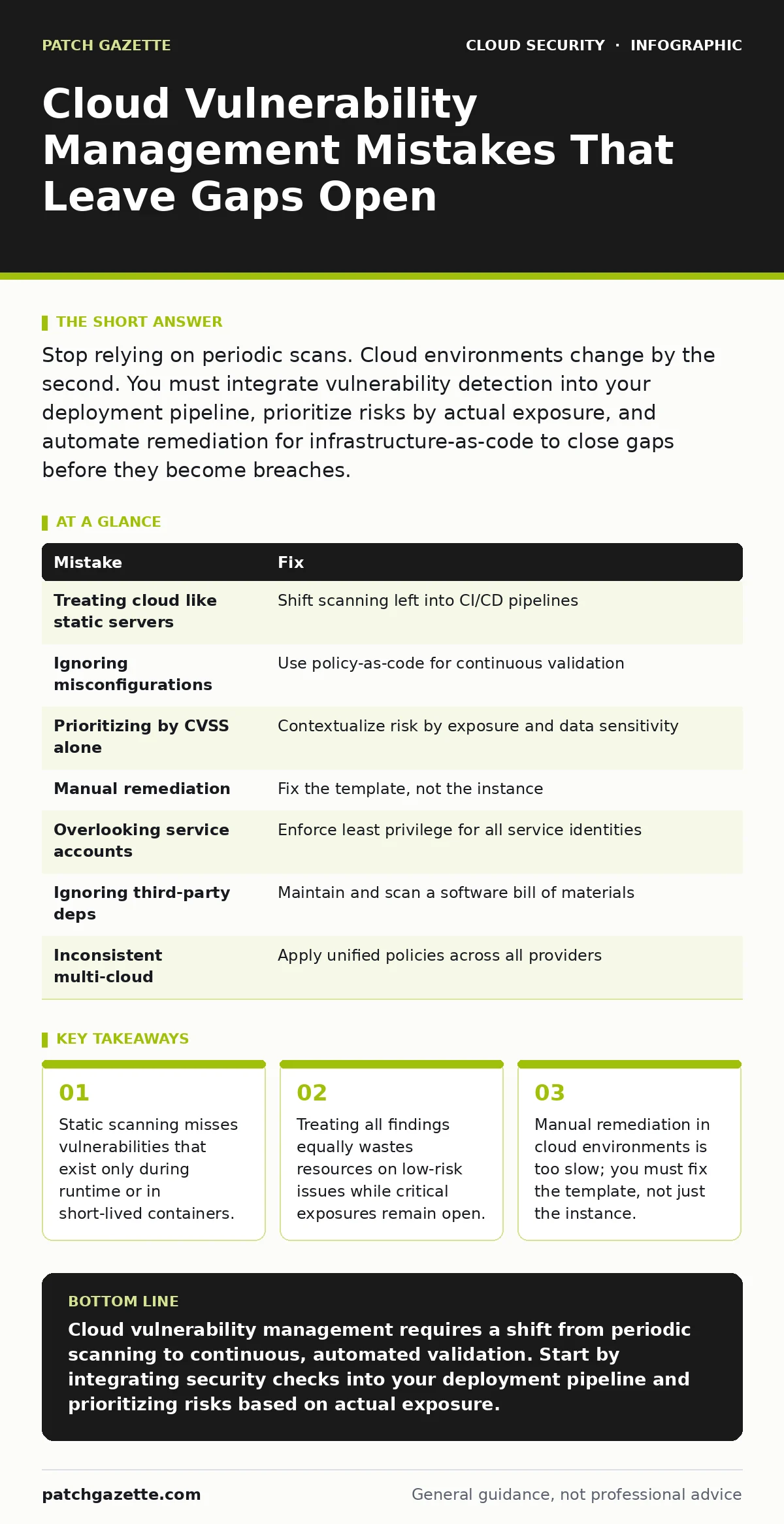
Stop relying on periodic scans. Cloud environments change by the second. You must integrate vulnerability detection into your deployment pipeline, prioritize risks by actual exposure, and automate remediation for infrastructure-as-code to close gaps before they become breaches.
Mistake 1: Treating Cloud Infrastructure Like Static Servers
Most organizations apply the same vulnerability management cadence to cloud resources as they did to on-premises data centers. You scan weekly or monthly, accept the risk, and patch during a maintenance window. This approach fails in cloud environments where instances are ephemeral, containers spin up for minutes, and infrastructure is defined by code.
Why it hurts:
A serverless function or a container might exist for only ten minutes. If your scanner runs once a week, you have a nine-day blind spot. More critically, if you patch the running instance, the next deployment pulls the vulnerable image again. You create a cycle of temporary fixes that never address the root cause. This is a common pitfall in serverless security risks where the runtime environment is entirely managed by the provider, leaving you responsible only for the code and configuration.
The fix:
Shift your scanning left. Integrate vulnerability checks into your continuous integration and continuous delivery pipeline. Scan container images before they are pushed to the registry. Scan infrastructure-as-code templates before they are applied. If a build fails the security check, it never reaches production. This ensures that no vulnerable artifact ever enters your live environment.
Mistake 2: Ignoring Misconfigurations as Vulnerabilities
Many teams define vulnerability strictly as a software bug with a CVE identifier. They run scanners that look for outdated libraries or kernel flaws but ignore configuration errors. In the cloud, a misconfigured storage bucket or an overly permissive security group is often more dangerous than a software bug.
Why it hurts:
A misconfiguration exposes data or services directly to the internet. It requires no exploit code, no zero-day discovery, and no complex attack chain. It is a door left unlocked. This connects directly to the broader topic of cloud misconfigurations, which are the leading cause of data exposure. If your scanner only looks for software flaws, you will report a "clean" system while your database is publicly accessible.
The fix:
Use policy-as-code tools to continuously validate your environment against security baselines. Define rules that check for public access, encryption at rest, and least-privilege network rules. Treat a configuration drift as a critical vulnerability. Automate the remediation of simple misconfigurations, such as closing an open port or enabling encryption, to reduce the window of exposure.
Mistake 3: Prioritizing by CVSS Score Alone
The Common Vulnerability Scoring System provides a standardized way to rate severity. Many teams sort their vulnerability backlog by this score, fixing the highest numbers first. This method assumes that all vulnerabilities are equally likely to be exploited and equally damaging in your specific context.
Why it hurts:
A CVSS 9.0 vulnerability in an internal, air-gapped service poses less risk than a CVSS 5.0 vulnerability in a public-facing API. By focusing only on the score, you waste engineering hours on low-impact issues while high-impact exposures remain open. This is a frequent error in hybrid cloud security where internal legacy systems connect to cloud resources, creating complex attack paths that static scores cannot capture.
The fix:
Contextualize your risk. Combine the CVSS score with asset criticality, data sensitivity, and internet exposure. Ask: Is this service exposed to the internet? Does it hold sensitive data? Is it accessible from untrusted networks? Prioritize vulnerabilities that affect internet-facing assets and critical data stores. Ignore or defer low-risk issues on isolated, non-critical systems.
Mistake 4: Manual Remediation of Ephemeral Resources
When a scanner finds a vulnerability in a cloud instance, the standard response is to patch that specific instance. In a cloud-native environment, instances are disposable. They are created and destroyed automatically based on demand.
Why it hurts:
Patching a single instance is a temporary fix. The next time the orchestration tool spins up a new instance, it will use the same vulnerable template. You are fighting a losing battle against automation. This manual approach breaks down quickly at scale. It also creates inconsistency, where some instances are patched and others are not, complicating troubleshooting and compliance.
The fix:
Remediate the source, not the symptom. If a container image is vulnerable, rebuild the image with the updated base layer. If an infrastructure template has a flaw, update the code and redeploy. Use immutable infrastructure principles. Destroy the compromised resource and replace it with a fresh, secure instance. This ensures that every new instance is secure by default.
Mistake 5: Overlooking Service Account Permissions
Vulnerability management often focuses on user accounts and administrative access. Teams forget that applications and services run with service accounts. These accounts often have broad permissions to access databases, storage, and other services.
Why it hurts:
If an attacker compromises a service with a vulnerability, they inherit the permissions of its service account. If that account has broad access, the attacker can move laterally across your environment. This is a key aspect of service account security. A low-severity vulnerability in a web app becomes a critical breach if the app’s service account can read all customer data.
The fix:
Enforce the principle of least privilege for all service accounts. Regularly audit permissions and remove any that are not strictly necessary for the application to function. Use short-lived credentials where possible. Ensure that service accounts cannot elevate privileges or access unrelated resources. Treat service account permissions as a critical attack vector.
See also: How Cloud Ransomware Works: The Step-by-Step Attack Chain · Shadow IT: What It Is and How to Reduce the Hidden Risk
Mistake 6: Failing to Monitor Third-Party Dependencies
Modern applications rely on open-source libraries and third-party components. Many teams only scan their own code. They assume that if their code is secure, the application is secure.
Why it hurts:
A vulnerability in a widely used library can compromise every application that uses it. You may not control the code, but you control its deployment. Ignoring these dependencies leaves you exposed to supply chain attacks. This is particularly relevant when dealing with shadow IT, where teams deploy applications using unvetted components without central oversight.
The fix:
Maintain a software bill of materials for all your applications. This inventory lists every third-party component and its version. Subscribe to security advisories for these components. Integrate dependency scanning into your build process to detect known vulnerabilities in libraries. Replace or update vulnerable components promptly.
Mistake 7: Ignoring Multi-Cloud Consistency
Organizations using multiple cloud providers often apply different security tools and policies to each. They assume that the cloud provider’s native security features are sufficient.
Why it hurts:
Inconsistency creates blind spots. A vulnerability management tool that works well in one cloud may miss issues in another. Attackers exploit these gaps to move between environments. This is a core challenge in multi-cloud security. Without a unified view, you cannot accurately assess your overall risk posture.
The fix:
Use consistent security policies and tools across all cloud environments. Define standard baselines for security configurations. Ensure that your vulnerability management process covers all cloud providers equally. Centralize logging and monitoring to detect anomalies regardless of the underlying infrastructure.
| Mistake | Fix |
|---|---|
| Treating cloud like static servers | Shift scanning left into CI/CD pipelines |
| Ignoring misconfigurations | Use policy-as-code for continuous validation |
| Prioritizing by CVSS alone | Contextualize risk by exposure and data sensitivity |
| Manual remediation | Fix the template, not the instance |
| Overlooking service accounts | Enforce least privilege for all service identities |
| Ignoring third-party deps | Maintain and scan a software bill of materials |
| Inconsistent multi-cloud | Apply unified policies across all providers |
Key takeaways
- Static scanning misses vulnerabilities that exist only during runtime or in short-lived containers.
- Treating all findings equally wastes resources on low-risk issues while critical exposures remain open.
- Manual remediation in cloud environments is too slow; you must fix the template, not just the instance.
Cloud vulnerability management requires a shift from periodic scanning to continuous, automated validation. Start by integrating security checks into your deployment pipeline and prioritizing risks based on actual exposure.
Frequently asked questions
How often should I scan cloud infrastructure?
Scan continuously. Integrate checks into every build and deployment. Run additional scans for configuration drift on a daily basis.
What is the difference between a vulnerability and a misconfiguration?
A vulnerability is a flaw in software code. A misconfiguration is an error in how a service is set up. Both can be exploited, but misconfigurations are often easier to fix automatically.
Can I use the same vulnerability management tool for on-prem and cloud?
Many tools support both, but cloud environments require specific agents or API integrations. Ensure your tool can handle ephemeral resources and infrastructure-as-code.
How do I handle vulnerabilities in legacy cloud systems?
Isolate legacy systems from the internet. Apply network segmentation to limit access. Prioritize patching based on data sensitivity and exposure.
How this guide was produced: written by the Patch Gazette editorial team with AI assistance, checked against the public references listed below, and reviewed when the facts change. See our editorial policy or report an error.