Password Policy Checklist for Secure Identity Management
Complex password rules often force users to adopt predictable patterns that attackers easily model and bypass with modern cracking tools.
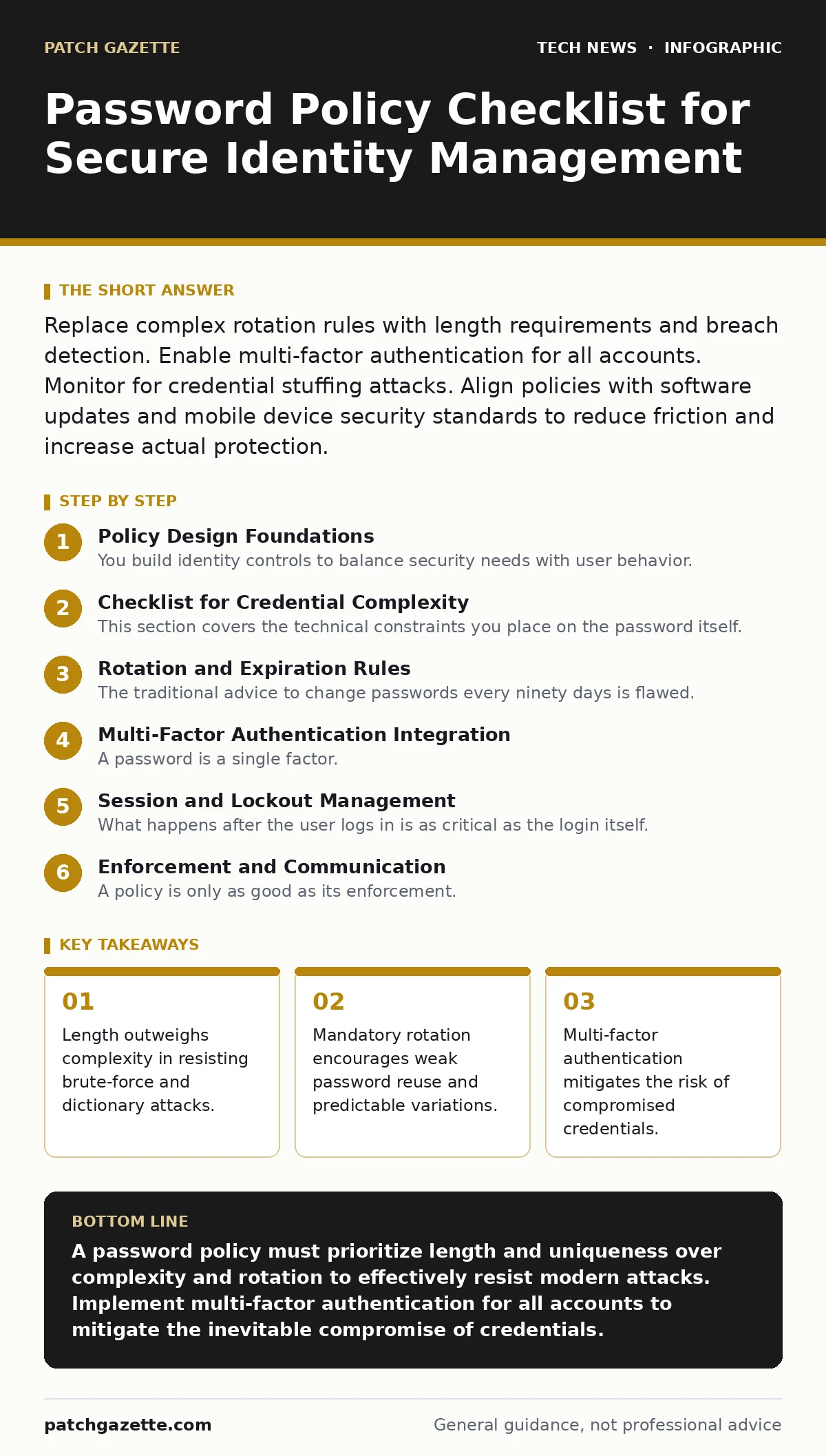
Replace complex rotation rules with length requirements and breach detection. Enable multi-factor authentication for all accounts. Monitor for credential stuffing attacks. Align policies with software updates and mobile device security standards to reduce friction and increase actual protection.
Policy Design Foundations
You build identity controls to balance security needs with user behavior. A policy that ignores how people actually think will fail. Users remember patterns, not random characters. They append numbers or dates to a base password when forced to rotate. Attackers exploit this predictability. Your policy must reduce the cognitive load on the user while increasing the computational cost for the attacker.
Start by defining the scope. Does this policy apply to local machine logins, cloud services, or both? You must ensure alignment with your broader software updates strategy. A strong password is useless if the underlying system has unpatched vulnerabilities that allow credential dumping.
Checklist for Credential Complexity
This section covers the technical constraints you place on the password itself. These rules determine how hard it is for an attacker to guess the secret.
- Enforce a minimum length of sixteen characters: Longer passwords exponentially increase the number of possible combinations, making brute-force attacks computationally infeasible.
- Disallow passwords found in known breach databases: Checking against historical leak data prevents users from reusing compromised secrets.
- Allow all printable ASCII characters: Restricting special characters reduces the search space for attackers and frustrates legitimate users.
- Block dictionary words and common patterns: Simple substitutions like "p@ssw0rd" are trivial for modern cracking software to reverse.
- Reject the user’s username or email address: Prevents trivial guesses where the attacker knows the account identifier.
- Block the last five password history entries: Stops users from cycling through a small set of familiar passwords to meet rotation requirements.
Consider the impact of your mobile device security posture. If users can log in from their phones, they may rely on biometrics locally. Ensure your password policy does not conflict with the convenience features of mobile operating systems, which often handle credential storage differently than desktop environments.
Rotation and Expiration Rules
The traditional advice to change passwords every ninety days is flawed. It assumes users will create a new, strong password each time. In reality, they increment a counter or change a single character. This creates a pattern that attackers can model. You must evaluate whether rotation adds security or just noise.
- Eliminate mandatory password expiration for general users: Removing forced rotation reduces the likelihood of predictable password changes and fatigue.
- Require immediate change only upon suspicion of compromise: Targeted resets are more effective than blanket mandates.
- Implement breach detection alerts: Notify users automatically if their credentials appear in new data leaks.
- Maintain rotation for high-privilege service accounts: These accounts are high-value targets and may require stricter controls.
Review your DevOps security practices. Automated pipelines often use static credentials. Forcing rotation on these accounts can break deployments if the rotation logic is not tightly integrated with your configuration management tools. Ensure that service account passwords are stored in a secure vault and rotated programmatically, not manually.
Multi-Factor Authentication Integration
A password is a single factor. It proves something you know. It does not prove who you are. You must layer additional factors to protect against credential theft. This is not optional for administrative accounts. It should be the default for all users.
- Require multi-factor authentication for all privileged access: Adds a layer of security that survives password compromise.
- Support phishing-resistant MFA methods: Hardware security keys or FIDO2 devices are more secure than SMS or push notifications.
- Disable SMS-based verification where possible: SIM swapping attacks can intercept SMS codes, rendering this method insecure.
- Implement step-up authentication for sensitive actions: Request additional verification only for high-risk transactions like password changes.
Ensure your MFA solution integrates with your guest Wi-Fi networks if they provide access to internal resources. Often, guest networks are the entry point for lateral movement. If your MFA bypasses for certain network segments, you have created a blind spot.
Session and Lockout Management
What happens after the user logs in is as critical as the login itself. Long-lived sessions increase the window of opportunity for attackers who steal session tokens. You must define how long a session remains valid and how the system handles failed attempts.
- Set reasonable session timeout limits: Forces re-authentication after periods of inactivity to limit the impact of stolen sessions.
- Implement account lockout after a small number of failures: Slows down brute-force attacks, but avoid aggressive lockouts that enable denial-of-service.
- Log all authentication attempts for analysis: Provides visibility into attack patterns and helps detect credential stuffing.
- Use secure storage for password hashes: Ensure your database uses a modern hashing algorithm with a unique salt for each user.
Be mindful of your IP addresses logging strategy. While IP-based geolocation can flag suspicious logins, it is not a reliable security control on its own. Users may travel or use public Wi-Fi. Combine IP analysis with behavioral signals for a more accurate risk assessment.
See also: IP Address Mechanics: 10 Questions Network Engineers Actually Ask · Software Updates Best Practices: Secure Patching Without Downtime
Enforcement and Communication
A policy is only as good as its enforcement. You must communicate the "why" behind the rules. Users who understand the risk are more likely to comply. Provide clear guidance on how to create strong, memorable passwords without writing them down.
- Provide password manager recommendations: Encourages the use of unique, complex passwords for every site.
- Offer clear error messages that do not reveal account existence: Prevents username enumeration attacks.
- Train users on phishing recognition: Many passwords are stolen through social engineering, not brute force.
- Regularly review and update the policy: Security threats evolve, and your policies must adapt.
Consider the role of code signing in your broader security posture. If your applications handle authentication logic, ensure that code is signed and verified. This prevents tampering with the authentication flow itself. A secure password policy is undermined if the application code can be modified to bypass checks.
Review and Continuous Improvement
Security is not a one-time task. You must continuously monitor the effectiveness of your password policy. Look for trends in failed login attempts, password reset requests, and help desk tickets. These metrics indicate friction points and potential vulnerabilities.
- Analyze help desk data for password-related issues: High volumes of reset requests may indicate a policy that is too complex.
- Monitor for credential stuffing attacks: Look for spikes in failed logins from single IP addresses or unusual user agents.
- Conduct regular audits of password strength: Use simulated attacks to test the resilience of your user base.
- Update policies based on new threat intelligence: Stay informed about emerging attack techniques and adjust controls accordingly.
Ensure your TLS certificates are valid and properly configured. While this does not directly affect password complexity, it ensures that passwords are transmitted securely over the network. Without TLS, passwords are sent in plain text, rendering all other controls moot.
Key takeaways
- Length outweighs complexity in resisting brute-force and dictionary attacks.
- Mandatory rotation encourages weak password reuse and predictable variations.
- Multi-factor authentication mitigates the risk of compromised credentials.
A password policy must prioritize length and uniqueness over complexity and rotation to effectively resist modern attacks. Implement multi-factor authentication for all accounts to mitigate the inevitable compromise of credentials.
Frequently asked questions
Why is password rotation harmful?
Mandatory rotation forces users to create predictable variations of their existing passwords, which attackers can easily model and crack.
What is the ideal password length?
Sixteen characters or more is recommended. This length makes brute-force attacks computationally infeasible with current technology.
Can I use SMS for multi-factor authentication?
SMS is vulnerable to SIM swapping and interception. It should be avoided in favor of hardware keys or authenticator apps.
How do I handle service account passwords?
Store them in a secure vault and rotate them programmatically. Ensure they have the least privilege necessary for their function.
How this guide was produced: written by the Patch Gazette editorial team with AI assistance, checked against the public references listed below, and reviewed when the facts change. See our editorial policy or report an error.