Guest Wi-Fi Explained: Isolate Traffic Without Compromising Security
Guest networks create a logical barrier that prevents visitors from accessing internal servers, even if they compromise the wireless access point.
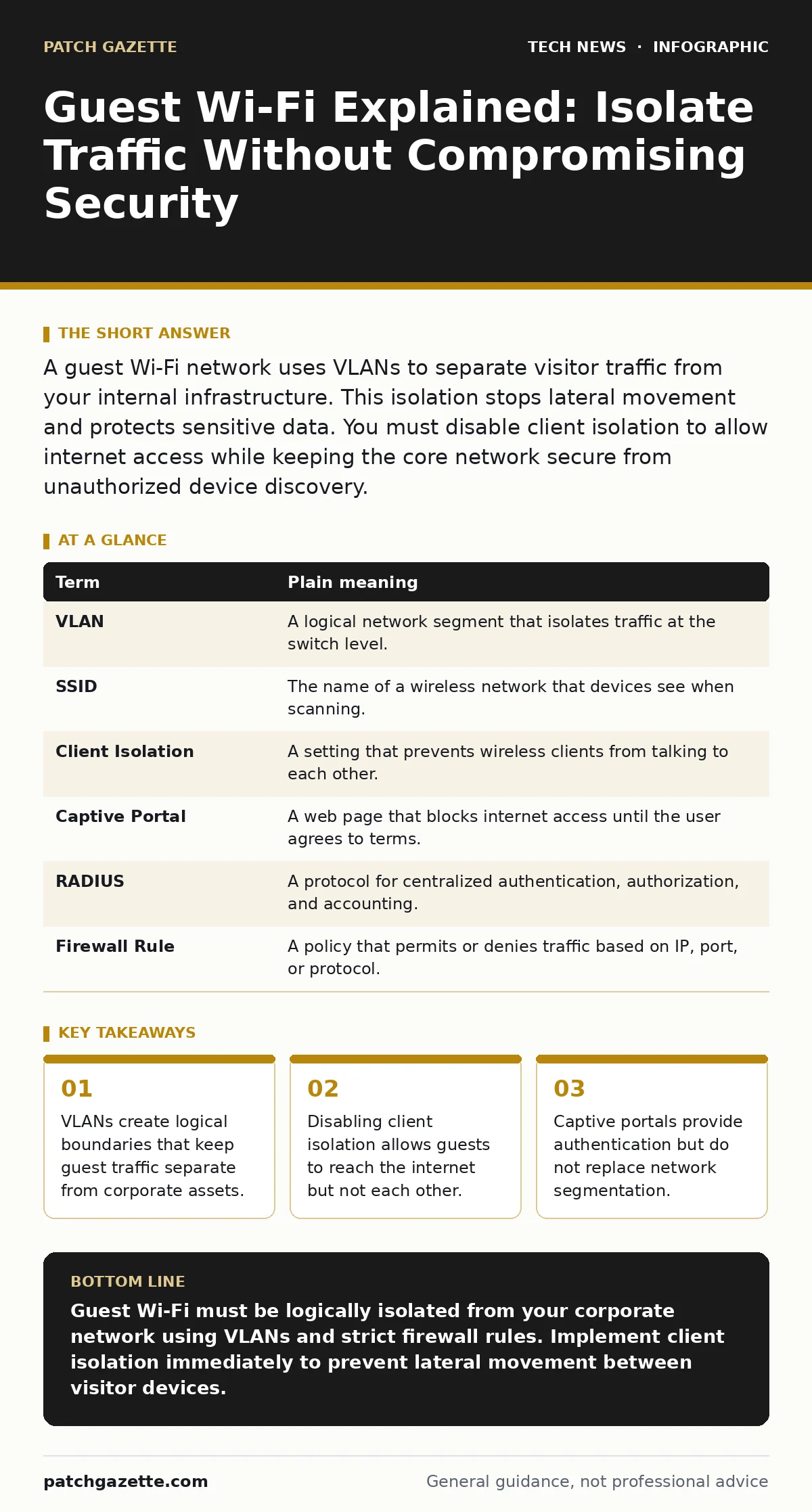
A guest Wi-Fi network uses VLANs to separate visitor traffic from your internal infrastructure. This isolation stops lateral movement and protects sensitive data. You must disable client isolation to allow internet access while keeping the core network secure from unauthorized device discovery.
The Hotel Lobby Analogy
Imagine your organization is a high-security hotel. The corporate network is the guest rooms and the secure back-of-house areas where staff manage operations. The guest Wi-Fi is the lobby and the public restaurant. Anyone with a room key can enter the rooms. However, anyone walking past the entrance can sit in the lobby. The lobby has free Wi-Fi, coffee, and a view of the street. But no one in the lobby can walk into the rooms, access the staff offices, or read the reservation logs. This separation is the core principle of guest networking.
If you allow lobby patrons to wander into the rooms, you lose control over who accesses what. A guest Wi-Fi network enforces this boundary digitally. It ensures that visitors can use the internet without touching your internal systems. This analogy holds true regardless of the technology you use. The goal is always physical or logical separation between public and private spaces.
Defining the Network Boundary
To build this separation, you rely on Virtual Local Area Networks, or VLANs. A VLAN is a logical subdivision of a physical network. It allows you to group devices together as if they were on a separate cable, even if they share the same physical switch. Your corporate devices live on one VLAN. Your guest devices live on another. The router or firewall sits between them, enforcing rules about what can cross the boundary.
This setup prevents a compromised guest laptop from scanning your internal servers. Without VLANs, a single infected device on the wireless network could see every other device. It could attempt to exploit vulnerabilities in your file servers or print queues. VLANs restrict visibility. The guest device only sees the internet gateway. It cannot see the internal IP addresses of your critical infrastructure.
The Role of Client Isolation
Within the guest VLAN, you must also manage how devices interact with each other. This is where client isolation comes into play. Client isolation prevents devices connected to the same wireless SSID from communicating directly. If two guests connect to the network, they can both reach the web. They cannot, however, ping each other or share files locally.
This feature is critical for privacy and security. Without it, a malicious guest could set up a rogue access point or attempt to attack another guest’s device. These attacks can serve as a stepping stone into your main network if the firewall rules are misconfigured. Enabling client isolation ensures that the guest network remains a collection of isolated endpoints, all funneling through your security controls.
Authentication and Access Control
Many organizations use a captive portal for guest access. A captive portal is a web page that appears before a user can access the internet. It typically requires the user to accept terms of service or provide an email address. This serves as a basic form of authentication. It creates a log of who connected and when.
However, a captive portal does not provide strong security. It does not verify the identity of the device. It only records a claim of identity. For higher security, consider integrating with a RADIUS server. This allows for more granular control. You can limit session duration, bandwidth usage, and the types of devices allowed. This aligns with broader password policies by ensuring that access is granted based on verified criteria rather than just proximity.
Monitoring and Logging
Even with strict isolation, you must monitor the guest network. Traffic logs show what domains guests are accessing. This helps identify malicious activity. If a guest device begins scanning for open ports, your intrusion detection system should flag it. You should also review logs for unusual bandwidth spikes. These can indicate data exfiltration attempts or crypto-mining activities.
Regular audits of your VLAN configuration are necessary. Misconfigurations happen. A stray route or an incorrect firewall rule can bridge the gap between guest and corporate networks. Automated tools can help detect these drifts. Ensure your IT asset management system includes inventory of wireless access points. You cannot secure what you do not track.
See also: Software Updates Best Practices: Secure Patching Without Downtime · Cloud Firewalls: Real Benefits and Hidden Limits
Practical Implementation Steps
Setting up a guest network requires careful configuration. Follow these steps to ensure proper isolation and functionality.
- Create a dedicated VLAN for guest traffic. Assign it a unique ID that does not overlap with corporate VLANs. Configure the switch ports connected to wireless access points to tag this VLAN.
- Configure the wireless access points to broadcast a separate SSID for guests. Map this SSID to the guest VLAN. Enable client isolation on this SSID to prevent lateral movement between guests.
- Set up firewall rules on your router. Allow outbound HTTP and HTTPS traffic from the guest VLAN. Block all inbound traffic from the guest VLAN to the corporate VLAN. Block all traffic between the guest VLAN and other internal segments.
Common Misconfigurations
One common error is allowing DHCP requests to cross VLAN boundaries. If the guest VLAN cannot obtain an IP address, users cannot connect. Ensure your DHCP server has a scope for the guest VLAN or use a DHCP relay agent. Another error is failing to update firmware on wireless access points. Outdated firmware can contain vulnerabilities that bypass VLAN tagging. Regular updates are part of virtualization security best practices, as many access points run virtualized network functions.
Finally, do not neglect the physical security of access points. An attacker with physical access can disconnect the device or plug into its management port. Secure mounting and cable management reduce this risk. Consider code signing for any custom scripts used to manage the network. This ensures that only trusted code executes on your infrastructure.
| Term | Plain meaning |
|---|---|
| VLAN | A logical network segment that isolates traffic at the switch level. |
| SSID | The name of a wireless network that devices see when scanning. |
| Client Isolation | A setting that prevents wireless clients from talking to each other. |
| Captive Portal | A web page that blocks internet access until the user agrees to terms. |
| RADIUS | A protocol for centralized authentication, authorization, and accounting. |
| Firewall Rule | A policy that permits or denies traffic based on IP, port, or protocol. |
Key takeaways
- VLANs create logical boundaries that keep guest traffic separate from corporate assets.
- Disabling client isolation allows guests to reach the internet but not each other.
- Captive portals provide authentication but do not replace network segmentation.
Guest Wi-Fi must be logically isolated from your corporate network using VLANs and strict firewall rules. Implement client isolation immediately to prevent lateral movement between visitor devices.
Frequently asked questions
Can I use the same password for guest and corporate Wi-Fi?
No. Use a distinct SSID and configuration for guests. Sharing credentials or settings blurs the security boundary and increases risk.
Do I need a captive portal for security?
A captive portal provides logging and legal compliance but does not secure the network. Security comes from VLAN isolation and firewall rules.
What if a guest device is infected with malware?
Isolation prevents the malware from reaching your internal servers. It may still affect other guests, so client isolation and monitoring are necessary.
How often should I review guest network settings?
Review settings quarterly or after any infrastructure change. Ensure VLAN tags and firewall rules remain correct and updated.
How this guide was produced: written by the Patch Gazette editorial team with AI assistance, checked against the public references listed below, and reviewed when the facts change. See our editorial policy or report an error.