How Wiper Malware Works: A Step-by-Step Breakdown
Wiper malware destroys data without demanding payment, relying on deep system access that standard backups often fail to restore if mounted during the attack.
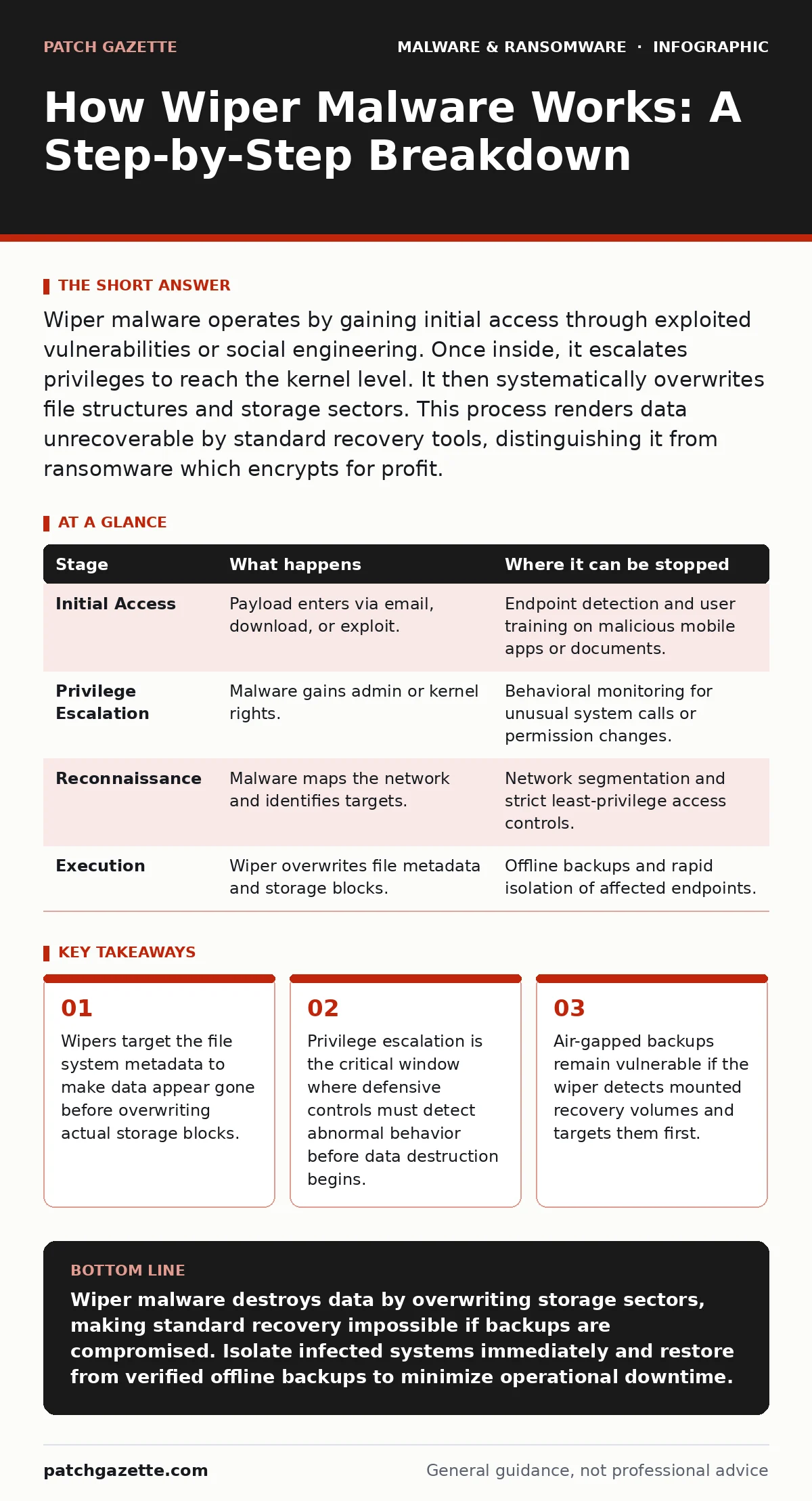
Wiper malware operates by gaining initial access through exploited vulnerabilities or social engineering. Once inside, it escalates privileges to reach the kernel level. It then systematically overwrites file structures and storage sectors. This process renders data unrecoverable by standard recovery tools, distinguishing it from ransomware which encrypts for profit.
Understanding the Wiper Malware Objective
Wiper malware differs from ransomware in its final intent. Ransomware encrypts data to demand a ransom for decryption keys. Wiper malware destroys data to cause operational disruption or hide evidence of other intrusions. The attacker does not want to recover the data or receive payment. The goal is total erasure. This distinction changes the defensive approach. You cannot negotiate with a wiper. You must prevent execution or limit the scope of damage before the overwrite cycle completes. Understanding the mechanical steps allows you to place detection controls at the precise moments where the malware must pause or interact with the system.
Stage 1: Initial Access and Delivery
The process begins with the delivery of the malicious payload. Attackers often reuse techniques designed for other types of malware. They may send malicious documents containing macros that execute code when opened. They might deploy trojanized software that appears legitimate but contains hidden destructive routines. In some cases, the initial access vector is a vulnerability in a web server or remote desktop protocol.
The key characteristic of this stage is stealth. The malware must enter the environment without triggering immediate alarms. It often relies on the user or an automated system to execute the first stage of code. This initial execution usually runs with low privileges. It does not yet have the power to destroy the system. It only has the power to spread or prepare for the next step.
Stage 2: Privilege Escalation and Persistence
Once inside, the malware seeks higher authority. Standard user accounts cannot modify system files or access other users' data. The malware must escalate privileges to gain administrative or kernel-level access. It searches for known vulnerabilities in the operating system or installed applications. It may also exploit misconfigurations, such as overly permissive file permissions or unpatched services. If successful, it gains the authority needed to touch critical system components.
At this same time, it establishes persistence. It creates scheduled tasks, registry entries, or service hooks to ensure it runs even after a reboot. This step is critical. If you can detect abnormal privilege escalation attempts, you can stop the attack before it reaches the destructive phase. Many real-time protection tools focus on known file hashes. They may miss this behavioral step if the code is new or customized.
| Stage | What happens | Where it can be stopped |
|---|---|---|
| Initial Access | Payload enters via email, download, or exploit. | Endpoint detection and user training on malicious mobile apps or documents. |
| Privilege Escalation | Malware gains admin or kernel rights. | Behavioral monitoring for unusual system calls or permission changes. |
| Reconnaissance | Malware maps the network and identifies targets. | Network segmentation and strict least-privilege access controls. |
| Execution | Wiper overwrites file metadata and storage blocks. | Offline backups and rapid isolation of affected endpoints. |
Stage 3: Reconnaissance and Targeting
Before destruction, the wiper often pauses to understand the environment. It scans the local file system to identify valuable data. It looks for databases, document servers, and configuration files. It may also scan the network to find other reachable devices. This reconnaissance phase is where the attacker decides the scope of the destruction. Will it target only the local machine, or will it spread to the entire network?
It identifies which files are mounted and accessible. It specifically looks for backup volumes. If it finds a mounted backup drive, it may prioritize destroying those files first. This reconnaissance creates a window of opportunity. The malware is active and making network calls or file system queries. These activities generate logs. Monitoring for unusual file access patterns or network scans can reveal the presence of the wiper before it begins writing destructive commands.
Stage 4: Data Destruction Mechanisms
This is the execution phase. The wiper employs specific techniques to ensure data is unrecoverable. It does not simply delete files. Deletion only removes the pointer to the data. The data remains on the disk until it is overwritten. A wiper overwrites the data. It may start by corrupting the Master File Table or similar metadata structures. This makes the operating system unable to find or read the files. Then, it moves to the data clusters themselves. It writes random data or zeros to the storage sectors.
Some wipers target the partition table to make the entire drive appear unformatted. Others target specific file types, such as databases or financial records. The speed of this process depends on the storage technology. Solid-state drives may be wiped faster than traditional hard drives due to higher write speeds. The destruction is often sequential. It starts with metadata, then user data, then system files. This order ensures the system becomes unusable quickly while maximizing the destruction of valuable information.
See also: Why Virtual Machines Matter for Security Posture · Spot Privilege Escalation Warning Signs Before Breach
Stage 5: Network Propagation and Cleanup
Some wipers are designed to spread. After compromising one host, they use credential dumping or lateral movement techniques to reach other machines. They may use valid credentials stolen during the privilege escalation phase. They move to adjacent servers and repeat the destruction process. This amplifies the impact. The attacker may also attempt to clean up their tracks. They delete event logs, clear command history, and remove the wiper executable itself.
This cleanup makes forensic analysis difficult. It hides the timeline of the attack. The destruction of logs is a secondary objective but serves the primary goal of hiding the intrusion. In some cases, the wiper is part of a larger operation. It follows a data exfiltration phase. The attackers steal the data first, then wipe it to prevent recovery and to hide the fact that the data was stolen. This combination is particularly damaging.
Defending Against Wiper Malware
Defense requires a layered approach. You cannot rely on a single control. Heuristic detection can identify suspicious behavior even if the specific malware signature is unknown. Look for processes that attempt to access system files or write to disk at high speeds. Monitor for unusual privilege escalation attempts. Implement strict network segmentation. Limit the ability of a single compromised host to reach backup servers or other critical infrastructure.
Keep backups offline or in a write-once state. If a backup volume is mounted and writable, a wiper can destroy it just like it destroys live data. Ensure that backup restoration processes do not automatically mount volumes in a way that allows write access from the production network. Regularly test your incident response plans. Speed matters. The faster you isolate an infected system, the less data it can destroy.
The Role of Incident Response
When a wiper is detected, immediate isolation is key. Disconnect the affected systems from the network. Do not power them off if you need to perform forensic analysis, as this may lose volatile data. However, if the destruction is ongoing and forensics are not the priority, powering off may stop the write process. Assess the extent of the damage. Determine which systems are affected. Begin restoration from verified clean backups. Review your logs to understand the initial access vector.
Patch the vulnerability or close the misconfiguration that allowed the entry. This is similar to ransomware incident response but with a different end goal. You are not negotiating for a key. You are restoring from backups and hardening the environment to prevent recurrence. Mobile security apps and mobile malware defenses are also relevant if your environment includes mobile devices that could serve as an entry point.
Conclusion and Future Considerations
Wiper malware will continue to evolve. Attackers will find new ways to bypass defenses. They will target new types of storage and cloud environments. The fundamental mechanics remain the same. Access, escalate, destroy. Your defense must focus on limiting access and detecting the escalation. You must assume that perimeter defenses will fail. Your internal controls must catch the malware before it reaches the data. Regular updates, strict access controls, and offline backups are your best defenses. Stay informed about new tactics. Adapt your monitoring rules to catch new behaviors. The cost of a wiper attack is high. The cost of prevention is lower. Invest in the right controls.
Key takeaways
- Wipers target the file system metadata to make data appear gone before overwriting actual storage blocks.
- Privilege escalation is the critical window where defensive controls must detect abnormal behavior before data destruction begins.
- Air-gapped backups remain vulnerable if the wiper detects mounted recovery volumes and targets them first.
Wiper malware destroys data by overwriting storage sectors, making standard recovery impossible if backups are compromised. Isolate infected systems immediately and restore from verified offline backups to minimize operational downtime.
Frequently asked questions
How does wiper malware differ from ransomware?
Ransomware encrypts data to demand payment for decryption. Wiper malware destroys data to cause disruption or hide evidence, with no intention of recovery or payment.
Can antivirus software stop wiper malware?
Traditional antivirus may stop known variants. However, wipers often use custom code or exploit zero-day vulnerabilities. Behavioral detection and monitoring are more effective against unknown wipers.
Are cloud backups safe from wiper malware?
Cloud backups are safer if they use versioning and immutable storage. If the wiper gains access to the cloud credentials, it can delete or overwrite cloud files. Immutable storage prevents deletion for a set period.
What is the first step in responding to a wiper attack?
Isolate the affected systems from the network immediately. This prevents the malware from spreading to other systems or targeting additional backup volumes.
How this guide was produced: written by the Patch Gazette editorial team with AI assistance, checked against the public references listed below, and reviewed when the facts change. See our editorial policy or report an error.