Dual booting Android and Windows reality check and architecture rules
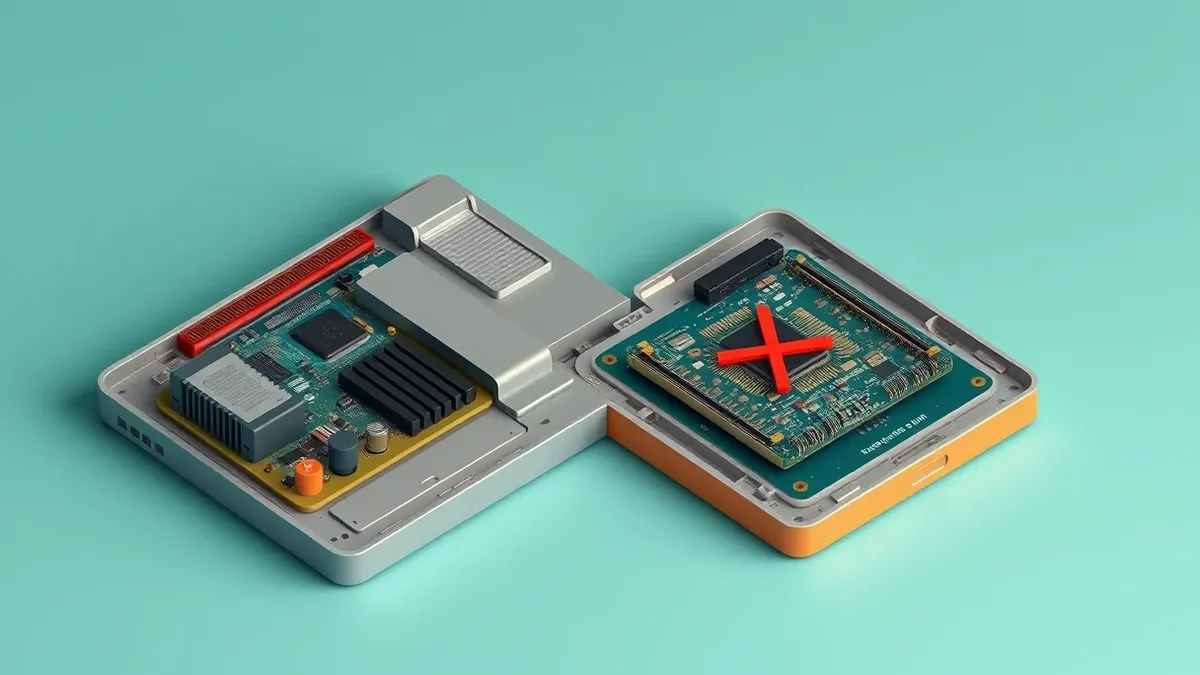
Dual booting Android and Windows fails because mobile architectures and desktop hardware handle storage isolation and driver models in fundamentally incompatible ways.
Dual booting Android and Windows means installing both operating systems on a single machine's storage drives to select one at startup. Many assume this works like multi-booting two desktop operating systems, but hardware abstraction layers and file system differences create severe security boundaries and maintenance failures.
Misreading: Dual booting provides complete isolation between desktop and mobile environments
Correct reading: Dual booting Android and Windows places 2 distinct operating systems on identical physical hardware without running them simultaneously. Hypervisors (software layers that create and run virtual machines) isolate environments by allocating dedicated hardware resources. Native dual booting bypasses these software boundaries entirely, leaving raw storage controllers vulnerable if either operating system suffers a kernel compromise.
Imagine a scenario where malware infects the mobile partition and waits for the user to restart into the desktop environment. Hardware components retain firmware states across reboots that simple operating system switches cannot clear. Memory persistence attacks exploit remaining DMA (direct memory access) configurations left active by the previous operating system session. Your machine relies on proper laptop security hardening to prevent unauthorized physical access during these vulnerable transition states.
Misreading: Mobile operating systems install cleanly on standard partition tables
Correct reading: Partition tables organize hard drives into distinct storage sections for operating system files and user data. Desktop environments use standardized partition schemes like GUID Partition Table (an advanced standard for layout descriptions on physical storage) to structure system files. Android expects specific block-level layouts derived from flash memory controllers, making standard desktop formatting tools incompatible with mobile bootloaders.
Block allocation mismatches cause silent data corruption when desktop filesystems overwrite raw mobile partitions during routine maintenance. Storage controllers interpret sector requests differently depending on the active operating system kernel. Manual partition resizing frequently breaks the signature verification chains required by mobile security architectures, resulting in unrecoverable boot failures across the storage drives.
Misreading: Shared data partitions offer safe file exchange between platforms
Correct reading: File sharing between dual boot environments requires a common filesystem that both operating systems can read and write natively. File Allocation Table (a legacy filesystem designed for simple storage media) often serves this bridge role despite lacking modern permission models. Cross-platform volumes strip away granular access control lists, allowing any executing process on either operating system to modify shared documents without restriction.
Malware residing on the mobile partition can easily inject malicious payloads into shared executable files accessed by the desktop environment. Operating system permissions established in one environment vanish the moment files cross into unmanaged shared storage sectors. Network administrators often compare this risk to unencrypted USB security vulnerabilities where untrusted storage media bypasses perimeter defenses.
Misreading: Firmware updates preserve multi-boot configurations automatically
Correct reading: Motherboard firmware updates overwrite core boot manager code to patch vulnerabilities and improve hardware initialization routines. Unified Extensible Firmware Interface (a modern firmware specification replacing traditional BIOS) stores boot entries in non-volatile memory chips on the motherboard. Updating this firmware frequently purges third-party bootloaders, rendering the secondary mobile operating system completely inaccessible until manual recovery steps occur.
Signature enforcement policies embedded in modern firmware explicitly reject modified or unsigned boot binaries commonly used in unofficial mobile ports. Hardware manufacturers design these validation routines to block unauthorized operating systems from initializing secure hardware roots. Bypassing these restrictions requires disabling hardware trust anchors, which leaves your machine exposed to low-level bootkit infections.
Misreading: Virtual machines perform identically to native dual boot setups
Correct reading: Virtualization software runs guest operating systems inside an isolated software container hosted by a primary desktop environment. Hardware virtualization extensions (processor-level instructions that accelerate guest operating system execution) allow near-native processing speeds for most general computing tasks. Running mobile environments inside a virtualized container avoids partition table corruption while maintaining strict separation from the physical host storage.
Graphics rendering and direct hardware sensor access suffer significant performance penalties inside virtual machines due to abstraction layers. Mobile applications relying on raw accelerometer or camera hardware find execution impossible without direct physical driver bindings. Choosing virtualization trades low-level hardware performance for system stability and simpler data backup routines.
Misreading: Enterprise management tools handle mobile and desktop partitions equally
Correct reading: Centralized endpoint management platforms rely on uniform agent software to monitor system health and enforce security policies. Mobile operating systems enforce strict application sandboxing models that reject traditional desktop management agents and registry monitoring tools. Deploying corporate compliance software across a dual boot architecture creates blind spots where administrators lose visibility over the secondary operating system partition.
Policy enforcement engines cannot verify the integrity of a mobile operating system that boots outside corporate containerization frameworks. Authentication tokens issued in the desktop environment do not translate across reboots into the mobile security context. Network teams must map IP addresses carefully to track distinct operating system instances sharing a single physical network interface card.
Key takeaways
- Mobile operating systems lack native support for traditional PC partitioning layouts.
- Shared storage spaces compromise isolation guarantees between user profiles.
- Firmware security features block unsigned kernels common in mobile ports.
Dual booting Android and Windows introduces complex hardware conflicts that undermine standard desktop security guarantees. Audit your firmware configurations and test virtualization alternatives before modifying physical storage partitions.
Frequently asked questions
Can I run Android apps securely alongside Windows without dual booting?
Yes, virtualization and containerized desktop subsystems allow you to run mobile applications safely inside the primary desktop environment without modifying partition tables.
Why do mobile operating systems fail to recognize standard desktop hard drives?
Mobile operating systems rely on specialized flash memory partition schemes and proprietary block layouts that differ fundamentally from desktop formatting standards.
Does dual booting affect hardware warranty or device stability?
Modifying firmware validation settings and partition tables can destabilize system boot routines and may void hardware support agreements depending on the manufacturer.
How do firmware updates impact multi-boot system setups?
Motherboard firmware updates frequently overwrite custom boot entries and restore strict signature verification checks that block unauthorized operating systems.
How this guide was produced: written by the Patch Gazette editorial team with AI assistance, checked against the public references listed below, and reviewed when the facts change. See our editorial policy or report an error.