
Laptop Security Slot: How Physical Locks Protect Mobile Assets
A laptop security slot anchors your device to fixed infrastructure, preventing theft even when the operating system is bypassed or the drive is physically removed.
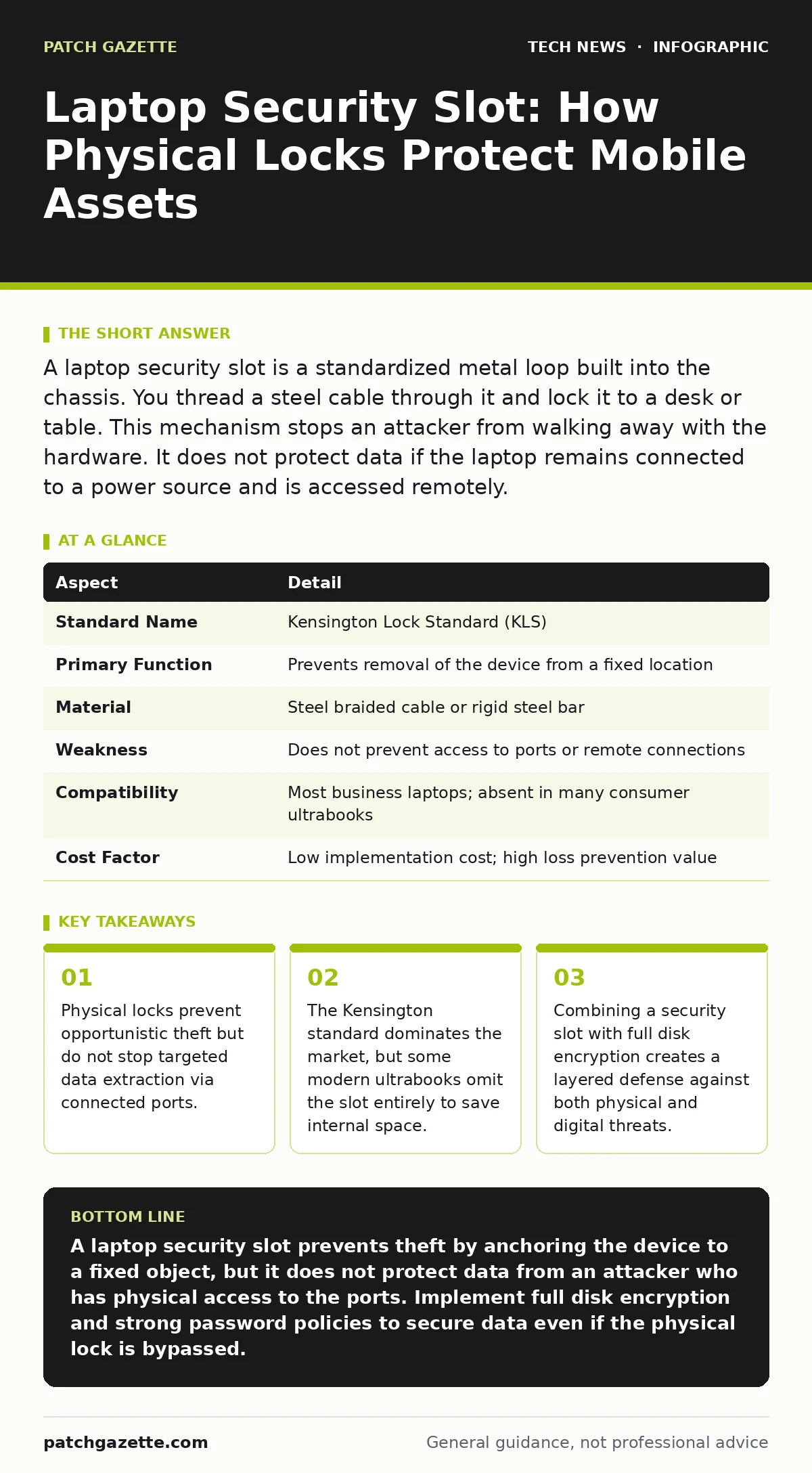
A laptop security slot is a standardized metal loop built into the chassis. You thread a steel cable through it and lock it to a desk or table. This mechanism stops an attacker from walking away with the hardware. It does not protect data if the laptop remains connected to a power source and is accessed remotely.
The Mechanics of Physical Restraint
Imagine leaving your car keys in the ignition while you step into a store. The car is technically secure, but the barrier to entry is negligible. A laptop security slot functions as the steering wheel lock for your mobile computer. It is a small, reinforced metal loop, typically located on the side or rear edge of the device chassis. You pass a steel-braided cable through this loop and secure the other end to a heavy, fixed object like a desk leg or a heavy table.
The mechanism relies on tensile strength. The cable is designed to resist cutting and pulling. The slot itself is engineered to withstand significant force without deforming. When locked, the laptop cannot be lifted off the surface. This simple physical barrier increases the time and effort required for theft. Most thieves look for quick, low-risk targets. A locked laptop requires tools, time, and attention, which often causes an opportunist to move on to an unsecured device nearby.
At a Glance: Physical Lock Specifications
| Aspect | Detail |
|---|---|
| Standard Name | Kensington Lock Standard (KLS) |
| Primary Function | Prevents removal of the device from a fixed location |
| Material | Steel braided cable or rigid steel bar |
| Weakness | Does not prevent access to ports or remote connections |
| Compatibility | Most business laptops; absent in many consumer ultrabooks |
| Cost Factor | Low implementation cost; high loss prevention value |
Who Needs a Laptop Security Slot
This hardware feature affects anyone who leaves their device unattended in shared spaces. Office workers in open-plan environments rely on these slots to secure devices during lunch breaks or meetings. Students in libraries use them to protect expensive hardware while studying. Field technicians securing equipment in semi-public kiosks also benefit. The risk profile changes based on the environment. A home office has different risks than a crowded conference center. In high-traffic areas, the probability of opportunistic theft rises sharply.
Organizations with strict asset management policies mandate their use. IT managers track hardware inventory and liability. A stolen laptop represents a capital loss and a potential compliance breach. If the device contains regulated data, the theft triggers reporting requirements. The security slot serves as the first line of defense in the asset protection chain. It signals to onlookers that the device is monitored and secured. This visual deterrent alone reduces the likelihood of casual tampering.
What People Usually Get Wrong
Many users believe that once the cable is locked, the data is safe. This is a dangerous misconception. The security slot only prevents the physical removal of the chassis. It does not block access to the USB ports, Ethernet jack, or Wi-Fi antenna. An attacker can sit at the locked device and plug in a malicious USB drive. They can connect a network cable to exfiltrate data. They can even use the keyboard to bypass the login screen if the operating system is misconfigured.
Another common error is ignoring the lock point. Tying a cable to a lightweight chair or a hollow desk leg provides no security. The thief simply takes the chair with the laptop attached. The anchor point must be part of the building structure or a very heavy object. Users also fail to check if their specific model supports the standard. Some premium consumer laptops remove the slot to achieve thinner profiles. In these cases, a standard cable lock will not fit, rendering the investment useless.
Integrating with Digital Defenses
Physical security must complement digital controls. You should treat the security slot as one layer in a broader strategy. Refer to our guide on password policies to ensure that the login screen cannot be bypassed easily. A strong password prevents an attacker from accessing the system even if they have physical access to the keyboard. Without this, the physical lock is merely a delay tactic.
Full disk encryption is equally critical. If a thief manages to cut the cable or pry the laptop off the desk, they can remove the hard drive. Without encryption, they can plug that drive into another machine and read all files. The security slot buys you time, but encryption ensures that the data remains unreadable even if the hardware is compromised. This combination addresses both the opportunistic thief and the determined adversary.
Edge Cases and Hardware Limitations
Not all laptops are created equal. Some manufacturers use proprietary locking mechanisms that require specific cables. This limits your options and increases cost. Other devices place the slot in awkward positions, making it difficult to route the cable cleanly. This can strain the laptop hinge or block ventilation ports. Always check the placement before purchasing a lock.
Modern ultrabooks often omit the slot entirely. The drive toward thinner, lighter devices has sacrificed this physical security feature. If your organization issues these devices, you must rely more heavily on remote wipe capabilities and strict mobile device security protocols. You cannot lock what does not have a loop. In these scenarios, the device should never be left unattended, even for a moment. The absence of a slot shifts the entire burden of security to user behavior and software controls.
What to Do About It
Start by auditing your current hardware. Identify which devices have a standard Kensington slot and which do not. For those with slots, purchase high-quality steel cable locks. Avoid thin, flexible cables that can be cut with standard scissors. Look for cables with a core of hardened steel wire. Ensure the lock mechanism itself is resistant to picking and drilling.
Train your users on proper anchoring techniques. The cable must be wrapped tightly around the anchor point. Loose cables can be slipped off or cut more easily. Integrate this practice into your onboarding process. Make physical security a habit, not an afterthought. Regularly inspect the slots and cables for signs of tampering or wear. A damaged slot provides a false sense of security. Replace compromised hardware immediately.
Final Considerations for Asset Protection
The laptop security slot is a simple, effective tool for deterring opportunistic theft. It works best when combined with strong digital hygiene. Do not rely on it as a standalone solution. Understand its limitations regarding port access and remote attacks. By integrating physical locks with encryption and access controls, you create a resilient defense. This approach protects both the hardware asset and the sensitive data it contains.
Review your incident response plans to include scenarios where physical locks are bypassed. Ensure that remote wipe features are active and tested. This prepares you for the worst-case scenario. Physical security slows down attackers, but digital security stops them from extracting value. Balance both to maintain a secure environment.
Key takeaways
- Physical locks prevent opportunistic theft but do not stop targeted data extraction via connected ports.
- The Kensington standard dominates the market, but some modern ultrabooks omit the slot entirely to save internal space.
- Combining a security slot with full disk encryption creates a layered defense against both physical and digital threats.
A laptop security slot prevents theft by anchoring the device to a fixed object, but it does not protect data from an attacker who has physical access to the ports. Implement full disk encryption and strong password policies to secure data even if the physical lock is bypassed.
Frequently asked questions
Can a laptop security slot be bypassed?
Yes, determined attackers can cut through steel cables or pry the laptop from the desk. The slot is a deterrent against opportunistic theft, not a barrier against targeted attacks.
Do all laptops have a security slot?
No, many modern consumer ultrabooks and thin laptops omit the slot to save space. Check your specific model's specifications before purchasing a lock.
Is a cable lock enough for high-security areas?
No, cable locks provide basic physical security. High-security areas require additional measures like room access controls, surveillance, and strict handling protocols.
How do I know if my lock is compatible?
Most business laptops use the Kensington Lock Standard. Look for a small, rectangular hole with rounded corners on the side or rear of the device.
How this guide was produced: written by the Patch Gazette editorial team with AI assistance, checked against the public references listed below, and reviewed when the facts change. See our editorial policy or report an error.