Cookies and Sessions: How State Management Determines Auth Security
Misconfigured session tokens expose more data than broken encryption because they bypass network defenses by design.
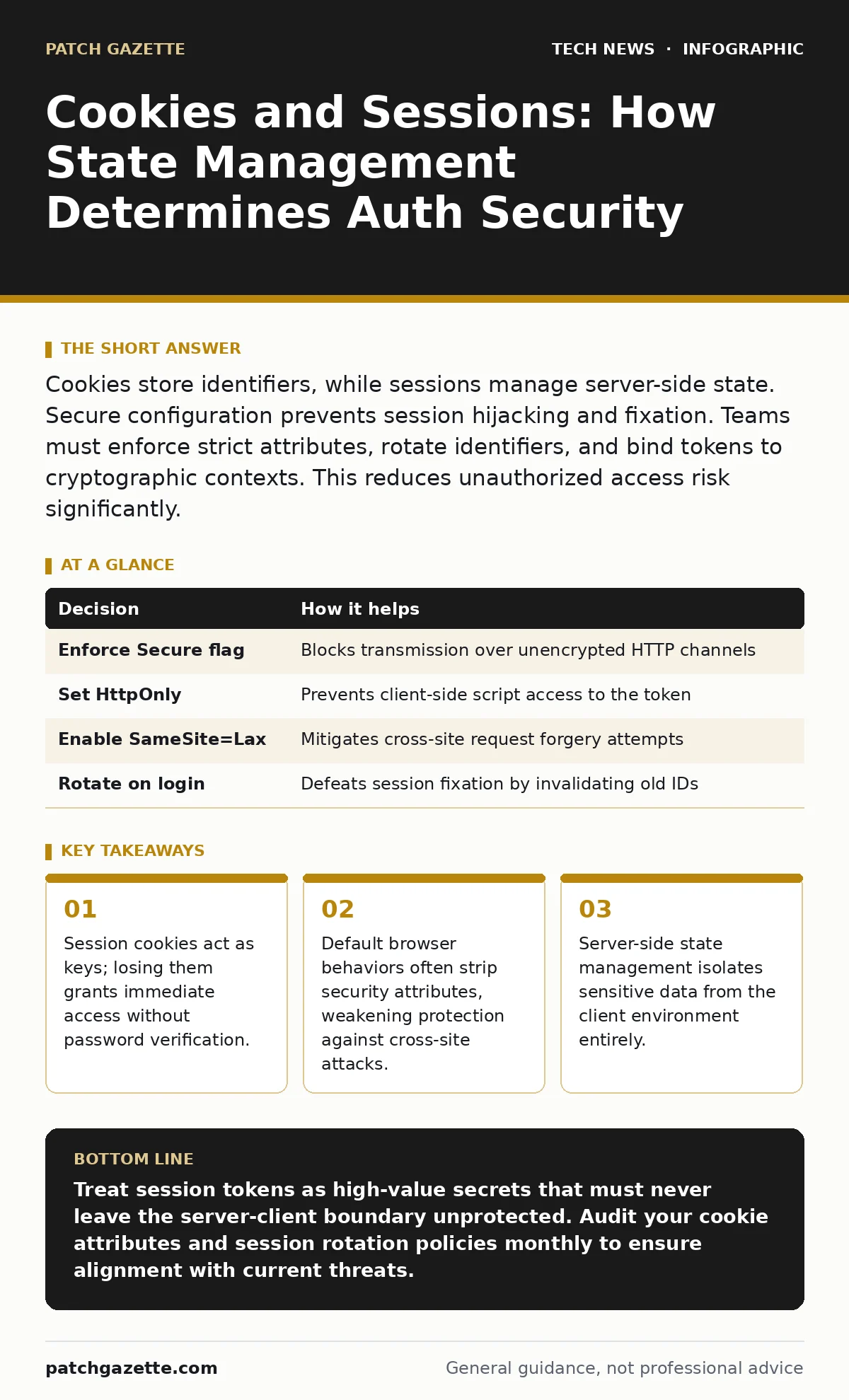
Cookies store identifiers, while sessions manage server-side state. Secure configuration prevents session hijacking and fixation. Teams must enforce strict attributes, rotate identifiers, and bind tokens to cryptographic contexts. This reduces unauthorized access risk significantly.
The Hidden Cost of Statelessness
Web protocols are stateless by design. Each request stands alone, carrying no memory of previous interactions. Without a mechanism to track continuity, every page load requires re-authentication. This creates a poor user experience and introduces latency. Cookies solve the transport problem. They allow the browser to send a small piece of data with every request to the same domain.
Sessions solve the storage problem. They keep sensitive state on the server, linked only by an opaque token sent via the cookie. This separation is critical. If an attacker intercepts the cookie, they see only a random string, not your database credentials or profile details. The security boundary shifts from protecting data in transit to protecting the token itself.
Defining the Security Boundary
You must distinguish between the carrier and the payload. The cookie is the carrier. It travels between the client and server. The session is the payload. It resides on the server. Confusing these two leads to dangerous architectural choices. Storing sensitive data in cookies expands the attack surface. Any vulnerability that reads browser storage compromises your data immediately.
Session fixation is a primary risk. An attacker forces a victim to use a known session ID. When the victim logs in, the attacker hijacks the authenticated state. This happens when applications accept existing session IDs from URLs or untrusted sources. You must regenerate the session identifier after authentication. This breaks the link to the pre-authenticated state.
Configuring Cookie Attributes Correctly
Browsers offer specific attributes to restrict how cookies behave. Many developers ignore these, relying on default settings that prioritize compatibility over security. The Secure attribute ensures cookies transmit only over HTTPS connections. Without it, cookies travel in plain text on any HTTP connection, vulnerable to network sniffing.
The HttpOnly attribute prevents JavaScript from accessing the cookie. This mitigates Cross-Site Scripting attacks. If an attacker injects malicious code, they cannot read the session token via document.cookie. The SameSite attribute restricts cross-origin requests. It prevents browsers from sending cookies during cross-site navigations or requests. This blocks many Cross-Site Request Forgery attacks.
| Decision | How it helps |
|---|---|
| Enforce Secure flag | Blocks transmission over unencrypted HTTP channels |
| Set HttpOnly | Prevents client-side script access to the token |
| Enable SameSite=Lax | Mitigates cross-site request forgery attempts |
| Rotate on login | Defeats session fixation by invalidating old IDs |
Managing Session Lifecycle
Time is your strongest defense against persistent threats. Sessions must have a reasonable timeout. Idle timeouts revoke access after a period of inactivity. Absolute timeouts ensure sessions expire regardless of activity. Long-lived sessions increase the window for attackers to exploit a compromised token.
Storage location matters too. In-memory stores are fast but volatile. Database-backed stores persist across server restarts but add latency. Choose based on your scale and consistency needs. If you scale horizontally, you need a shared session store. Redis or Memcached are common choices. Ensure the communication between web servers and the session store is encrypted. Internal network traffic is not immune to eavesdropping.
The Browser as an Attack Surface
You control the server, but you do not control the client. The browser environment is hostile. Extensions, malware, and compromised user agents can intercept or manipulate cookies. You cannot rely on client-side integrity. Assume the cookie value can be read by unauthorized scripts. This is why HttpOnly is non-negotiable for session tokens.
Mobile apps complicate this further. They often lack standard cookie jars. Developers sometimes store session tokens in local storage or keychains. Local storage is accessible to JavaScript, making it vulnerable to XSS. Keychains are more secure but require proper platform-specific implementation. Treat mobile session handling as a separate security domain. Apply the same strict rotation and timeout rules.
See also: Software Updates Best Practices: Secure Patching Without Downtime · Why Digital Signatures Matter for Code Integrity and Trust
Integration with Identity Systems
Cookies and sessions rarely exist in isolation. They tie into broader identity management strategies. Single Sign-On protocols like SAML or OAuth use tokens to exchange claims. These tokens often set cookies to maintain the session state. If the upstream identity provider is compromised, downstream sessions may be invalid. You need a mechanism to revoke sessions instantly.
This relates closely to one-time passwords. While 2FA adds a layer of verification, it does not protect the session once established. If an attacker steals the session cookie, they bypass the 2FA challenge. Session management is the last line of defense. Consider binding sessions to device fingerprints or TLS certificate pinning for high-risk applications. This limits the value of a stolen token to the specific device or connection.
Operational Visibility and Auditing
You cannot protect what you cannot see. Implement logging for session creation, destruction, and access. Log the IP address and user agent, but mask sensitive identifiers. This data helps detect anomalies, such as a single session ID appearing from multiple geographic locations. Correlate these logs with your IT asset management systems. Ensure every web server managing sessions is tracked and patched.
Regularly review your cookie configuration. Dependencies change. Libraries update. A new component might introduce a cookie without security attributes. Use automated scanning tools to detect misconfigurations. Integrate these checks into your CI/CD pipeline. Catching a missing Secure flag before deployment is far cheaper than remediating a breach.
Beyond Basic Authentication
Secure session management is foundational, but it is not sufficient alone. It must work in concert with other controls. For instance, proper digital signatures ensure that tokens cannot be tampered with in transit. If you use JWTs, verify the signature rigorously. Never trust a token without validation.
Consider the role of virtualization security. If your web servers run in containers, ensure the host kernel is hardened. A container escape could allow an attacker to read the memory of other containers, potentially exposing session data. Similarly, Linux server hardening practices reduce the risk of local privilege escalation that could compromise session stores. Security is layered. Cookies and sessions are just one layer.
Key takeaways
- Session cookies act as keys; losing them grants immediate access without password verification.
- Default browser behaviors often strip security attributes, weakening protection against cross-site attacks.
- Server-side state management isolates sensitive data from the client environment entirely.
Treat session tokens as high-value secrets that must never leave the server-client boundary unprotected. Audit your cookie attributes and session rotation policies monthly to ensure alignment with current threats.
Frequently asked questions
Should I use secure cookies on internal development environments?
No, internal HTTP environments will block secure cookies. Use separate, isolated development configurations that mimic production settings but allow HTTP for debugging.
How long should a session last?
Idle timeouts of 15-30 minutes are standard for general apps. High-security apps may use 5 minutes. Absolute timeouts should not exceed 24 hours without re-authentication.
Can SameSite cookies block legitimate cross-site payments?
Yes, SameSite=Strict blocks all cross-site requests. Use SameSite=Lax to allow top-level navigations while still blocking CSRF vectors in most cases.
Do I need to invalidate sessions on password change?
Yes, changing a password should terminate all existing sessions for that user. This prevents an attacker with a stolen token from maintaining access after the user secures their account.
How this guide was produced: written by the Patch Gazette editorial team with AI assistance, checked against the public references listed below, and reviewed when the facts change. See our editorial policy or report an error.