
Single Sign-On Misconceptions That Compromise Cloud Security
Single sign-on reduces password fatigue but introduces new attack surfaces that require strict session management and conditional access controls.
Single sign-on centralizes identity but does not eliminate risk. Misunderstanding its scope leads to overprivileged accounts, weak session controls, and blind spots in audit logs. Correct implementation requires treating identity as a perimeter, enforcing least privilege, and monitoring for anomalous access patterns rather than relying on the login event alone.
Misreading: Single sign-on replaces the need for multi-factor authentication
Correct reading: Single sign-on manages the authentication event, but it does not verify identity strength. Users often assume that because they log in once, they are secure. This is false. The identity provider handles the handshake, but the method of verification remains configurable. If you rely only on passwords within the single sign-on flow, you expose every connected application to credential stuffing attacks.
You must enforce multi-factor authentication at the identity provider level. This ensures that every subsequent application access inherits the strong verification. Without this layer, single sign-on merely automates the entry of weak credentials across your entire software stack. The convenience of single sign-on amplifies the impact of a single compromised password.
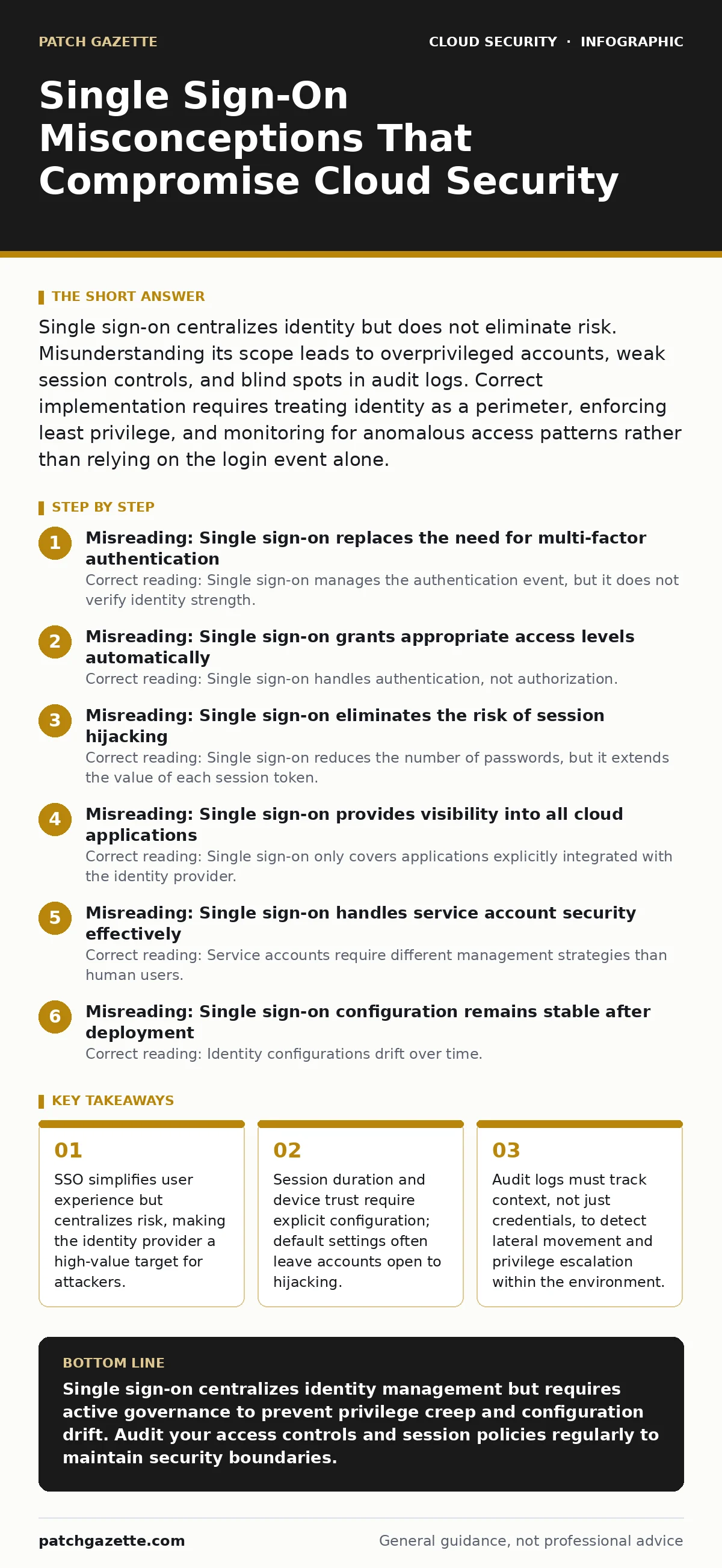
Misreading: Single sign-on grants appropriate access levels automatically
Correct reading: Single sign-on handles authentication, not authorization. Authentication confirms who you are. Authorization determines what you can do. Many organizations assume that logging in via single sign-on automatically assigns the correct permissions. This creates privilege creep. Users accumulate access rights over time as they move between roles.
The identity provider does not clean up these permissions. You must implement role-based access control independently of the login mechanism. Regular access reviews are necessary to remove stale permissions. If you do not audit these roles, you create a scenario where former employees or changed roles retain elevated access. This increases the attack surface for internal threats and data exfiltration.
Misreading: Single sign-on eliminates the risk of session hijacking
Correct reading: Single sign-on reduces the number of passwords, but it extends the value of each session token. Attackers target these tokens to bypass login screens entirely. If your single sign-on configuration allows long-lived sessions, an attacker who steals a token can maintain access for days or weeks. You must configure absolute and idle session timeouts.
Shorter timeouts reduce the window for exploitation. Additionally, bind sessions to specific device identifiers or network contexts. This ensures that a stolen token is useless if the context changes. Relying on the default session duration provided by the identity provider is a critical error. Defaults are often optimized for usability, not security.
Misreading: Single sign-on provides visibility into all cloud applications
Correct reading: Single sign-on only covers applications explicitly integrated with the identity provider. Employees often subscribe to software using personal accounts or direct registration. This creates shadow IT. These services operate outside your security controls. You cannot enforce multi-factor authentication or monitor usage for these tools.
The single sign-on dashboard shows only managed applications. To close this gap, you must enforce application allowlisting. Block access to unapproved cloud services at the network or identity level. Regularly scan for unauthorized integrations. Without this discipline, sensitive data leaves your environment through unmonitored channels. The single sign-on platform becomes a blind spot for data loss prevention efforts.
Misreading: Single sign-on handles service account security effectively
Correct reading: Service accounts require different management strategies than human users. These accounts run automated processes and scripts. They often have persistent, high-privilege access. Single sign-on systems are designed for interactive human logins. Applying human-centric policies to service accounts breaks automation or creates security gaps. You must isolate service account identities.
Use dedicated identity pools or separate directories for machine-to-machine communication. Implement certificate-based authentication or short-lived tokens for these accounts. Avoid storing static passwords in configuration files. Service account security demands rigorous lifecycle management. Failure to separate these identities leads to credential sprawl and increased risk of automated exploitation.
See also: How Cloud Ransomware Works: The Step-by-Step Attack Chain · SAML vs OAuth: Which Protocol Fits Your Cloud Architecture?
Misreading: Single sign-on configuration remains stable after deployment
Correct reading: Identity configurations drift over time. Administrators modify rules to accommodate new hires or troubleshooting requests. These changes accumulate and weaken security posture. This phenomenon is known as configuration drift. You may relax conditional access policies temporarily and forget to restore them. Or you may add exceptions for legacy applications that never get removed.
Regular audits against established baselines are necessary. Compare current settings against your security standards. Identify and remediate deviations immediately. Treat identity configuration as code. Version control and automated testing help prevent accidental weakening of controls. Without this discipline, your single sign-on environment becomes a patchwork of insecure exceptions.
Misreading: Single sign-on protects against insider threats
Correct reading: Single sign-on makes it easier for legitimate users to access systems. It does not stop them from misusing that access. Insider threats operate within authorized boundaries. They use valid credentials and trusted devices. Single sign-on logs show successful logins, not malicious intent. You must monitor user behavior for anomalies. Look for data downloads outside normal patterns or access to sensitive files at odd hours. Implement data loss prevention tools that inspect content, not just access rights. Single sign-on provides the context for these alerts, but it does not generate them. Relying solely on identity logs leaves you blind to internal data theft.
Key takeaways
- SSO simplifies user experience but centralizes risk, making the identity provider a high-value target for attackers.
- Session duration and device trust require explicit configuration; default settings often leave accounts open to hijacking.
- Audit logs must track context, not just credentials, to detect lateral movement and privilege escalation within the environment.
- Integration with shadow IT services creates unmanaged access paths that bypass standard security controls and visibility.
Single sign-on centralizes identity management but requires active governance to prevent privilege creep and configuration drift. Audit your access controls and session policies regularly to maintain security boundaries.
Frequently asked questions
Does single sign-on work with legacy on-premise applications?
Yes, through proxy servers or agents that translate modern authentication protocols to legacy formats. This extends security coverage but requires careful network configuration to avoid latency or connectivity issues.
How do I prevent single sign-on fatigue for users?
Implement risk-based conditional access. Require additional verification only when risk indicators are present, such as new devices or unusual locations. This balances security with usability.
Can single sign-on protect against phishing attacks?
Single sign-on reduces password reuse, which mitigates some phishing impact. However, it does not stop credential harvesting. You must train users to recognize phishing attempts and use anti-phishing multi-factor authentication methods.
What happens if the identity provider goes down?
Access to all connected applications fails. Implement break-glass accounts for emergency administrative access. These accounts bypass single sign-on and use local credentials. Ensure these accounts are highly secured and rarely used.
How this guide was produced: written by the Patch Gazette editorial team with AI assistance, checked against the public references listed below, and reviewed when the facts change. See our editorial policy or report an error.