Parameterized Queries Mistakes That Leave Databases Exposed
Most SQL injection flaws persist because developers treat parameterized queries as a magic shield rather than a strict syntax rule with rigid boundaries.
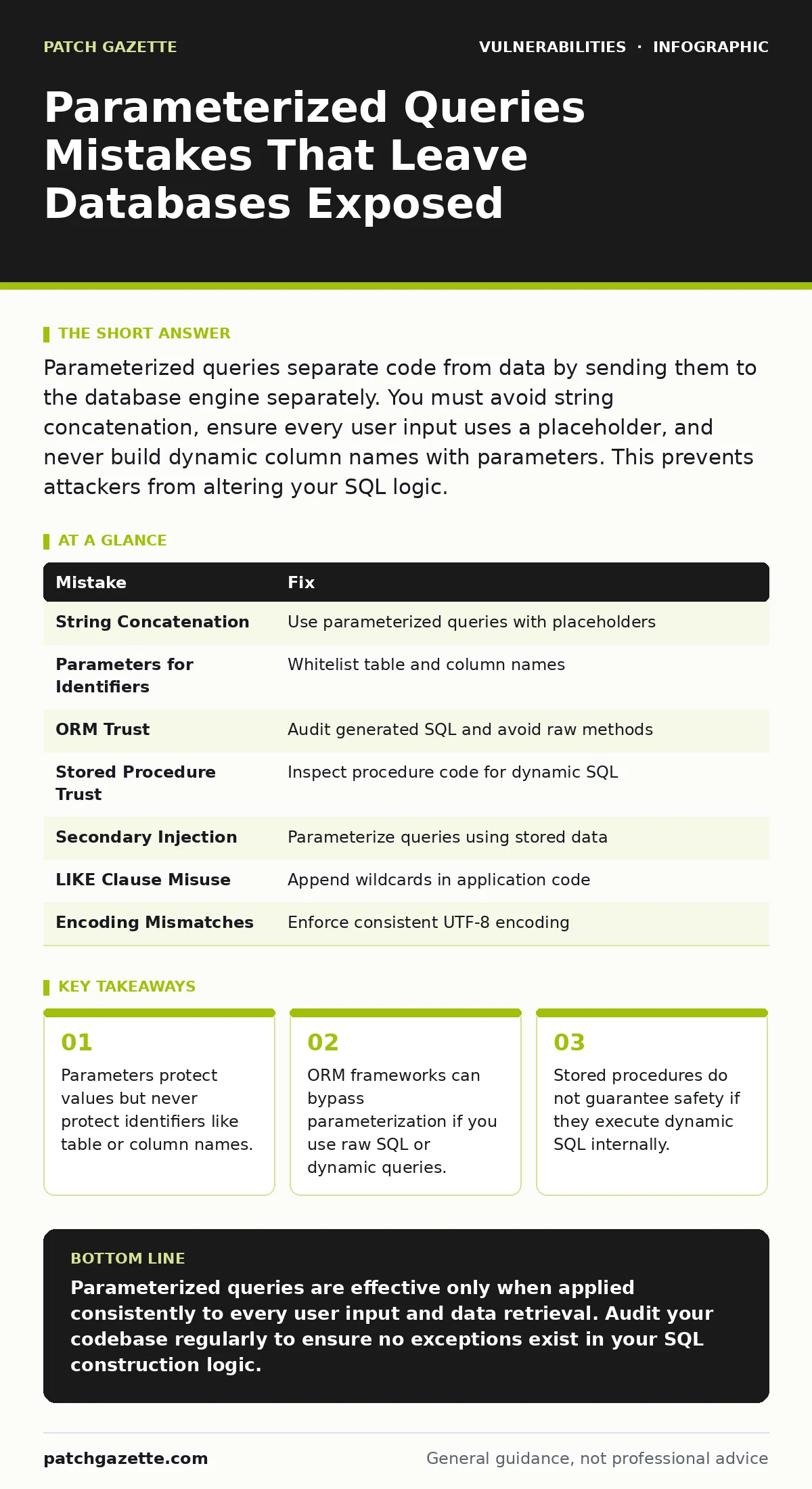
Parameterized queries separate code from data by sending them to the database engine separately. You must avoid string concatenation, ensure every user input uses a placeholder, and never build dynamic column names with parameters. This prevents attackers from altering your SQL logic.
Mistake 1: Concatenating Strings Instead of Using Placeholders
Developers often construct SQL statements by joining user input directly into the query string. This happens when you treat the database as a simple text processor rather than a structured engine. You might write code that appends a variable to a query string to filter results. This approach merges data with the command structure.
Why it hurts:
The database parser cannot distinguish between your intended command and the attacker’s injected code. An attacker can insert a quote character to close your string literal and append a new command. This breaks the logical boundary of your query. The database executes the injected command with the same privileges as your application. This leads to unauthorized data access or modification.
The fix:
Use parameterized queries where the database driver handles the escaping and typing. You send the SQL template with placeholders to the database first. Then you send the data values separately. The database binds the data to the placeholders without parsing it as code. This ensures the input is always treated as data, never as part of the command structure.
Mistake 2: Using Parameters for Table or Column Names
A common misconception is that parameterized queries protect all parts of a SQL statement. You might try to use a placeholder for a table name or a column name to sort or filter results dynamically. This fails because parameters are strictly for values. They cannot replace identifiers in the SQL syntax.
Why it hurts:
If you force a parameter where an identifier is required, the query will fail or return unexpected results. To make it work, developers often revert to string concatenation for the identifier parts. This reintroduces the injection vector. An attacker can inject a malicious table name or column name. They can then read data from other tables or alter the query structure.
The fix:
Use a whitelist approach for identifiers. Define a list of allowed table and column names in your application code. Validate the user’s input against this list. If the input matches an allowed name, use it in the query string. If it does not match, reject the request or use a default value. This keeps the dynamic parts of the query under your strict control.
Mistake 3: Relying on ORM Magic Without Verification
Object-Relational Mapping tools abstract database interactions. They often generate SQL queries automatically based on your object models. Developers assume this abstraction layer automatically prevents injection. They stop inspecting the generated SQL statements. This false sense of security leads to overlooked vulnerabilities.
Why it hurts:
Many ORMs allow you to write raw SQL fragments or use dynamic query builders. If you pass user input into these raw methods, the ORM may not parameterize them. You might also use functions that concatenate strings within the ORM’s query builder. The resulting SQL sent to the database contains unescaped user input. The injection risk remains identical to manual string concatenation.
The fix:
Audit the SQL generated by your ORM. Use logging or debugging tools to view the final query before it executes. Ensure that all user inputs are passed through the ORM’s parameterized methods. Avoid raw SQL execution unless absolutely necessary. If you must use raw SQL, treat it with the same rigor as hand-written queries. Use parameterization for every user-supplied value.
Mistake 4: Trusting Stored Procedures Implicitly
Stored procedures encapsulate SQL logic within the database. Developers often believe that calling a stored procedure automatically prevents injection. They pass user input directly to the procedure parameters. They assume the database engine handles the safety. This assumption ignores how the procedure is implemented.
Why it hurts:
If the stored procedure uses dynamic SQL internally, it is vulnerable. The procedure might construct a query string using the input parameters and execute it. This dynamic execution bypasses the safety of parameterization. An attacker can inject code into the parameter. The procedure then executes that code. The privilege level of the procedure determines the impact.
The fix:
Inspect the source code of stored procedures. Ensure they do not use dynamic SQL execution functions. If dynamic SQL is necessary, use parameterization within the procedure itself. Do not concatenate user input into the dynamic string. Consider using prepared statements within the procedure. This adds an extra layer of validation before the query executes.
Mistake 5: Ignoring Secondary Injection Vectors
Primary injection occurs when user input is directly inserted into a query. Secondary injection happens when data previously stored in the database is retrieved and used in a new query without validation. Developers often sanitize input on entry but forget to sanitize it on retrieval. This creates a delayed injection vector.
Why it hurts:
An attacker injects malicious code into a field and stores it. Later, an administrator or another user triggers a function that reads this field. The application uses the stored value in a new SQL query. If the application does not parameterize this second query, the stored code executes. This allows attackers to bypass initial input filters. It also makes detection harder because the attack is delayed.
The fix:
Treat all data from the database as untrusted. Parameterize every query that uses data retrieved from the database. Do not assume that because data was validated on entry, it is safe for use. Apply the same parameterization rules to internal data flows. This ensures that stored malicious code remains inert.
See also: Security Technical Debt: How to Measure and Pay It Down
Mistake 6: Misusing LIKE Clauses with Wildcards
The LIKE operator allows pattern matching with wildcards. Developers often concatenate user input into LIKE clauses to enable search functionality. This concatenation breaks parameterization. The input is no longer treated as a simple value.
Why it hurts:
If you concatenate the wildcards, you are building the query string. This reopens the door for injection. An attacker can inject a quote to break out of the string. They can then append additional SQL commands. Even if you parameterize the input, you must handle the wildcards carefully. Incorrect handling can lead to syntax errors or injection.
The fix:
Append the wildcards within the application code before passing the value to the parameter. Do not concatenate the wildcards into the SQL string. Pass the complete pattern as a single parameter. The database treats the entire pattern as a value. This maintains the separation between code and data.
Mistake 7: Failing to Handle Unicode and Encoding Issues
Databases support various character encodings. If your application and database use different encodings, characters may be interpreted differently. Developers often ignore this mismatch. They assume the default encoding is safe. This assumption fails with multi-byte character sets.
Why it hurts:
An attacker can use multi-byte characters to bypass filters. A filter might check for a quote character. The attacker sends a multi-byte sequence that decodes into a quote in the database. The filter sees harmless bytes. The database sees a dangerous character. This breaks the parameterization or escaping logic. It allows injection despite apparent safeguards.
The fix:
Ensure your application and database use the same character encoding. Prefer UTF-8 for consistency. Configure your database connection to enforce this encoding. Validate input length and character set early. This prevents encoding mismatches from creating injection vectors.
| Mistake | Fix |
|---|---|
| String Concatenation | Use parameterized queries with placeholders |
| Parameters for Identifiers | Whitelist table and column names |
| ORM Trust | Audit generated SQL and avoid raw methods |
| Stored Procedure Trust | Inspect procedure code for dynamic SQL |
| Secondary Injection | Parameterize queries using stored data |
| LIKE Clause Misuse | Append wildcards in application code |
| Encoding Mismatches | Enforce consistent UTF-8 encoding |
Understanding these mistakes helps you build stronger defenses. You must look beyond the basic implementation of parameterized queries. The security of your database depends on rigorous validation and consistent application of these principles.
Key takeaways
- Parameters protect values but never protect identifiers like table or column names.
- ORM frameworks can bypass parameterization if you use raw SQL or dynamic queries.
- Stored procedures do not guarantee safety if they execute dynamic SQL internally.
Parameterized queries are effective only when applied consistently to every user input and data retrieval. Audit your codebase regularly to ensure no exceptions exist in your SQL construction logic.
Frequently asked questions
Do parameterized queries protect against all SQL injection types?
They protect against logical injection by separating code from data. They do not protect against identifiers or logic flaws in the application.
Can I use parameterized queries in NoSQL databases?
Yes, many NoSQL drivers support parameterized queries or equivalent mechanisms. Check your specific driver documentation.
How do I handle dynamic sorting in SQL?
Use a whitelist of allowed column names. Map user input to internal column identifiers. Never pass user input directly into the ORDER BY clause.
Is it safe to use stored procedures?
Only if they do not use dynamic SQL. Inspect the procedure code to ensure it uses parameterized execution internally.
How this guide was produced: written by the Patch Gazette editorial team with AI assistance, checked against the public references listed below, and reviewed when the facts change. See our editorial policy or report an error.