
Warning Signs of Medical Device Vulnerabilities in Healthcare Networks
Unusual network traffic patterns often reveal medical device vulnerabilities before clinical symptoms or system crashes become apparent to staff.
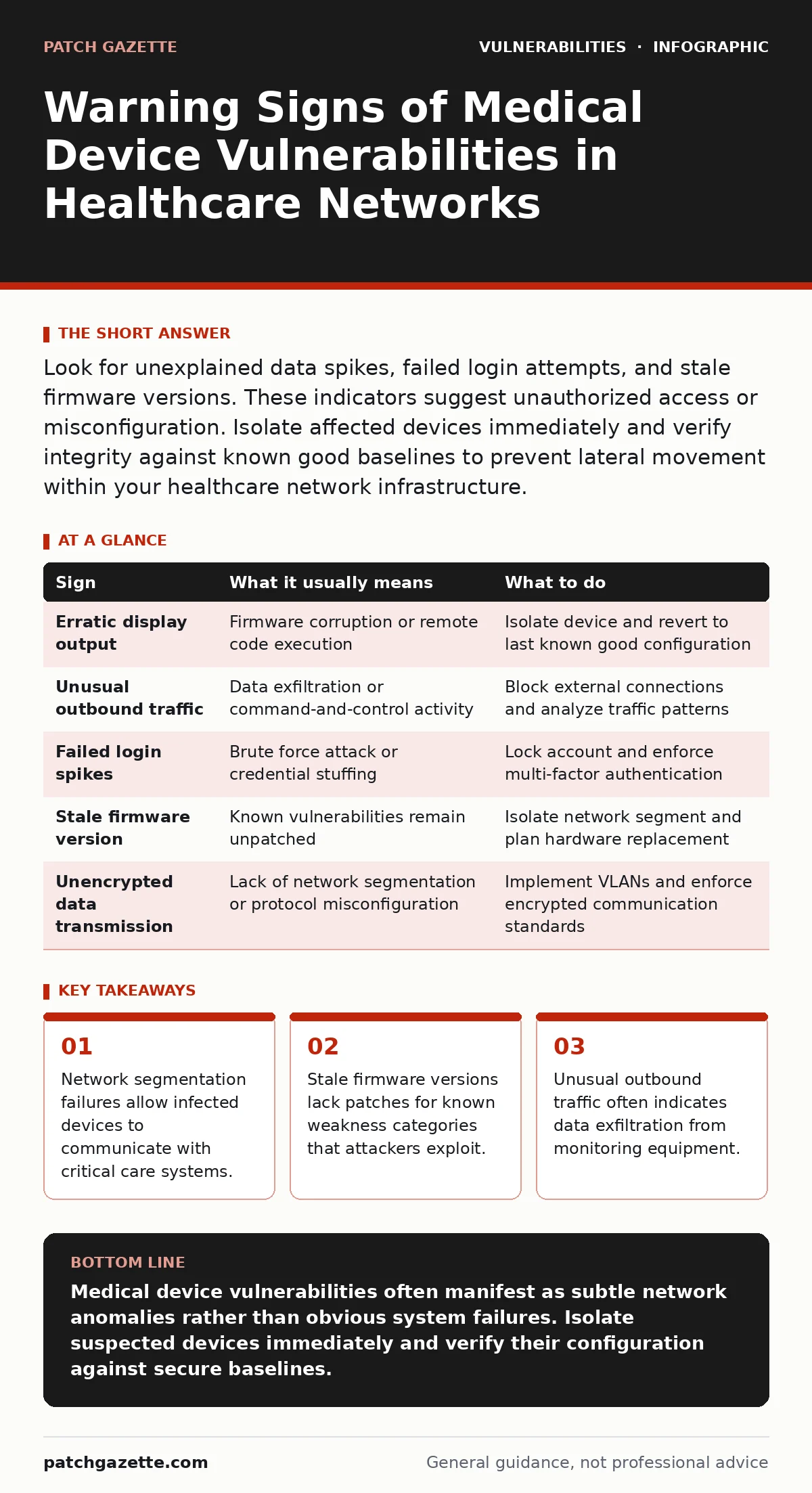
Look for unexplained data spikes, failed login attempts, and stale firmware versions. These indicators suggest unauthorized access or misconfiguration. Isolate affected devices immediately and verify integrity against known good baselines to prevent lateral movement within your healthcare network infrastructure.
Obvious Indicators of Compromise in Clinical Equipment
Clinical staff often notice the first signs of medical device vulnerabilities through direct interface behavior. A monitor displaying erratic vital signs without a corresponding patient change suggests firmware corruption or remote manipulation. Printers connected to imaging systems may produce garbled output or refuse jobs, indicating that the underlying operating system has been compromised. These disruptions are visible because they affect the primary function of the device. You should treat any deviation from normal clinical operation as a potential security incident until proven otherwise.
Subtle Network Anomalies That Signal Risk
Network administrators often miss vulnerabilities because the devices appear to function correctly at the application layer. Unusual outbound traffic from a static device like an infusion pump is a major red flag. These devices typically send small status updates, not large data packets. A sudden increase in bandwidth usage suggests data exfiltration or command-and-control communication. You must monitor for connections to unknown external IP addresses. Standard firewalls often allow outbound traffic by default, hiding these breaches from basic intrusion detection systems that focus only on inbound threats.
The Hidden Cost of Legacy Firmware
Many medical devices run on outdated operating systems that no longer receive security updates. This creates a persistent risk that cannot be mitigated by standard patching cycles. The vulnerability lies in the code itself, not in how the device is configured. Attackers exploit known weakness categories in these legacy systems to gain initial access. You cannot fix this by changing passwords or adding filters. The only true mitigation is network isolation or replacing the hardware. Recognizing that a device is inherently unpatchable is the first step in managing its risk profile effectively.
Misconfigured Access Controls and Default Credentials
Default credentials remain a widespread issue in medical device deployments. Manufacturers often ship devices with generic admin accounts to simplify initial setup. Hospital IT staff may fail to change these before connecting the device to the main network. This broken access control allows anyone with network access to take full control of the device. You should audit all new devices for default accounts during the onboarding process. Removing or renaming these accounts prevents automated scanning tools from gaining immediate entry. This simple step reduces the attack surface significantly.
Lateral Movement Through Shared Protocols
Medical devices often use older communication protocols that lack encryption. When a device is compromised, attackers use it as a foothold to move laterally across the network. They scan for other devices using the same unencrypted protocol. This allows them to eavesdrop on patient data or inject malicious commands into other systems. You must segment your network to isolate medical devices from general hospital IT. Segmentation prevents a breach in one area from spreading to critical care units. This approach limits the blast radius of any single compromise.
See also: Open Port Management Checklist: Close Gaps and Reduce Risk · IP Address Mechanics: 10 Questions Network Engineers Actually Ask
Response Protocol for Suspected Breaches
When you detect a warning sign, immediate isolation is the priority. Disconnect the device from the network physically or via VLAN shutdown. Do not power off the device, as this destroys volatile memory evidence needed for forensic analysis. Document the exact time and nature of the anomaly. Notify your security operations center and clinical engineering team. Preserve logs and network captures for later investigation. This structured response ensures you can determine the scope of the breach and prevent further damage.
| Sign | What it usually means | What to do |
|---|---|---|
| Erratic display output | Firmware corruption or remote code execution | Isolate device and revert to last known good configuration |
| Unusual outbound traffic | Data exfiltration or command-and-control activity | Block external connections and analyze traffic patterns |
| Failed login spikes | Brute force attack or credential stuffing | Lock account and enforce multi-factor authentication |
| Stale firmware version | Known vulnerabilities remain unpatched | Isolate network segment and plan hardware replacement |
| Unencrypted data transmission | Lack of network segmentation or protocol misconfiguration | Implement VLANs and enforce encrypted communication standards |
Integrating Security into Device Lifecycle
Security must be considered from procurement to decommissioning. You should evaluate the security posture of devices before purchase. Ask vendors about their patch management process and support timeline. Integrate devices into your asset management system immediately. Regular audits ensure that configurations remain secure over time. This proactive approach reduces the likelihood of surprise breaches. It also simplifies incident response by providing accurate inventory data.
Long-Term Mitigation Strategies
Virtual patching can provide temporary protection for devices that cannot be updated. This technique uses network-level rules to block exploit attempts before they reach the device. It does not fix the underlying code flaw but stops the attack vector. You should combine this with strict access controls and continuous monitoring. Regular penetration testing helps identify new weaknesses. This layered defense strategy ensures that even if one control fails, others remain in place to protect patient safety.
Key takeaways
- Network segmentation failures allow infected devices to communicate with critical care systems.
- Stale firmware versions lack patches for known weakness categories that attackers exploit.
- Unusual outbound traffic often indicates data exfiltration from monitoring equipment.
Medical device vulnerabilities often manifest as subtle network anomalies rather than obvious system failures. Isolate suspected devices immediately and verify their configuration against secure baselines.
Frequently asked questions
How do I know if a medical device is vulnerable to OpenSSL vulnerabilities?
Check the device firmware version and compare it against known vulnerable versions of the cryptographic library.
Can virtual patching protect against all medical device threats?
No, virtual patching only blocks known exploit patterns at the network level and does not fix internal code flaws.
What is the first step when a device shows erratic behavior?
Disconnect the device from the network immediately to prevent lateral movement and data exfiltration.
How does broken access control affect medical device security?
It allows unauthorized users to gain control of the device using default or weak credentials, leading to full system compromise.
How this guide was produced: written by the Patch Gazette editorial team with AI assistance, checked against the public references listed below, and reviewed when the facts change. See our editorial policy or report an error.