Stop Malicious Typosquatted Packages: Prevention Checklist for Supply Chain Security
Typosquatting attacks exploit human visual perception flaws, allowing malicious code to enter trusted pipelines before signature verification or static analysis can detect the substitution.
Prevent typosquatting by enforcing strict dependency pinning, automating package name validation against official registries, and implementing allowlists for all third-party libraries. These controls block look-alike domains and misspelled repository names before they reach production environments, reducing the attack surface of your software supply chain.
Understanding the Typosquatting Threat Model
Typosquatting occurs when an attacker registers a package name that closely resembles a legitimate, popular library. Developers often copy-paste installation commands from documentation or tutorials. A single missing letter or swapped character can redirect the installation to a malicious repository. This technique exploits the cognitive bias where humans assume visual similarity equals identity. The attacker gains the same trust level as the legitimate project. Once installed, the malicious package executes arbitrary code during the build or runtime phase. This happens before traditional security tools can inspect the final binary.
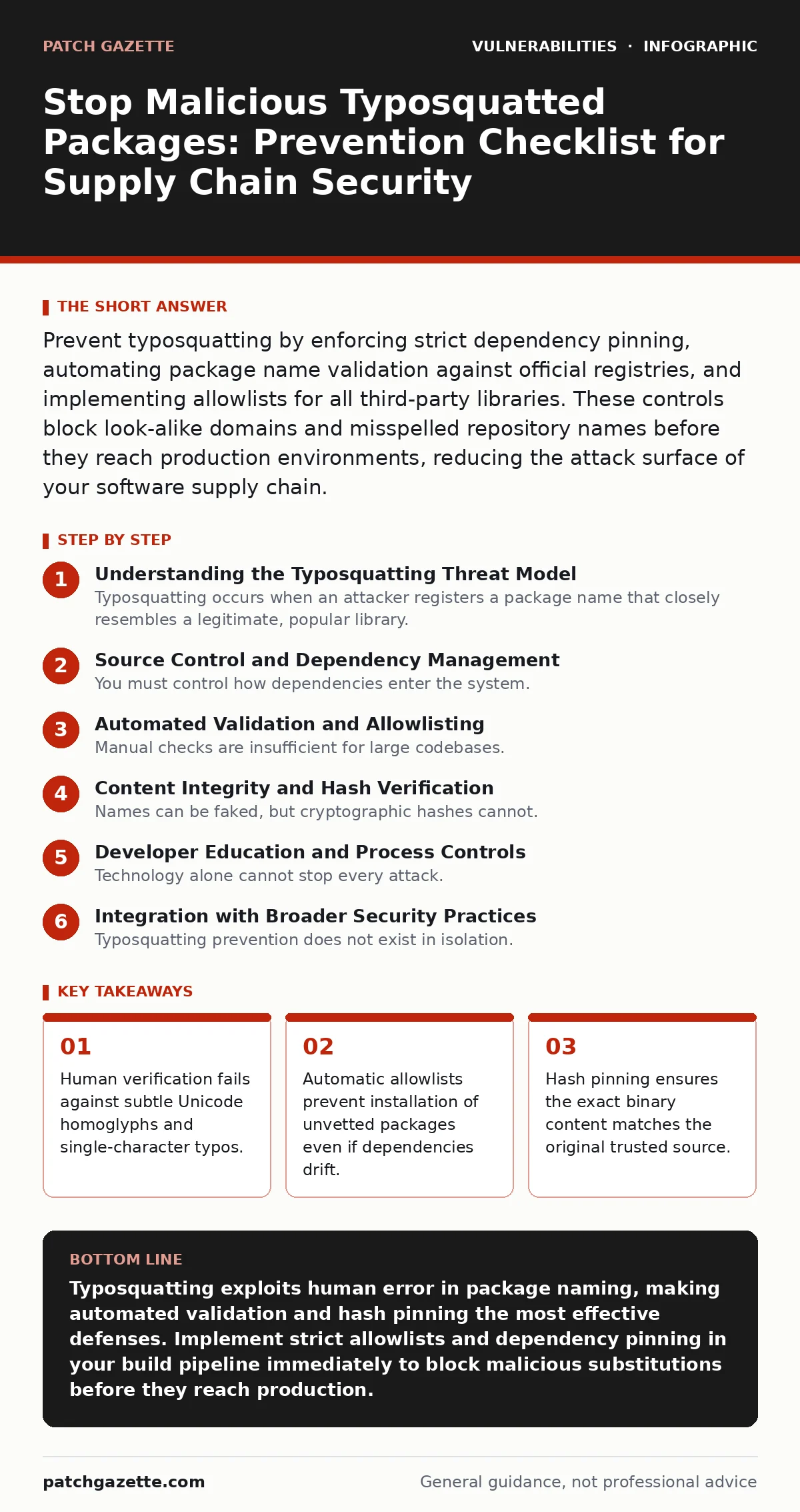
Source Control and Dependency Management
You must control how dependencies enter the system. Relying on manual installation commands creates a high risk of human error. Implementing strict version control practices reduces this exposure. The following checklist items focus on preventing accidental inclusion of malicious look-alikes during the development phase.
- Enforce dependency pinning: Locking specific versions prevents accidental upgrades to malicious releases that may mimic legitimate updates.
- Use locked dependency files: Files like lockfiles record the exact tree of dependencies, ensuring reproducibility and preventing drift toward malicious substitutes.
- Audit transitive dependencies: Third-party libraries often pull in their own dependencies, creating a hidden layer where typosquatted packages can hide unnoticed.
- Restrict write access to configuration: Limiting who can modify package manager configurations prevents insiders or compromised accounts from injecting malicious sources.
Automated Validation and Allowlisting
Manual checks are insufficient for large codebases. Automated tools can validate package names against known-good lists. This approach removes the reliance on developer vigilance. You should integrate these checks into your continuous integration pipeline. The goal is to fail the build if any unauthorized package is detected.
- Implement package allowlists: Only permitting explicitly approved packages blocks any new or misspelled entries from being installed during builds.
- Verify registry origins: Ensuring packages come from official, verified registries reduces the risk of downloading from spoofed or unofficial mirrors.
- Check for duplicate names: Detecting multiple packages with similar names in the same environment helps identify potential typosquatting attempts early.
- Validate package metadata: Examining author information and repository URLs can reveal discrepancies that indicate a malicious impersonation.
Content Integrity and Hash Verification
Names can be faked, but cryptographic hashes cannot. Verifying the hash of the downloaded package ensures the content has not been altered. This step confirms that the binary you install is exactly the one the original author published. It protects against cases where the name is correct but the content has been compromised.
- Pin package hashes: Including the cryptographic hash in your configuration ensures the exact content is downloaded, regardless of the package name.
- Use signed packages: Verifying digital signatures confirms the package was created by the trusted author and has not been tampered with in transit.
- Validate checksums automatically: Integrating hash verification into your build tool prevents installation of packages that do not match the expected content.
- Monitor for hash collisions: While rare, understanding the underlying hash algorithm helps assess the risk of theoretical collision attacks.
Developer Education and Process Controls
Technology alone cannot stop every attack. Developers must understand the risks associated with manual installation. Training should focus on recognizing the signs of typosquatting. Process controls ensure that security practices are followed consistently across the organization.
- Train on visual inspection: Teaching developers to look for subtle differences in package names reduces the likelihood of accepting malicious look-alikes.
- Standardize installation procedures: Providing clear guidelines on how to add new dependencies ensures consistent application of security controls.
- Encourage peer review: Code reviews that include dependency checks help catch typosquatted packages before they are merged into the main branch.
- Document approved sources: Maintaining a clear list of trusted registries and sources helps developers avoid unofficial or suspicious repositories.
Integration with Broader Security Practices
Typosquatting prevention does not exist in isolation. It connects to other areas of application security. For instance, understanding CWE weakness categories helps classify these supply chain risks correctly. You should also consider how privilege escalation vulnerabilities might be exploited if a malicious package gains initial access. The impact of a successful typosquatting attack can be similar to sandbox escape vulnerabilities, where trusted boundaries are broken. Refer to our guide on output encoding for related input validation techniques.
Continuous Monitoring and Incident Response
Even with strong prevention, monitoring is necessary. You need to detect attempts to introduce malicious packages. This includes watching for failed installation attempts and unusual dependency changes. A robust incident response plan ensures you can react quickly if a typosquatted package slips through.
- Monitor installation logs: Reviewing logs for failed or unusual installation attempts helps identify potential typosquatting attacks in progress.
- Alert on new dependencies: Setting up alerts for new package additions ensures immediate review of any changes to the dependency tree.
- Test incident response plans: Regularly practicing responses to supply chain attacks ensures your team can act quickly and effectively.
- Update allowlists regularly: Keeping your allowlists current with legitimate project changes prevents false positives and ensures smooth operations.
Key takeaways
- Human verification fails against subtle Unicode homoglyphs and single-character typos.
- Automatic allowlists prevent installation of unvetted packages even if dependencies drift.
- Hash pinning ensures the exact binary content matches the original trusted source.
Typosquatting exploits human error in package naming, making automated validation and hash pinning the most effective defenses. Implement strict allowlists and dependency pinning in your build pipeline immediately to block malicious substitutions before they reach production.
Frequently asked questions
How do I detect if a package has been typosquatted?
Compare the package name and URL against the official project documentation. Look for subtle spelling differences, unusual domain extensions, or mismatched author information.
Can automated tools prevent all typosquatting attacks?
Automated tools significantly reduce risk by enforcing allowlists and hash verification. However, they require proper configuration and regular updates to remain effective against new attack vectors.
What is the difference between typosquatting and dependency confusion?
Typosquatting involves registering a similar name to trick users. Dependency confusion exploits internal registries by publishing packages with higher priority, tricking the build system into pulling malicious code.
Should I disable manual package installation entirely?
Disabling manual installation for production builds is recommended. For development, enforce strict review processes and use locked dependency files to minimize the risk of accidental inclusion.
How this guide was produced: written by the Patch Gazette editorial team with AI assistance, checked against the public references listed below, and reviewed when the facts change. See our editorial policy or report an error.