
Spot Sandbox Escape Vulnerabilities Before Breach
Resource spikes and unexpected socket creation reveal sandbox escapes long before data exfiltration completes, allowing containment before damage spreads.
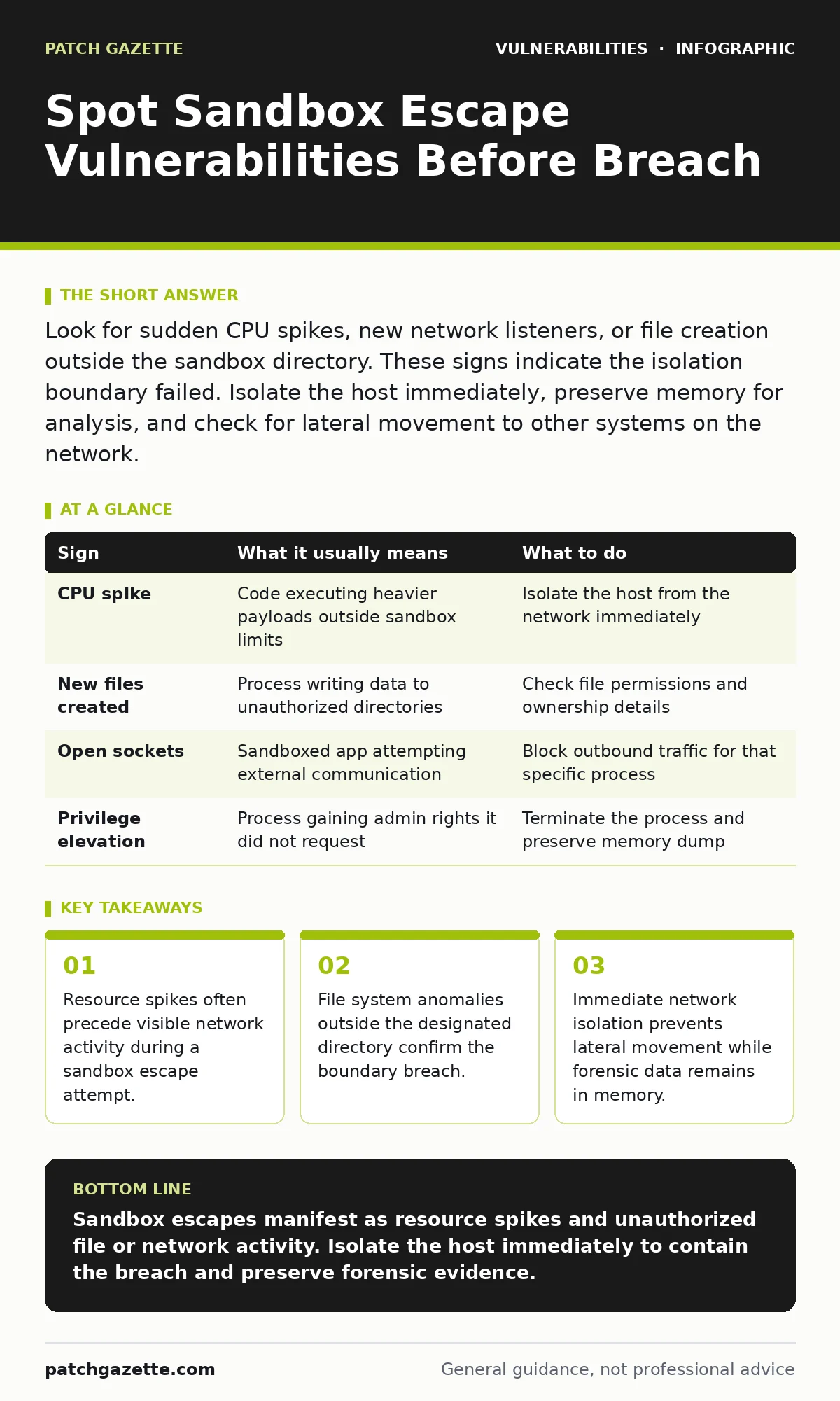
Look for sudden CPU spikes, new network listeners, or file creation outside the sandbox directory. These signs indicate the isolation boundary failed. Isolate the host immediately, preserve memory for analysis, and check for lateral movement to other systems on the network.
Early Warning Signs of Boundary Failure
Sandbox escape vulnerabilities allow malicious code to break out of its restricted environment and access the host system. You notice these breaches first through performance anomalies. The sandboxed process suddenly consumes excessive CPU or memory resources. This happens because the attacker is running heavier payloads that require more processing power than the original benign task. Monitor for these spikes in real time. They often precede any actual data theft or system compromise. High resource usage indicates the code is no longer limited to its intended scope.
Subtle Indicators That Slip Past Monitoring
Signs that are easy to miss involve subtle changes in system behavior. The sandboxed application might create temporary files in unexpected directories. It could also open new network sockets on ports that were previously closed. These actions violate the principle of least privilege. The process should not need to write to the root directory or listen for incoming connections. Detecting these requires strict baseline monitoring. You must know exactly what the application is allowed to do before you can spot deviations.
| Sign | What it usually means | What to do |
|---|---|---|
| CPU spike | Code executing heavier payloads outside sandbox limits | Isolate the host from the network immediately |
| New files created | Process writing data to unauthorized directories | Check file permissions and ownership details |
| Open sockets | Sandboxed app attempting external communication | Block outbound traffic for that specific process |
| Privilege elevation | Process gaining admin rights it did not request | Terminate the process and preserve memory dump |
Why Standard Monitoring Fails Here
Standard endpoint detection focuses on known malware signatures. Sandbox escapes often use legitimate system tools to break out. This technique is known as living off the land. The attacker uses built-in command line utilities to escalate privileges. These tools are already trusted by the operating system. Security software often ignores their activity because they are native. You must monitor for unusual command line arguments instead of just binary names. This shifts the detection model from identity to behavior.
Immediate Containment Steps
When you see a sandbox escape, speed matters more than precision. Do not attempt to debug the issue on the live system. The attacker may still be active. Isolate the affected machine from the network immediately. This stops any data exfiltration or lateral movement to other servers. Preserve the state of the system for later analysis. Do not reboot the machine, as this clears the memory where evidence resides. Take a memory dump if your tools support it. This captures the process list and open connections at the moment of detection.
Analyzing the Escaped Process
After isolation, you need to understand how the escape happened. Check the process tree for parent-child relationships. The escaped process should not have spawned children that are unrelated to its function. Look for processes that have elevated privileges unexpectedly. The sandbox should restrict the ability to gain higher access rights. Review the file system for new executables or scripts. Attackers often drop additional tools after escaping. These secondary payloads may contain the actual malicious intent.
See also: Malware Persistence Mechanisms: How Code Stays Hidden After Removal · Dumpster Diving Response: Secure Physical Data and Stop Identity Theft
Preventing Future Escape Attempts
Prevention requires strict adherence to least privilege principles. Limit the capabilities of sandboxed applications to the absolute minimum. Disable unnecessary features like script execution or network access. Regularly update the software to patch known vulnerabilities. See our guide on virtual patching for methods to protect against unpatched flaws. Also consider reviewing exposed admin panels that might serve as an entry point. Reducing the attack surface makes it harder for attackers to find a foothold.
Long-Term Architectural Adjustments
Relying solely on software sandboxes is risky. Combine them with hardware-based isolation where possible. Modern processors offer features that enforce isolation at the silicon level. This adds a layer of defense that software exploits cannot easily bypass. Implement mandatory access controls to restrict which processes can interact with sensitive resources. This limits the damage even if a sandbox is broken. Regularly audit your isolation configurations. Ensure that no legacy applications have overly permissive settings that contradict current security policies.
Key takeaways
- Resource spikes often precede visible network activity during a sandbox escape attempt.
- File system anomalies outside the designated directory confirm the boundary breach.
- Immediate network isolation prevents lateral movement while forensic data remains in memory.
Sandbox escapes manifest as resource spikes and unauthorized file or network activity. Isolate the host immediately to contain the breach and preserve forensic evidence.
Frequently asked questions
How do I distinguish a sandbox escape from normal application behavior?
Look for deviations from the established baseline, such as unexpected network listeners or file creation in restricted directories.
Can antivirus software detect sandbox escapes?
Traditional antivirus may miss escapes that use legitimate system tools, requiring behavioral analysis instead of signature matching.
What is the first step when I suspect a sandbox breach?
Isolate the affected machine from the network to prevent lateral movement and data exfiltration.
How often should I update sandbox configurations?
Update configurations regularly and after any major software update to ensure restrictions remain effective against new threats.
How this guide was produced: written by the Patch Gazette editorial team with AI assistance, checked against the public references listed below, and reviewed when the facts change. See our editorial policy or report an error.